
Chat
💬 Chat
Section titled “💬 Chat”4All API provides quick access to some AI chat applications, making it easy to test or use them.
Import configuration
Section titled “Import configuration”On the Console → API Tokens page, you can import the configuration into chat applications with one click.
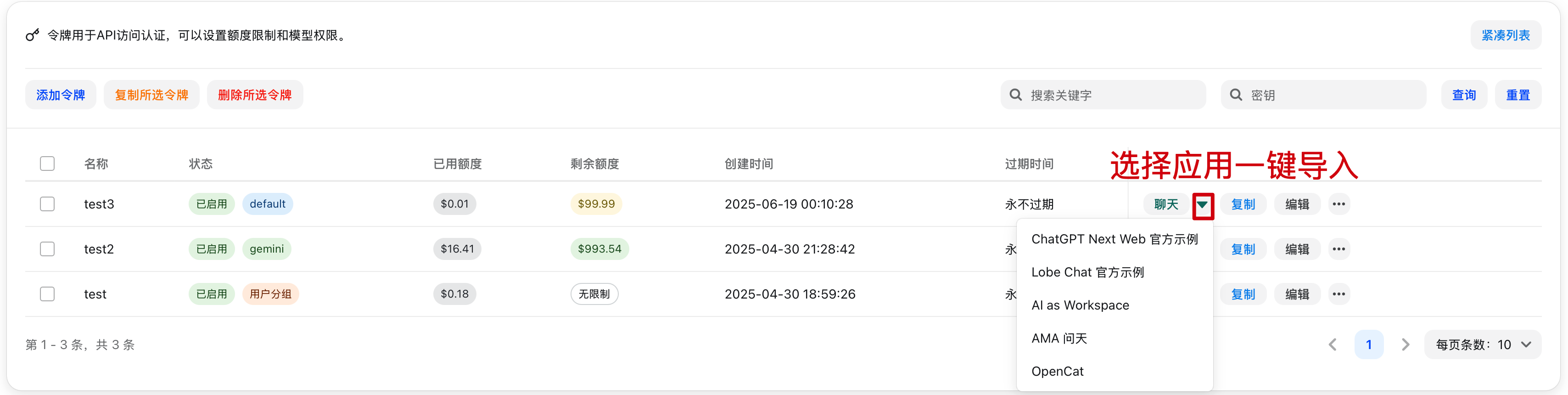
ChatGPT Next Web
Section titled “ChatGPT Next Web”Deployment is currently paused.
Lobe Chat
Section titled “Lobe Chat”Lobe Chat is an open-source multimodal conversational app that supports multiple large language models (LLMs) and plugin extensions. It supports not only text conversations, but also multimodal interactions such as images and audio, making it suitable for a variety of scenarios including personal assistants, knowledge Q&A, and content creation. Lobe Chat features a clean and intuitive interface, multi-device synchronization, and customizable models and plugins, allowing you to flexibly extend its conversational capabilities.
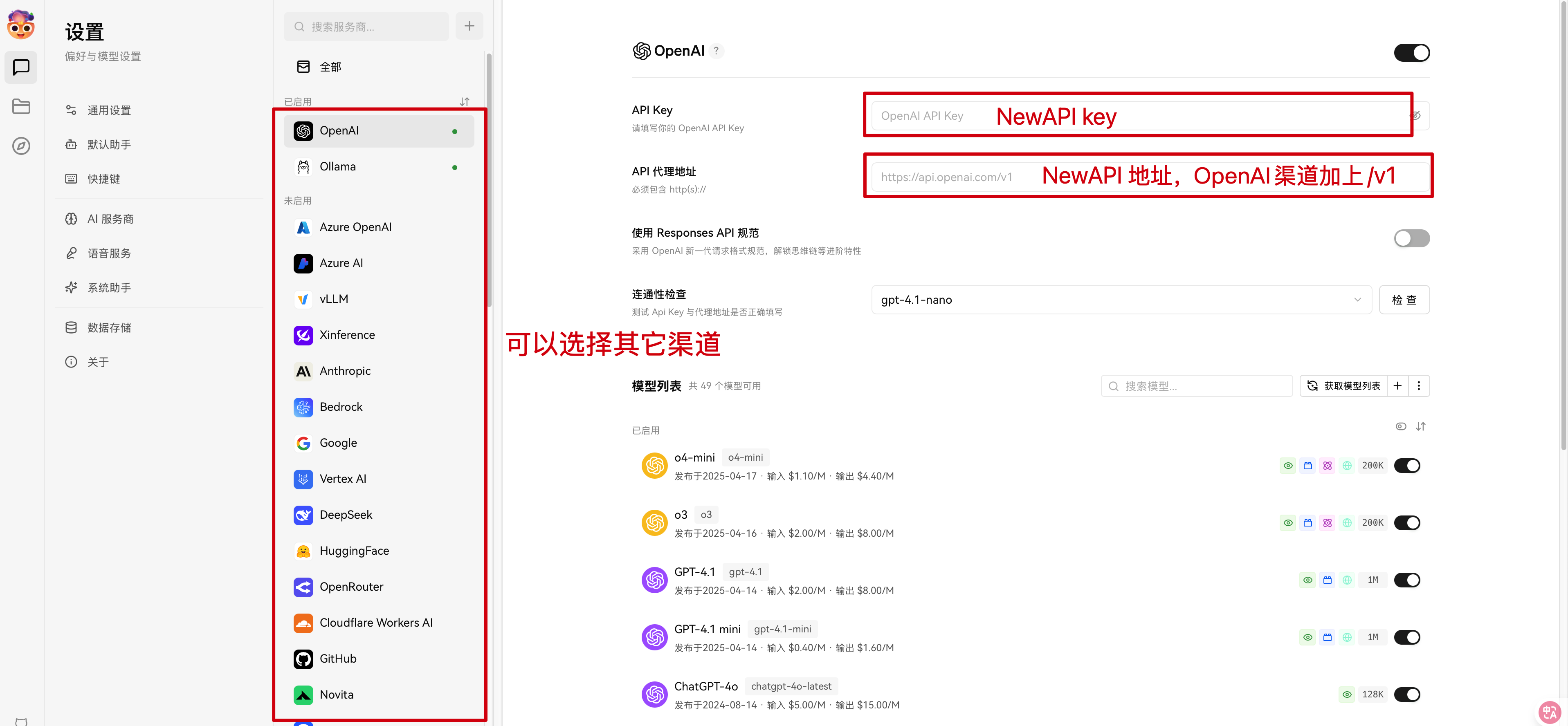
Lobe Chat does not currently support one-click configuration import from 4All API; manual entry is required.
Configuration setup
Section titled “Configuration setup”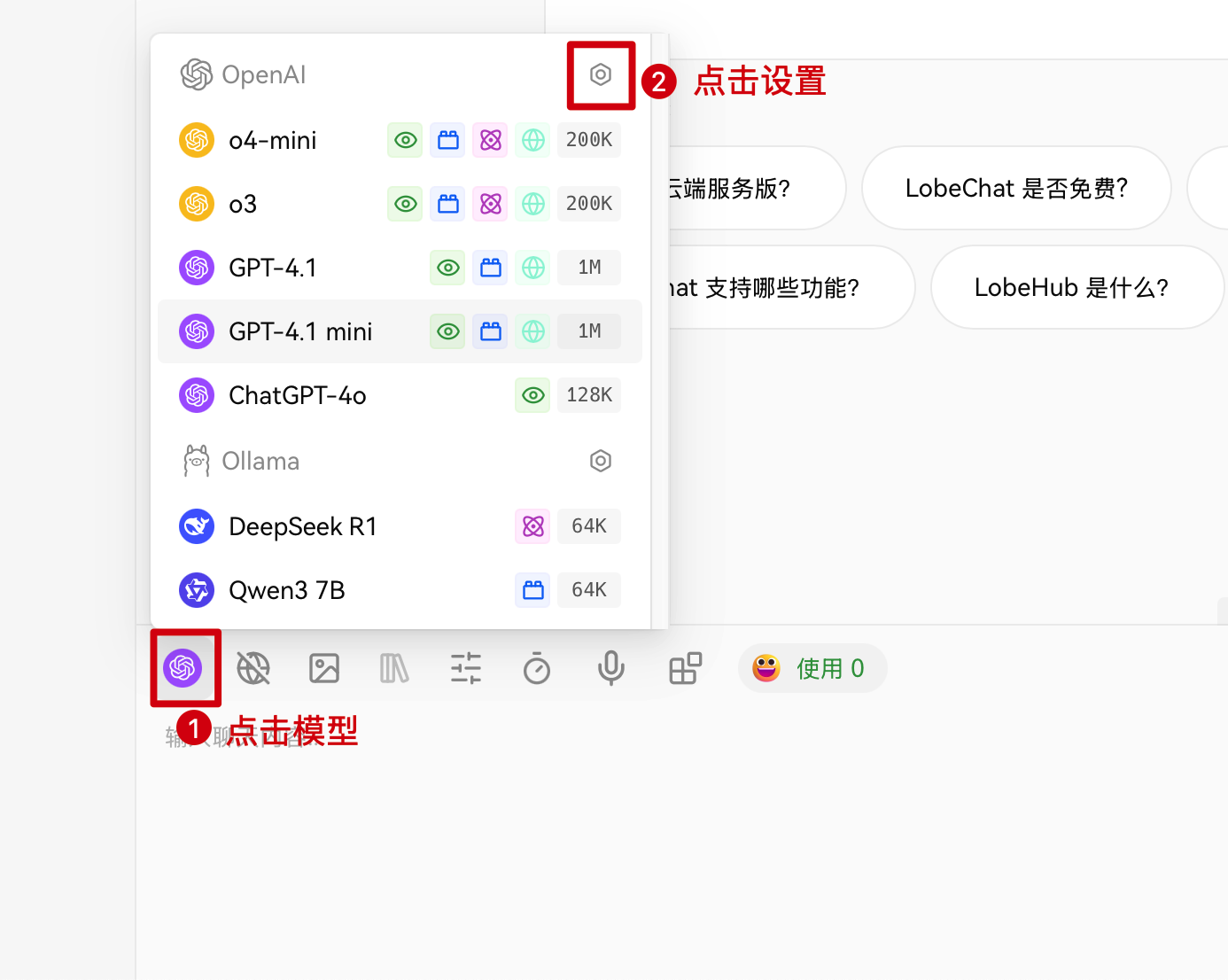
AI as Workspace
Section titled “AI as Workspace”AI as Workspace is an innovative way to integrate artificial intelligence capabilities into a workspace. By deeply combining AI assistants with everyday office work, collaboration, knowledge management, and other scenarios, users can handle information more efficiently, automate repetitive tasks, and receive intelligent suggestions, improving overall productivity and experience.
Supports one-click configuration import from 4All API.
AMA 问天
Section titled “AMA 问天”AMA 问天 is an intelligent Q&A assistant provided by NewAPI, supporting multi-turn conversations and answers to complex questions. Users can interact with AMA 问天 in natural language to access knowledge, technical support, or business consultation, improving communication efficiency and experience.
You need to install the AMA 问天 app first.
OpenCat
Section titled “OpenCat”OpenCat is an open-source, cross-platform AI chat client that supports integration with multiple large language models. With its simple interface, users can converse with AI in natural language, making it suitable for everyday communication, knowledge Q&A, and content creation. OpenCat supports multi-device synchronization and flexible configuration, making it a good fit for both individuals and teams.
You need to install the OpenCat app first.
Content referenced from the New API official documentation