
Faster, and with lower API prices
Seriously, even the newly released GPT-Image 2.6 has to cry out that famous line when faced with a high-pressure task like editing an image for 100 consecutive rounds:
I’ve trapped myself, Lina!
For example, we first gave Image 2.6 the original image below:
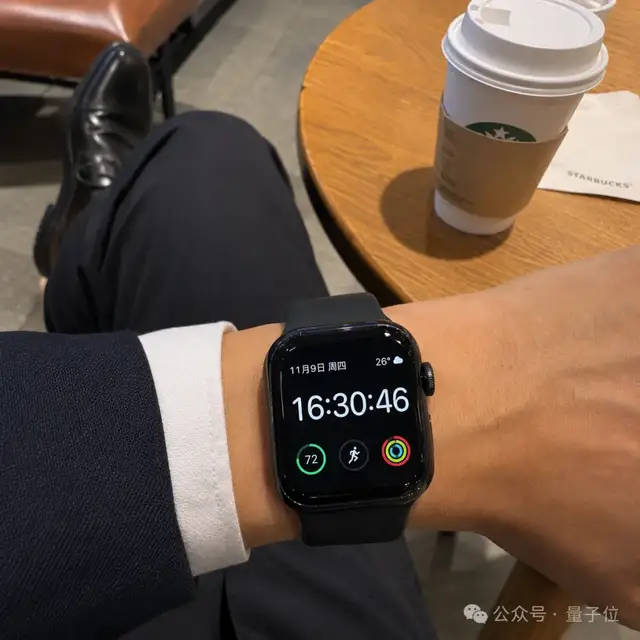
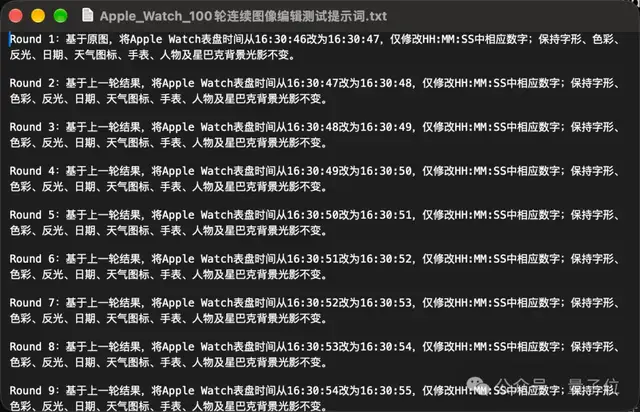
Then we fed it a prompt covering 100 rounds. In each round, the time on the watch had to increase by 1 second, and the image generated in the previous round was used as the input for the next:
But for this seemingly simple task, here is what Image 2.6 produced (to make the changes easier to see, we stitched the 100 images into a video)…
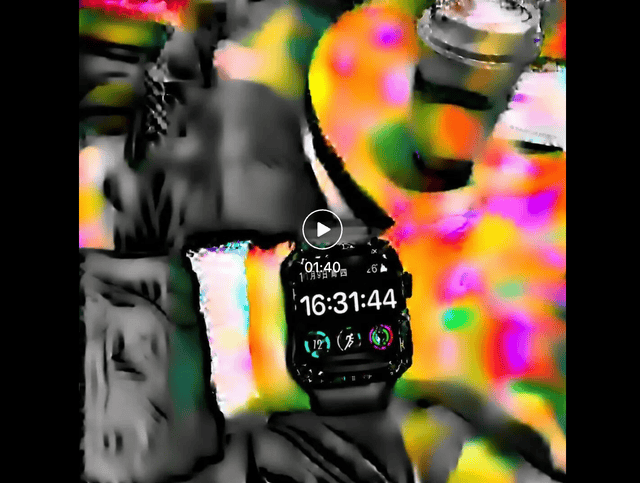
Video link: https://mp.weixin.qq.com/s/_OgVL6s3PIguqFN-WN1mhQ
You can clearly see that around round 10, the original image starts to warp, and the distortion gets worse the further it goes.
In a real-world workflow, that would be a huge, huge problem.
But!!!
A newly released Chinese image-generation AI can handle this high-pressure task. Here’s the result:
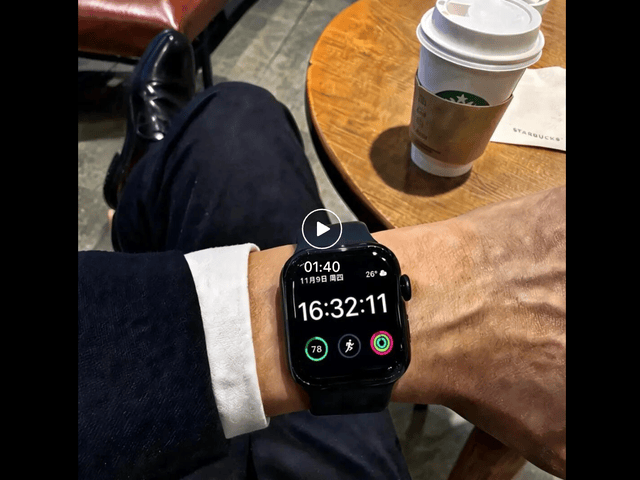
Video link: https://mp.weixin.qq.com/s/_OgVL6s3PIguqFN-WN1mhQ
Some distortion still creeps in during the later rounds, but overall it preserves fidelity far better than Image 2.6.
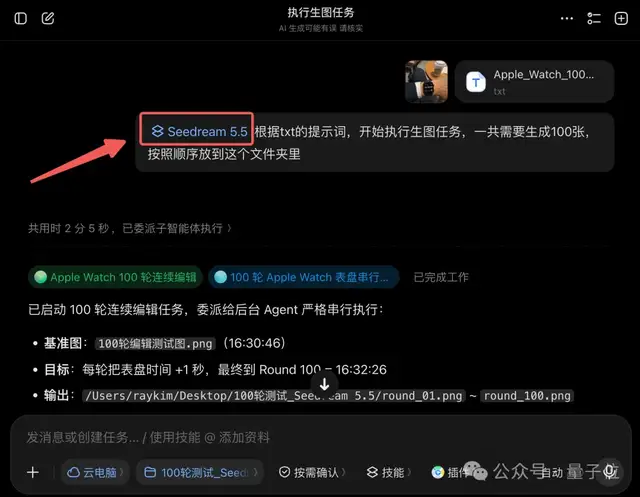
This new Chinese image-generation AI is Seedream 5.5 from ByteDance.
The task above was run by calling the new model inside Doubao.
That said, surviving 100 rounds of editing is only one corner of what Seedream 5.5 brings in this update. Taken as a whole, its highlights also include:
- Improved realism: People, materials, and lighting look more like real photography, and when several images are combined, the seams are hard to spot.
- Small text and multilingual rendering: Text in posters, labels, and infographics is rarely misspelled, and multiple languages are supported.
- Transparent image generation and editing: It can output images with transparent backgrounds (PNG) directly, saving you the tedious cutout work. It can also break a finished image back down into layers, so you can edit the copy individually and produce versions in different languages.
On top of that, Seedream 5.5 generates images considerably faster than previous versions. Meanwhile, according to official information, the Seedream 5.5 API keeps the two-part billing structure of “input image + output image,” and text tokens are free. For a 2K square image edit, the cost per image is around ¥0.28, less than half that of Seedream 5.0 Pro.

Talk is cheap, so let’s dive into a round of in-depth hands-on tests.
A Round of “Go Wild” Tests
More Complex Continuous Editing
For the first test, we’ll run another round of more complex continuous editing in Doubao.
The 100-round edit earlier only changed the time on the watch in the image. This time, we start from a realistic photo of a living room and make continuous edits to various details:
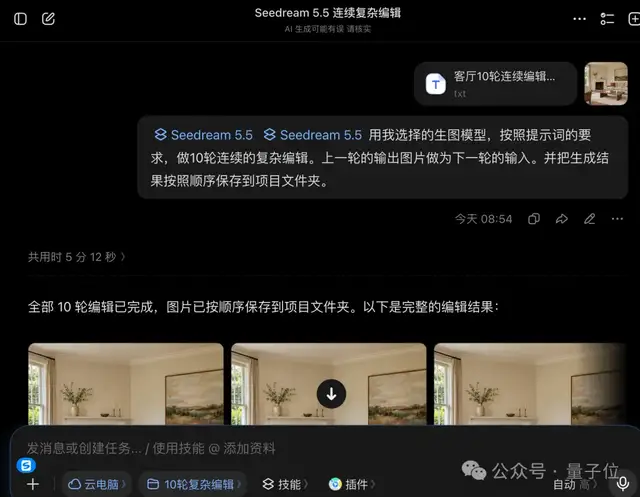
To make the comparison easier, we again stitched the 10 photos into a video:
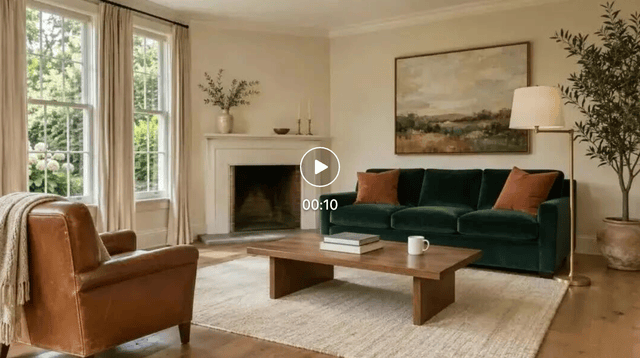
Video link: https://mp.weixin.qq.com/s/_OgVL6s3PIguqFN-WN1mhQ
This round tests the model’s memory.
Each round’s input is only the previous round’s output, and the model never sees the original image. So once a later step goes wrong, every step after it goes wrong too, and errors keep accumulating.
This is exactly the precise editing and multi-round consistency that Seedream 5.5 is pitching this time.
Compositing a High-End Ad
For the second test, we try a task close to real work: a multi-image composite ad.
We prepared three input images in advance: a female model, a handbag, and a background:
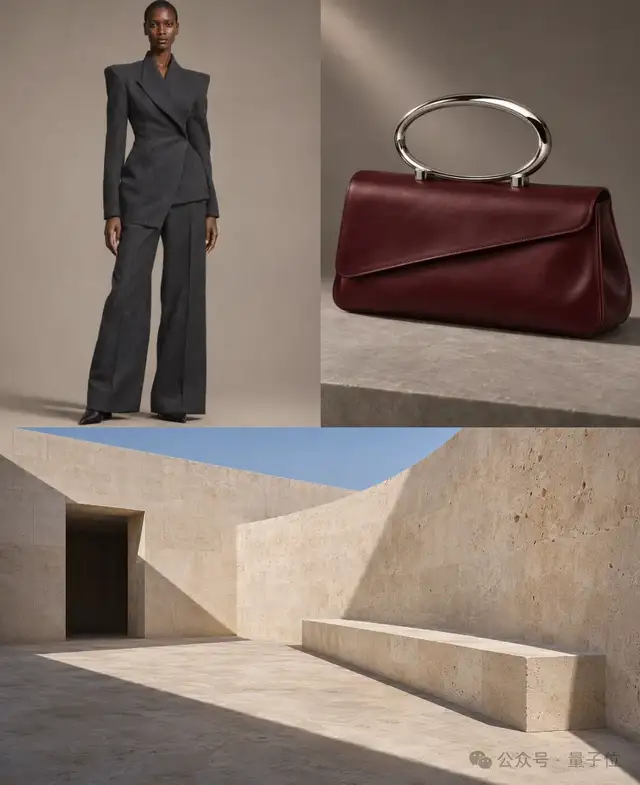
The prompt is fairly simple:
Please merge the three uploaded reference images into a key visual for a luxury fashion brand’s handbag ad. Output a 16:9 landscape, ultra-realistic photograph at the highest resolution possible.
Just 1 minute later, a high-end product ad was ready:
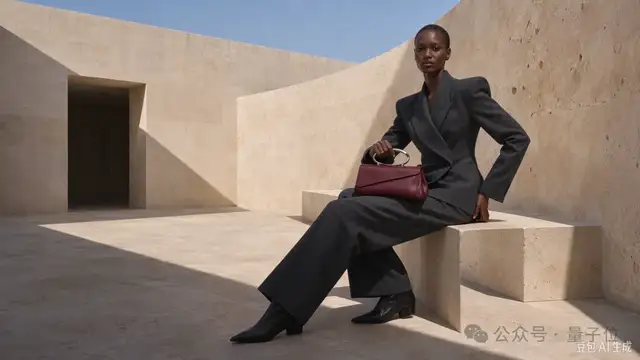
The three input images were shot under completely different conditions: the model under soft studio light, the handbag under side lighting as a still life, and the background in direct outdoor sunlight.
The hard part of multi-image fusion is making them look like they were shot at the same time.
In the final image, the model changes from standing to sitting, the suit fabric, the handbag’s angled flap, and the metal ring handle are all preserved, and the handbag’s size matches real-world proportions.
This is exactly what Seedream 5.5 has upgraded in multi-image fusion: the size, perspective, and lighting relationships between subjects are more harmonious.
Seedream 5.5 is also quite steady at combining semi-transparent PNG assets. For example, this time we uploaded 5 PNGs directly:
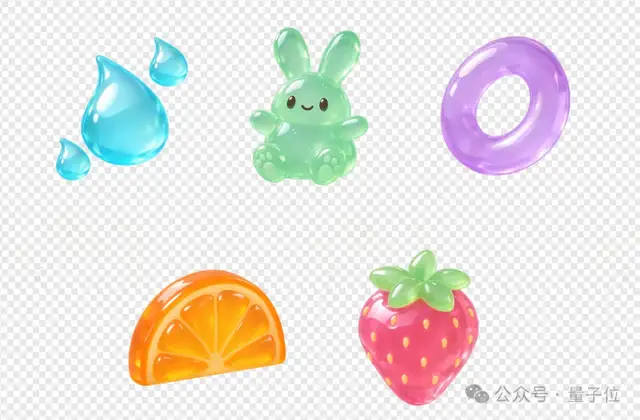
Then we attached this prompt:
Using the 5 uploaded transparent PNG assets, combine and re-render them into one complete cartoon jelly-style key visual. 16:9 aspect ratio, 3840×2160 resolution. The theme is “Floating Jelly Fruit Paradise,” like a promotional poster for a dessert world in a high-quality animated film: fresh, light, with a clear composition and spatial depth.
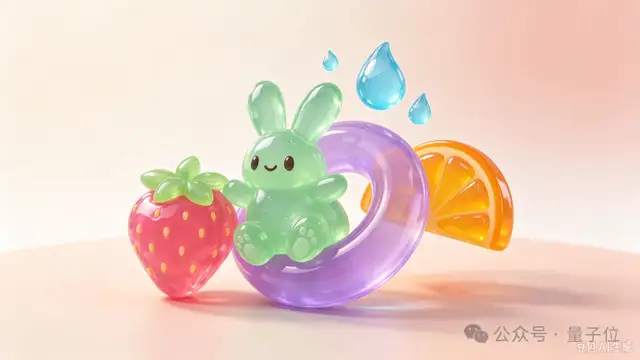
Semi-transparent assets have always been a challenge for image-generation models.
If the edges of a transparent PNG are handled poorly, white or gray fringes appear. And with materials like jelly, the model also has to handle light transmission, refraction, and colored shadows.
In the result, the purple ring lets the color of the orange behind it show through, the shadows on the ground carry the tones of their respective assets, and the front-to-back occlusion is clear.
Wait, Is This a Movie Still?
Speaking of realism, we have to test AI’s ability to generate cinematic shots.
This time, the prompt is roughly as follows:
Five in the morning, winter in Paris. Inside an old café that hasn’t opened yet, a woman of about forty sits alone by the street-facing window, wearing a dark gray wool coat, her scarf loosened, her hands naturally wrapped around the white porcelain coffee cup on the table…
We had Seedream 5.5 generate five 2K high-definition images in one go. The speed was still extremely fast, finishing in almost under 1 minute:
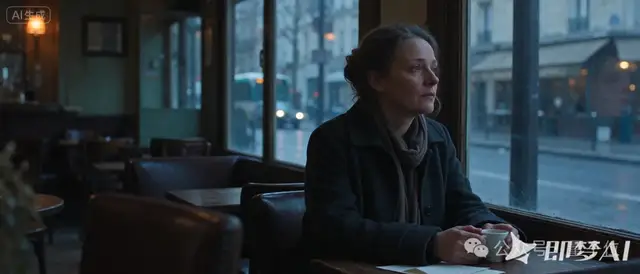
To judge whether an image looks like a movie still, the first thing to look at is the light.
This image has two light sources: the cool pre-dawn daylight outside the window and the warm yellow wall lamps inside the café. The transitions between cool and warm on the woman’s face and coat look very natural.
In the details, the window glass carries a faint reflection of the woman, and the street and car lights outside are rendered with a shallow depth of field. Her wrinkles, loosened scarf, and slightly tired expression also make her look more like a real, ordinary person.
For the film and TV industry, images like this are already usable as early-stage concept art, storyboards, and mood references.
Handling Text-Heavy Posters with Ease
Beyond realism, a good image-generation AI also needs to handle science posters packed with tiny text.
To test this, we asked Seedream 5.5 to make one on the recently hot topic of “world models”:
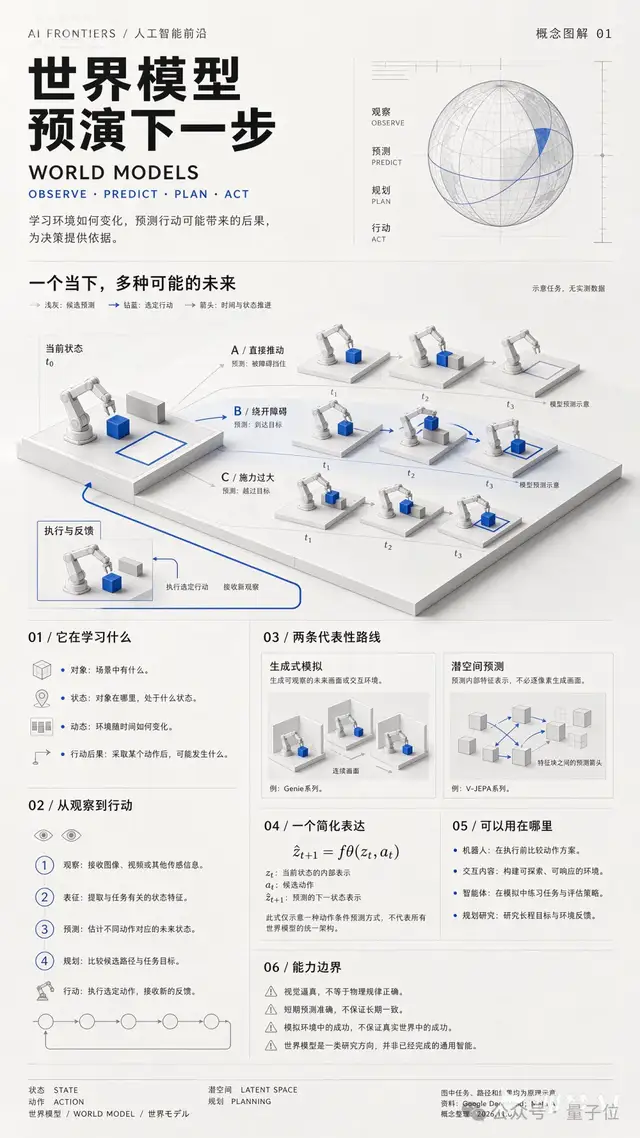
This poster is extremely information-dense, with at least four or five tiers of font size, from the main title and section headings to the body text and the source credits in the footer.
Even when zoomed in on the smallest tier, the text remains clear, with almost no garbled characters.
Besides Chinese and English, the footer has a line of Japanese, “世界モデル.” The subscripts, superscripts, and variable descriptions in the formulas all match up, and the labels for the three paths A, B, and C and for t1, t2, and t3 in the illustration also correspond to the text explanations.
This reflects Seedream 5.5’s small-text and multilingual rendering, as well as its text-image layout capability.
Copying a Move at a Glance
Another feature of the upgraded Seedream 5.5 is that, for complex movements, it can pick them up at a glance.
For example, we prepared a photo of the recently viral dodge step and an image of a person:
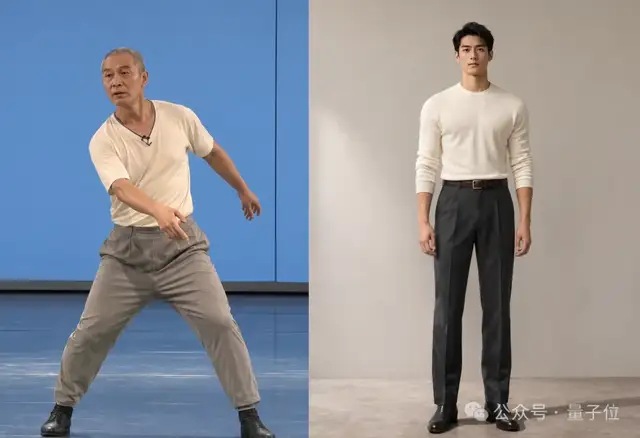
We fed both images to Doubao at once, then added a simple line:
Have the person in the reference image perform the movement of the person in the original movement image, and output a 16:9 image.
Again in just 1 minute, the movement was transferred:
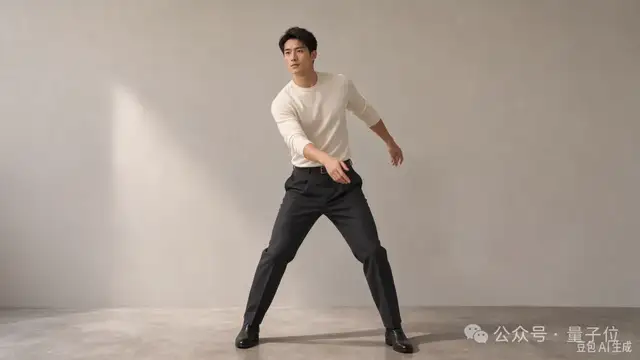
The difficulty of this task is that the movement has to come from the first image and the person from the second, without mixing up the information from the two.
In the result, the wide-striding stance, the shift in center of gravity, and the arm positions all carried over, and even the sideways turn of the head was matched. The person’s face, clothing, and studio background stay consistent with the original, and the frame was extended to 16:9.
Even when we fed in images of 9 people at once, Seedream 5.5 still generated them steadily in the specified poses:
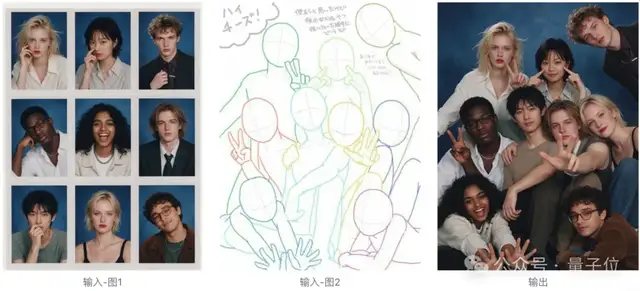
Behind this is Seedream 5.5’s understanding of human poses and its ability to keep characters consistent.
Splitting into Editable Layers
The next test is a reverse operation.
We first prepared a finished image. The goal is to first extract its key elements, then edit them into different versions as needed.
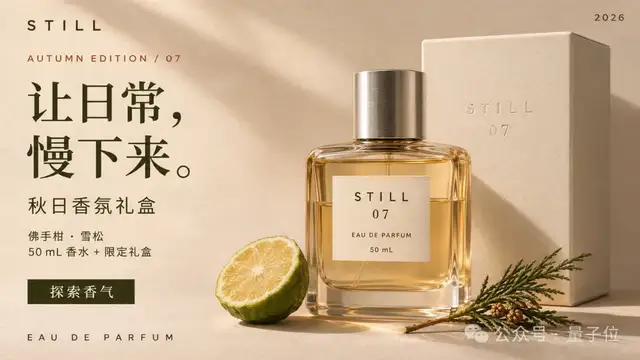
The prompt for splitting into layers is as follows:
Please split this finished perfume ad into layers that can be edited further, keeping the original 16:9 canvas, composition, proportions, colors, and object positions. Use the actual layer-splitting and text-recognition features, and do not generate a “layer illustration collage.”
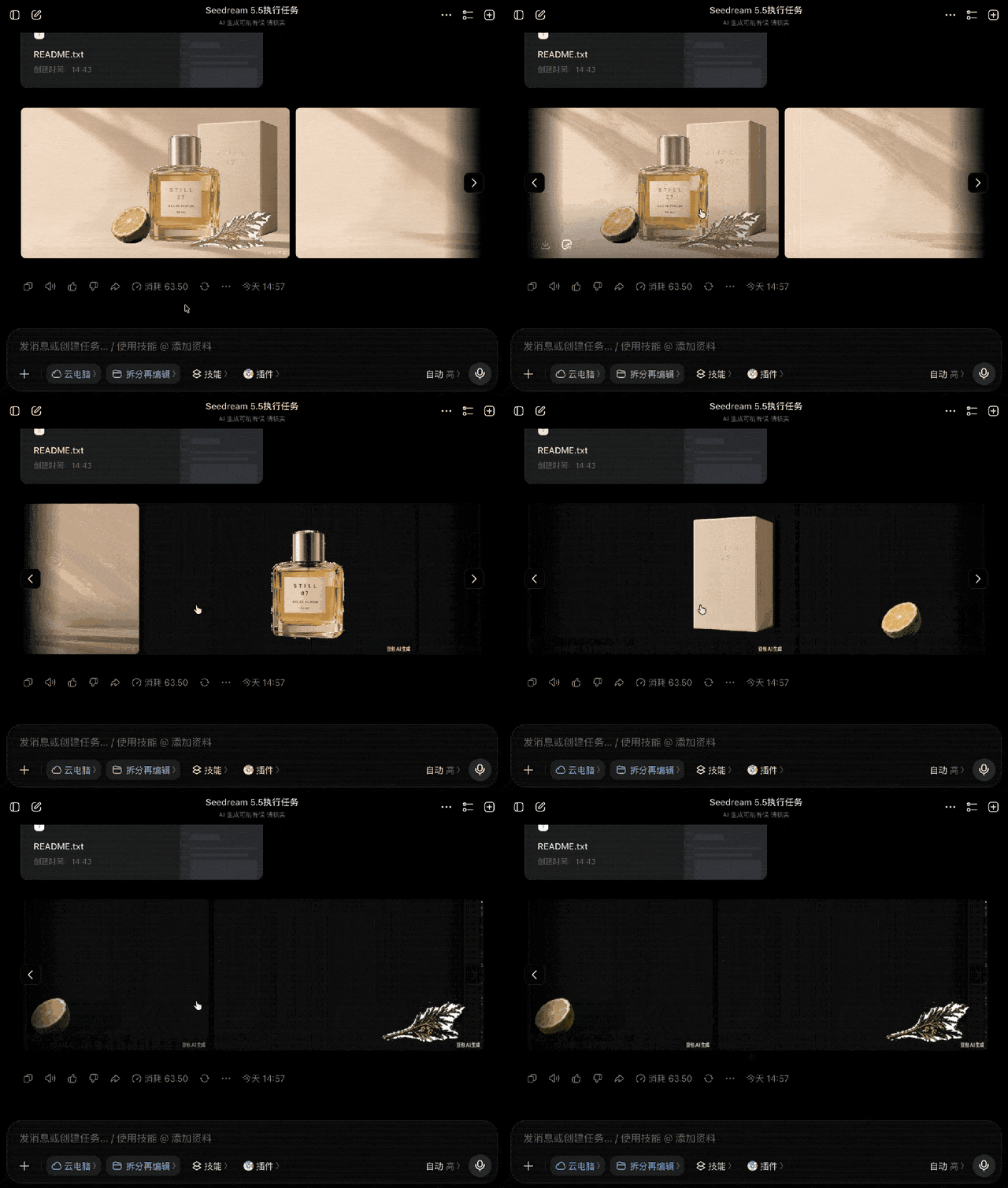
As you can see, Seedream 5.5 has split the product image into separate layers as requested.
Next, we asked it to keep adjusting the details and turn this into a product image suited to the English-language market. The prompt is roughly as follows:
Based on the already split original ad project, create this market’s version. Do not translate the previous market’s version step by step. Output a complete 16:9, 3840×2160 finished ad, and also keep the editable project if the entry point supports it.
Lock the background, perfume bottle, gift box, bergamot, and cedar branch layers along with their shadows, and keep their positions, sizes, perspective, colors, materials, and lighting unchanged. Keep the STILL, 07, EAU DE PARFUM, and 50 mL on all product packaging; do not translate or redraw the packaging labels. The STILL wordmark, AUTUMN EDITION / 07, 2026, and the EAU DE PARFUM at the bottom of the image should also remain unchanged.

Why split into layers?
Because AI-generated images used to be a “single block.” Even changing one line of copy meant regenerating the whole image or having a designer edit it by hand. With layers, changing text only requires touching the text layer, and everything else stays exactly as it was.
Comparing the two images, the background, perfume bottle, gift box, bergamot, cedar branch, and lighting all match the original, and the STILL, 07, and EAU DE PARFUM on the packaging haven’t changed by a single character.
Only the copy changes, and not as a word-for-word translation: “让日常,慢下来” (“Slow down the everyday”) becomes “A MOMENT, JUST FOR YOU.”, and “探索香气” (“Explore the fragrance”) becomes “FIND YOUR SCENT.” The font was also switched to a serif typeface better suited to English.
This step relies on Seedream 5.5’s layer splitting and secondary text editing capabilities.
For brands going global, this means a single key visual can quickly be turned into versions for multiple markets.
GIFs? Of Course It Can Do Those Too
Finally, let’s test the GIF trick that went viral with Image 2.6.
We keep using the “dodge step” example from earlier, but this time we make it move. The prompt is as follows:
Search online for the full video or GIF of the “dodge step,” and use the character generated just now along with Seedream 5.5 to make a GIF, 16:9, no larger than 10 MB, keeping it as high-definition as possible.
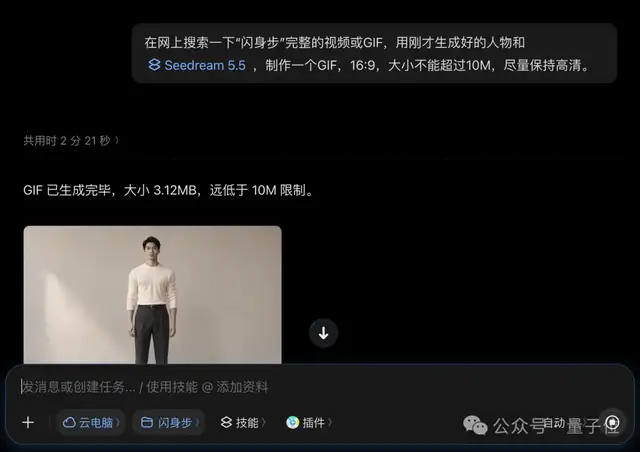
And just like that, a GIF that meets the requirements was born:
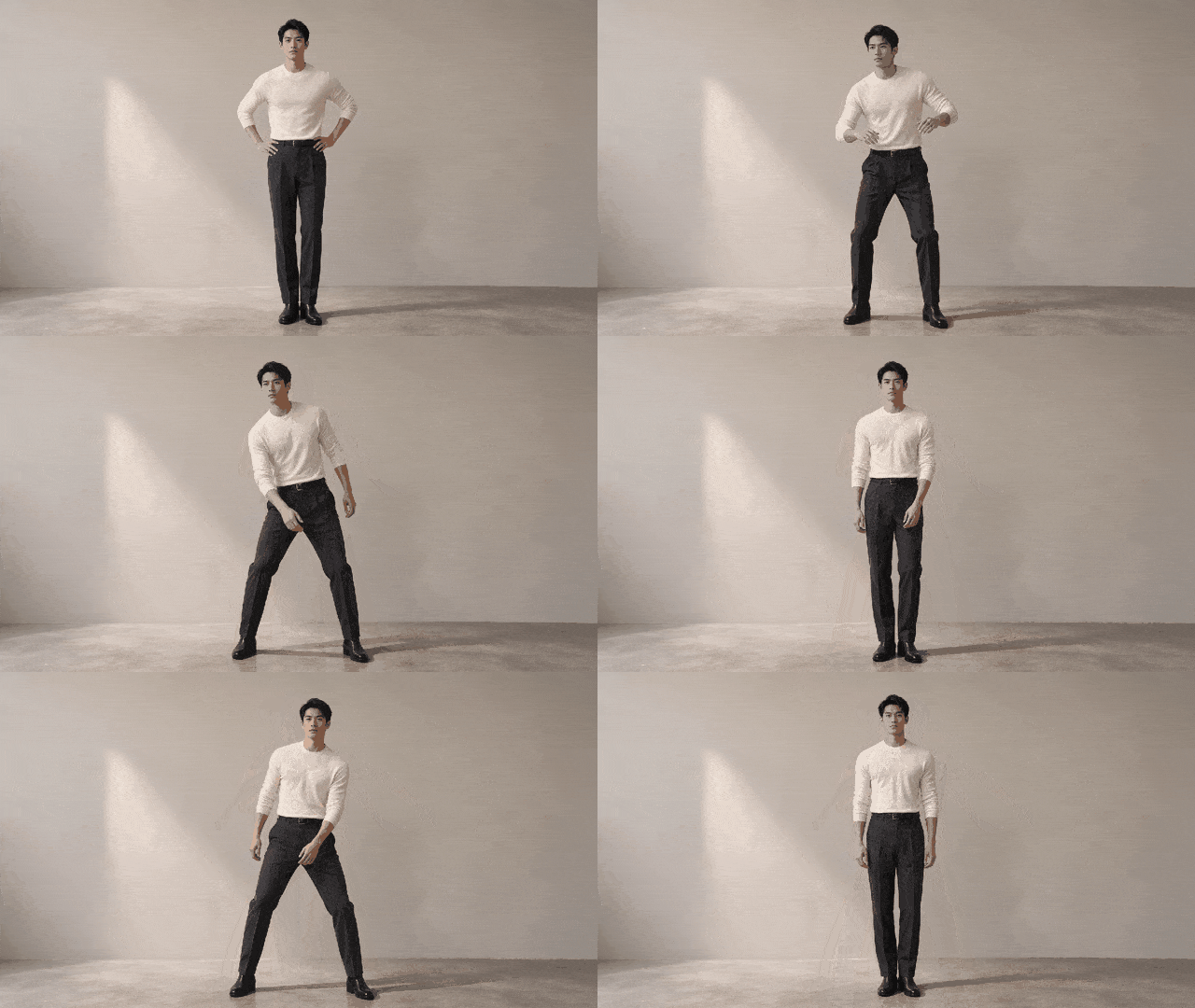
So judging by the overall test results, whatever Image 2.6 can do, Seedream 5.5 can do too, and whatever Image 2.6 can’t do, Seedream 5.5 can still do.
Awesome!
Seedream 5.5: No More Trapping Yourself, Lina
To be fair, the image-generation scene today has no shortage of AIs that can produce good-looking pictures.
What’s missing is an AI that stays stable after 50, or even 100, rounds of edits and changes.
That is also the strongest impression Seedream 5.5 left on us in these tests.
And precise, stable editing is exactly what e-commerce needs most.
Product images and e-commerce hero images get revised almost every day: swapping a color, changing an outfit, replacing a background, or rewriting a line of copy. Now all of this can be done in succession on the same hero image, so a single image can spawn a whole set of SKU versions. Add direct transparent-image output, layer splitting, and multilingual text editing, and several steps in the middle of the workflow can be skipped.
It’s equally useful for film and content production.
In multi-image fusion, the size, perspective, and lighting among characters, props, and scenes all line up, so reference images can be composited directly into concept art and storyboards. And realism like that Paris café is good enough to enter early visual development.
The same goes for design and marketing materials.
The most grueling part of posters, infographics, and campaign pages is the small text. Designers used to have to patch and fix characters one by one; now dense copy and multilingual text can be laid out directly.
Add the pricing advantage mentioned earlier: near top-tier capability at falling prices. For small and medium-sized merchants and content teams that generate large numbers of images every day, the math is easy.
Finally, back to the famous line from the beginning.
On a task like 100 rounds of editing, which tests the fundamentals most, Image 2.6 trapped itself, while Seedream 5.5 proves that Chinese models have moved ahead of leading international models in multi-round editing stability.
Seedream 5.5 is now live on Jimeng, Doubao, and Doubao Work. If you’re interested, go try it out yourself!
One More Thing
Let’s enjoy some more stunning images generated by Seedream 5.5: