
Scan QR code to follow QbitAI

< img id=“wx_img” src=“https://www.qbitai.com/wp-content/uploads/imgs/qbitai-logo-1.png” width=“400” height=“400”>

 Hengyu 2026-11-05 09:59:37 Source: QbitAI
Image generation in as fast as 6 seconds
Hengyu reports from the Office
QbitAI | WeChat Official Account: QbitAI
GPT-Image-2.6 drops out of nowhere!
Overall generation time is cut by 50%, generating images in as fast as 6 seconds; native animated GIF generation; direct export to SVG vector format.
For the first time in its API, OpenAI has decoupled the model’s “scene planning brainpower” from its “pixel rendering quality” into two independent parameters, drastically reducing both the cost and latency of multi-turn refinements.
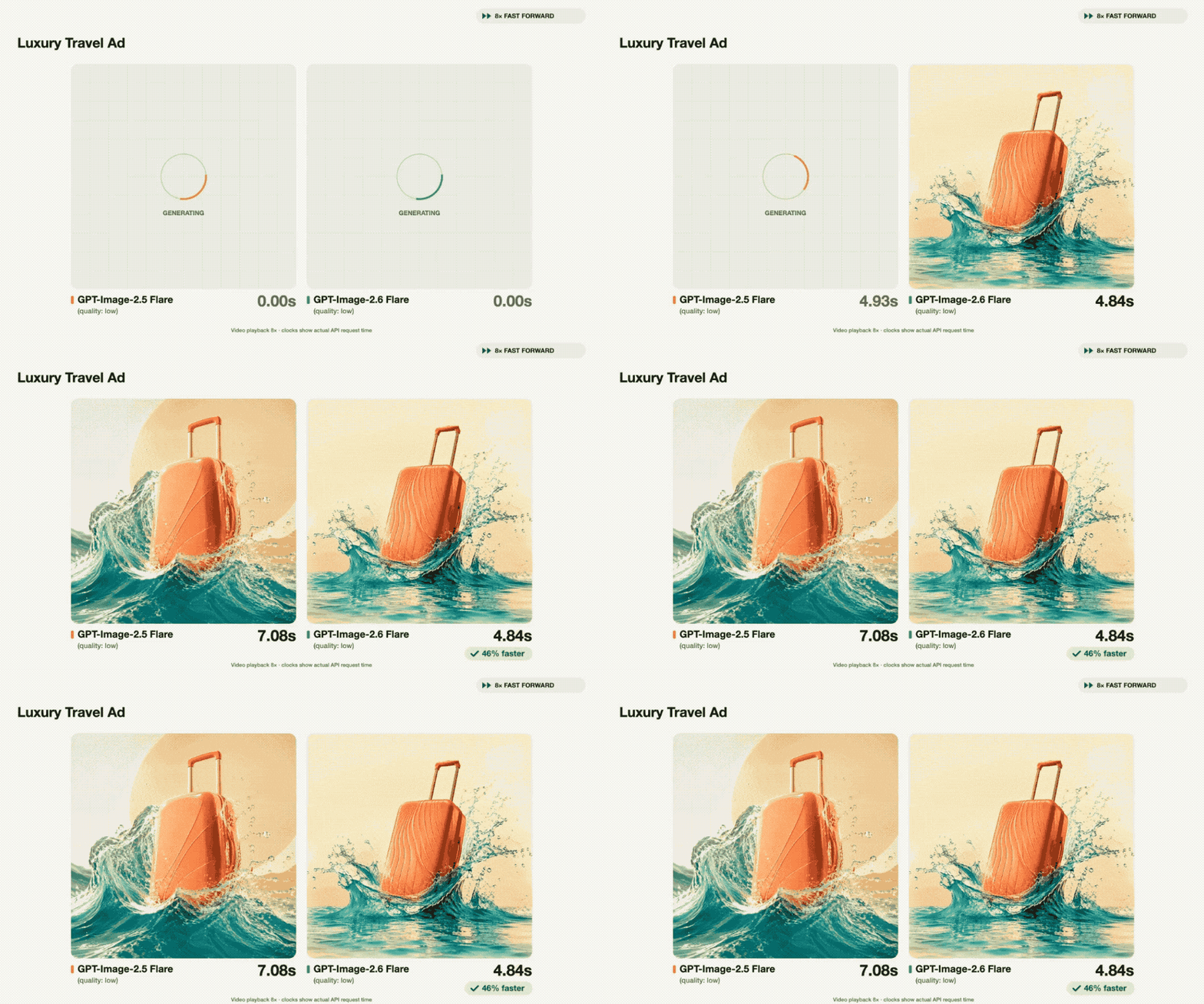
GPT-Image-2.6 is now fully rolled out across ChatGPT, Codex, and the API, accessible to both free and paid users.
Decoupling “Brainpower” from “Visual Quality”: Generation in as Fast as 6 Seconds
This update marks the first time the GPT-Image-2.6 API has been split into two distinct models: Flare and Sunburst.
Flare focuses on speed and layout, specifically optimized for commercial visuals like posters and e-commerce product shots. At lower quality settings, single-image generation time has been squeezed down to just 6 seconds.
Sunburst tackles the heavy lifting, delivering higher detail and fidelity across medium and high quality tiers. Its primary purpose is solving the character and product consistency problem across multi-turn conversational edits—ensuring subjects don’t morph between revisions.
The architectural shift in control logic is equally notable.
Previously, when calling image generation APIs, developers were typically limited to tweaking resolution or broad quality presets. Even a trivial tweak like altering the background color required the model to rerun the entire composition and planning pipeline from scratch.
Images 2.6 introduces a new parameter called complexity, dedicated to regulating how much compute the model allocates to scene planning before rendering pixels. Meanwhile, the existing quality parameter purely governs visual detail and fidelity.
Decoupling conceptual planning from rendering precision mirrors the way reasoning depth is tuned in modern reasoning-focused LLMs.
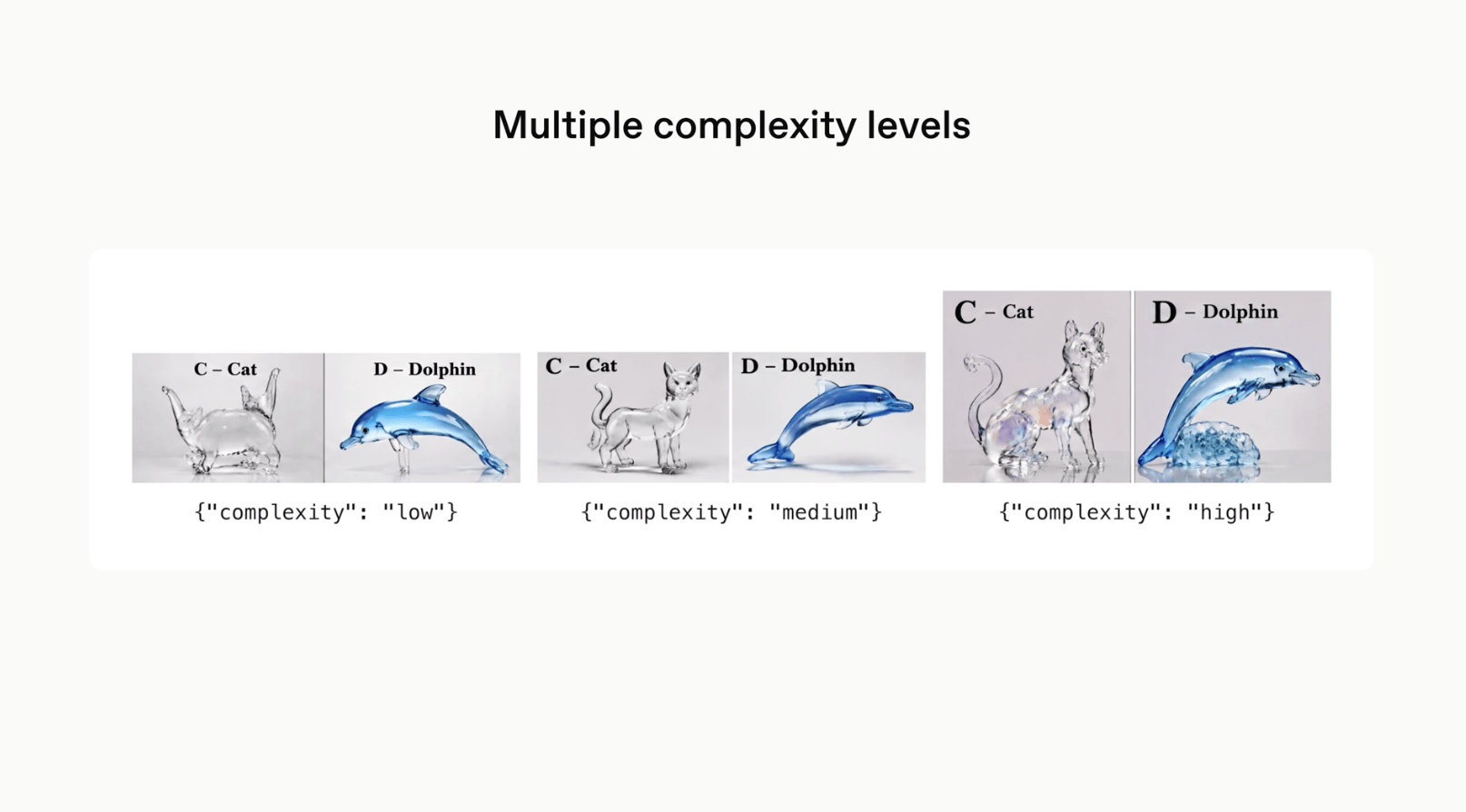
In real-world workflows, developers can dial complexity to low while maintaining high quality output for everyday localized refinements or rapid edits.

This cuts out the time the model spends replanning the scene, focusing entirely on high-precision repainting.
Higher complexity is only necessary when handling complex scenes with multiple subjects or dense constraints.

△ Image generated by AI
A 3×2 Sprite Sheet Hack: Native GIF Generation
Native support for animated GIFs is the most immediately noticeable new feature in Images 2.6.
Whether you want to add subtle movements to a brand mascot, generate a few reaction memes for social media, or sketch an owl on lined notebook paper with a ballpoint pen and feed it to the model, the resulting animated stickers come out with clean backgrounds and coherent motion.
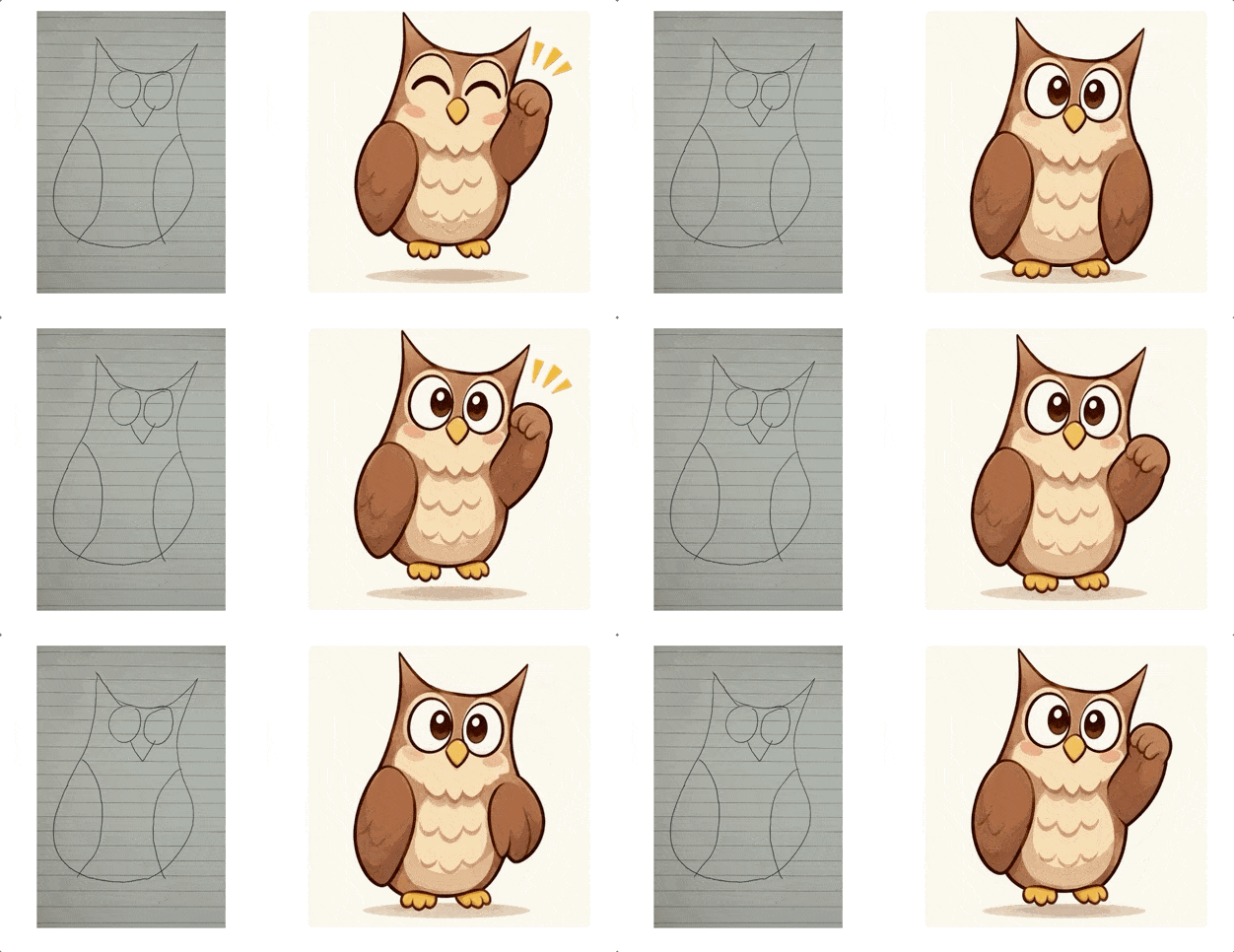
How can an image generation model crank out fluid GIFs so quickly without relying on a bulky video generation model?
The answer is hidden in the prompt of an official OpenArt collaboration showcase.

Behind the GIF set of an office worker weeping over a stock market crash vs. tossing cash to celebrate a bull market rally, the actual prompt fed to the model looks like this:
“Generate a single sprite sheet for a seamlessly looping GIF… strictly containing 6 sequential frames arranged in a precise 3-column by 2-row grid, read left to right, top to bottom. Each panel must have identical dimensions. Fixed front three-quarter camera angle, same character, same desk, monitor, outfit, and background… The sixth frame smoothly transitions back to the first frame. No captions, no borders, no padding.”
Get the trick?
Images 2.6 completely skips the complex spatio-temporal diffusion calculations of video models. Instead, borrowing a sprite sheet approach straight out of the game industry, it renders all 6 seamlessly connected stop-motion frames onto a single image sheet.
Slice them up, stitch them together, and you have your GIF.

The advantage of this approach is bypassing the heavy inference latency of video models while keeping facial features, clothing folds, and background elements consistent across every frame.
Companies are already putting this capability to work in production.
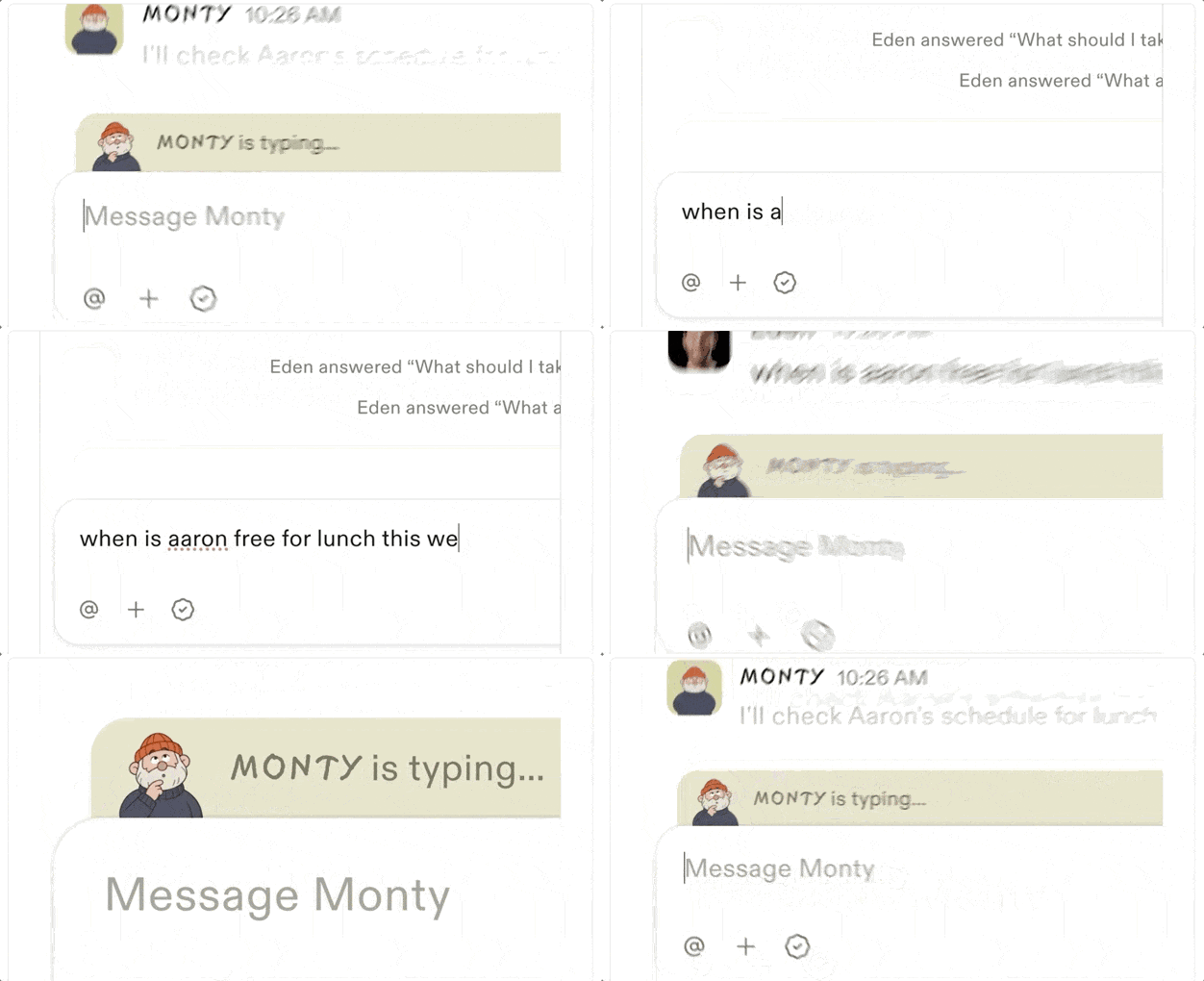
For example, Town, an AI workplace assistant startup, integrated it via API to generate real-time micro-expression GIFs—such as typing and reaction animations—for virtual assistants inside productivity software.
Direct SVG Export and API Image Markup
This release also brings two very practical engineering features.
The first is SVG vector export; the second is API-level image markup.
Anyone who has worked in frontend or UI knows the struggle: AI-generated bitmaps pixelate horribly once scaled up. To integrate them into websites or apps, developers typically rely on third-party tools for vectorization.
It is a cumbersome workflow.
Images 2.6 now supports native SVG export out of the box.
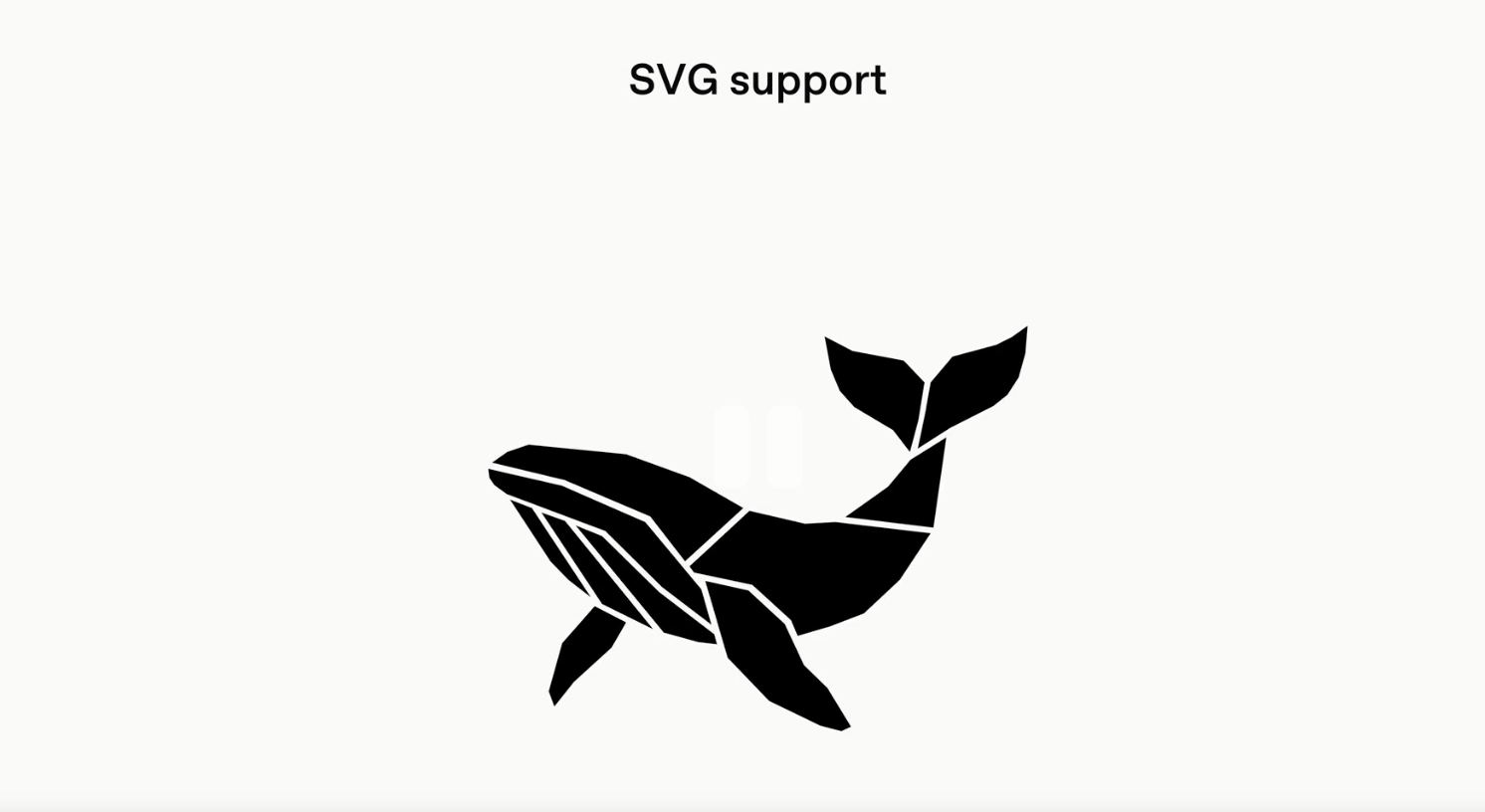
When writing frontend code in Codex, developers can directly prompt the model to generate infinitely scalable icons, UI components, and illustrations, dropping them straight into the codebase.
All intermediate conversion steps are completely eliminated.
Furthermore, the localized inpainting markup feature—previously exclusive to the ChatGPT web interface—is now officially available via the API.
Enterprise teams can define regions for editing directly in their backend pipelines using coordinates or masks. Paired with Sunburst’s high consistency, batch image edits can now run like an automated assembly line.
One More Thing
A small bonus discovery outside the image generation models:
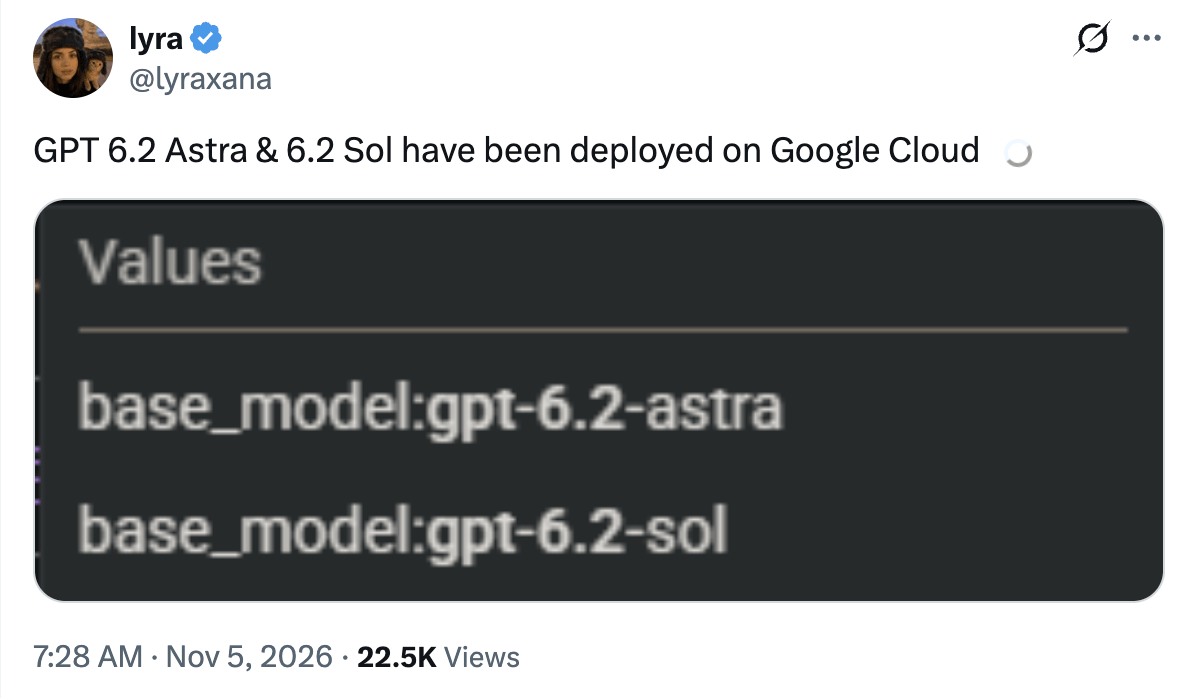
GPT-6.2 Astra has now surfaced on Google Cloud.
References:
[1]https://openai.com/index/introducing-images-2-6/
[2]https://x.com/lyraxana/status/2118123296738677133
All rights reserved. Unauthorized reproduction or use in any form is strictly prohibited.
- Taking the #1 Spot! Agibot Dominates Multiple Leaderboards with Dual Models2026-10-30
- One-Click Reuse of Engineering Capabilities, Focus on New Skills! Reinventing the Wheel Once Is Enough | Deep Dive into the FluxVLA Engine Technical Report2026-10-28
- [First Stop for Physical RSI! Convenience Store “Workers” Evolve Autonomously as the Physical AI Flywheel Starts Spinning](https://www.qbitai.com/2026/10/505799.html “First Stop for Physical RSI! Convenience Store “Workers” Evolve Autonomously as the Physical AI Flywheel Starts Spinning”)2026-10-27
- Top Convenience Chain in Sichuan Tried Robot Vending, and It Flopped2026-10-28
Scan QR code to share on WeChat Moments
Related Articles
Musk Buys ai.com Domain! Altman Spent Millions on It, Flips It to “Iron Man” Just 4 Months Later
Completing a trio of top-level domains
Sean2023-08-03
OpenAI’s Key Reasoning Architect Departs After 7 Years Building o3, o1, GPT-4, and Codex
“To explore research areas that are difficult to pursue at OpenAI”
Hengyu2026-01-06
Humanoid AI Hide-and-Seek Stuns the Internet: Self-Taught Parkour, Expressive Faces, and Teamwork, Featuring Yao Class Prodigy Wu Yi
Netizen: “OpenAI is practically an animation studio at this point”
OpenAI Faces GPU Shortages Too: Scarcity Triggers Internal GPU Frenzy
Pure agony! Shuffling GPUs around like Tetris
Wenle2025-10-21
ChatGPT Search Integrates with “Her”! Search Made Free, Even Spoils Tomorrow’s Live Stream Topic
Search results go multimodal
Hengyu2024-12-17
We Were All Wrong About GPT-5: Unified Compute Routing Means Free Users Generate Revenue Too
Altman giving 99% of free users access to reasoning models was never just charity
henry2025-08-14
Trending Articles
Taking the #1 Spot! Agibot Dominates Multiple Leaderboards with Dual Models 2026-10-30
Tracking AI trends, reporting on breakthroughs in tech
QbitAI Copyright © Beijing Geek Partner Technology Co., Ltd. 京ICP备17005886号-1