
Commanding Agents and Controlling Smart Homes: A Versatile Desktop Companion
A small screen, three buttons, and a joystick; on the display, a West Highland White Terrier (Westie) is sometimes busy, sometimes pensive, and sometimes celebrating.
This is HachimoDock, an open-source AI hardware project recently incubated within Xiaomi, with a DIY hardware build cost of around ¥150 (approx. $21).
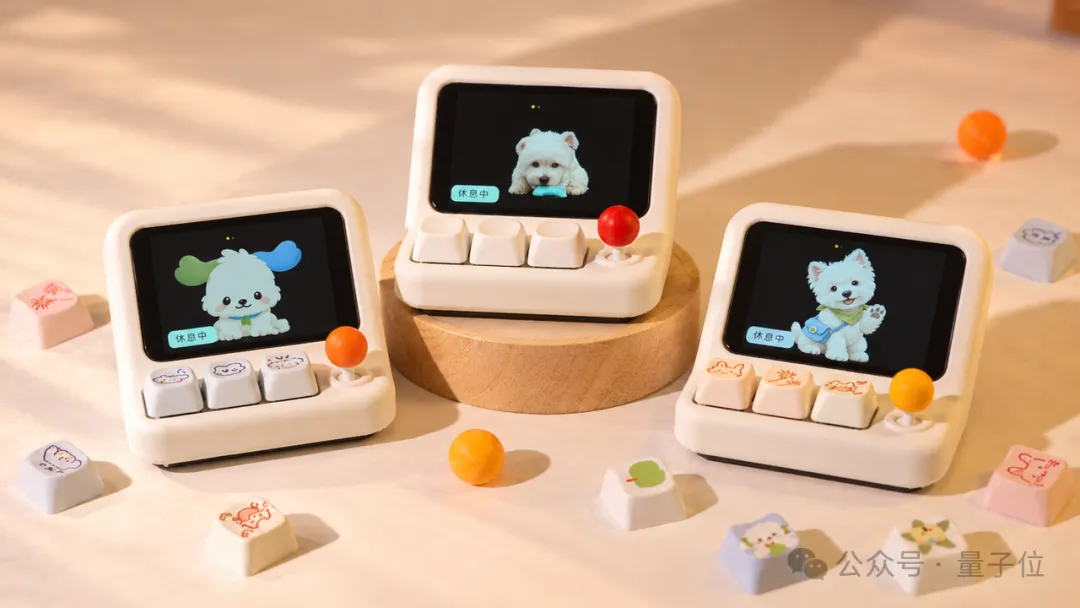
At first glance, this viral gadget looks just like a retro mini console running a digital pet.
However, this virtual pup can do far more than just keep you company. In reality, it is an “all-in-one desktop setup” integrating personalized desktop pets, voice-controlled PC agents, smart home automation, and custom widget creation.
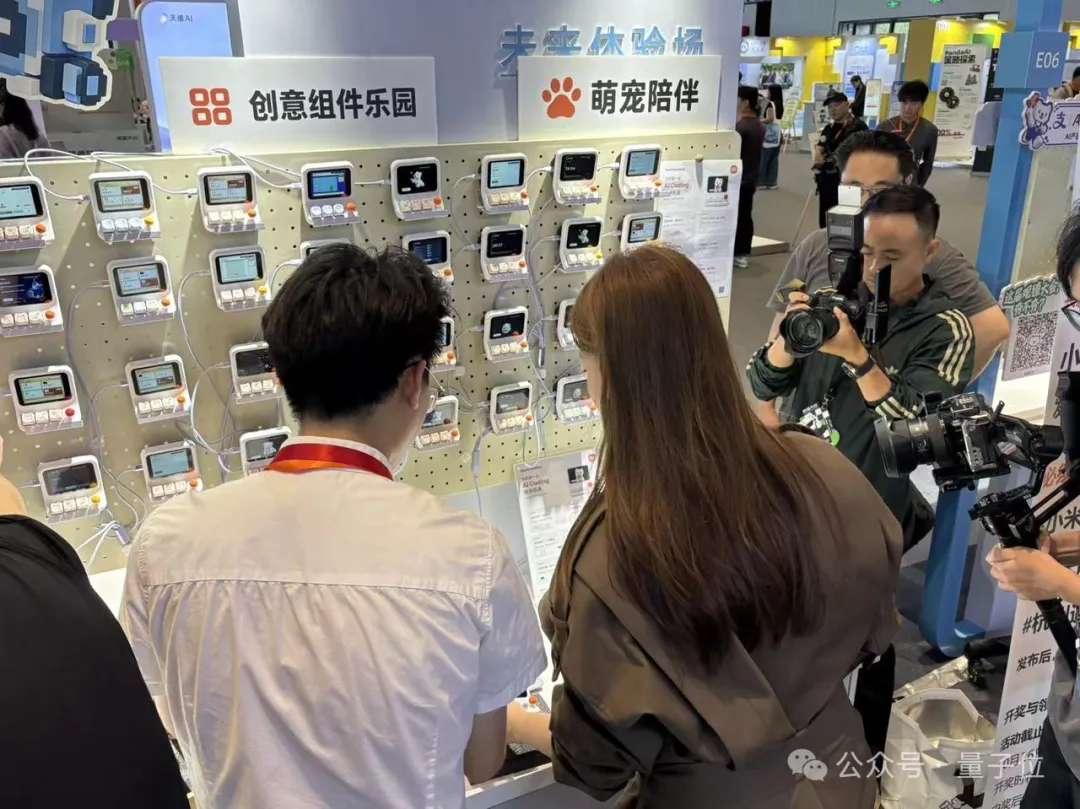
Its minimal DIY barrier to entry, sleek industrial design, broad compatibility with mainstream agent tools, and rich sandbox-style hackability allowed it to quickly break out of niche circles and captivate enthusiasts from diverse backgrounds. Across social platforms and open-source communities, countless replication tutorials and custom development guides have sprung up.
For many, this project was their very first hands-on experience building custom AI hardware. Driven by this craze, core components used in the project—such as the development boards and display panels—even experienced temporary shortages and price spikes.
Starting with Agent Interaction: Crafting a Functional Desktop Companion with Emotional Value
HachimoDock originated from an innovative product team within Xiaomi. Their initial inquiry was simple: with the rapid rise of various AI agents (such as Codex, WorkBuddy, etc.), how can humans interact with them more efficiently?
Following this line of thought, the most straightforward approach would be to build a hardware peripheral “integrating a microphone and physical buttons” to solve a high-frequency, essential workspace need: voice input. After all, in many work scenarios, speaking is far faster than typing.
Yet, a pure voice-input tool lacks novelty; there are already numerous similar products on the market (such as ChatGPT’s official Codex Micro, and many geeks have even begun hacking Xiaomi Bluetooth remotes). The team wanted to explore something deeper: Can AI hardware transcend the limits of a purely utilitarian tool, leaving more room for user imagination and creativity while delivering a genuinely fresh, cool tinkering experience?
Thus, the team dove into deeper considerations around “Vibe Coding” and “Vibe Working” scenarios:
- Is push-to-talk voice input truly the most natural way to interact?
- Beyond streamlining input, can we introduce new playstyles in the creative dimension?
- Does the product have to stay confined to coding and office environments, or can it extend into broader living spaces?
As these questions unfolded, the product vision for HachimoDock came into sharp focus.
Is Push-to-Talk Voice Input Really the Simplest Interaction?
The answer is no. A truly natural and direct interaction should be hands-free, real-time, two-way communication. HachimoDock should not be positioned as a cold, lifeless voice-recording tool, but rather as an interactive “buddy” collaborating with you in real time.
Whatever pops into your head, you can toss it out as casual conversation at any time. Once the task is dispatched to the agent, the progress and results are fed back in real time.
Here, the user is the “requester”, not a “mechanical transcriber”—this is the core of HachimoDock’s identity as a desktop companion.
This definition dictated that HachimoDock needed an independent persona, look, and voice. It functions simultaneously as an efficiency copilot and a task supervisor: it can marshal agents to retrieve info, organize files, and write code, while visually displaying task states—such as thinking, executing, or waiting for confirmation—on screen. It conveys progress dynamically through the pet’s expressive animations, body language, and voice updates.
For instance, say to it: “Help me organize the files on my desktop by category, and switch to a nice wallpaper.” The PC-side agent will immediately take over execution, while the puppy on HachimoDock changes states and postures alongside the task flow, keeping you updated via on-screen graphics, text, and voice prompts.
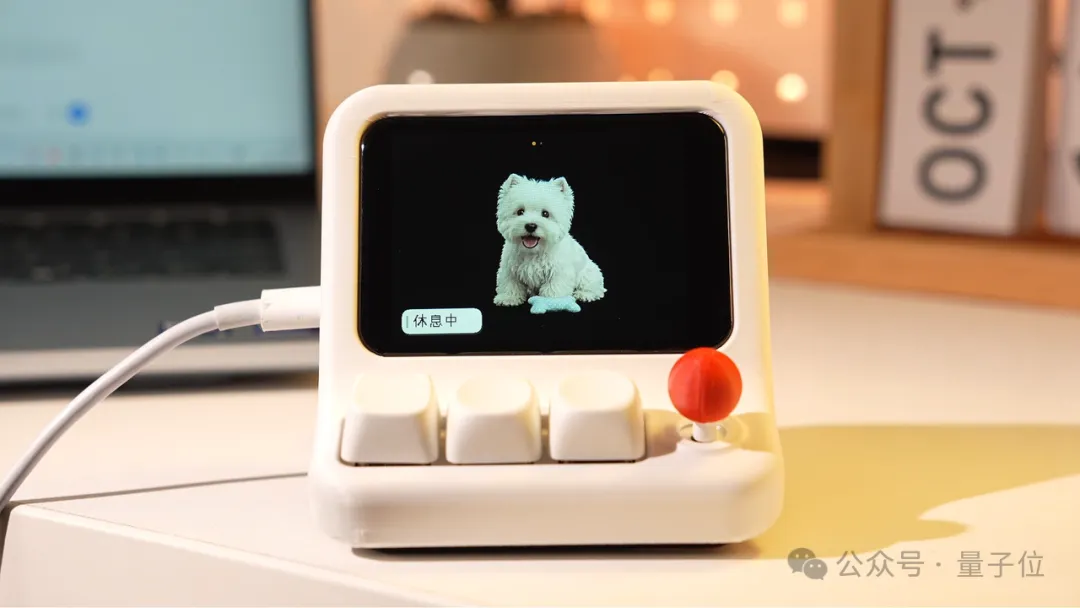
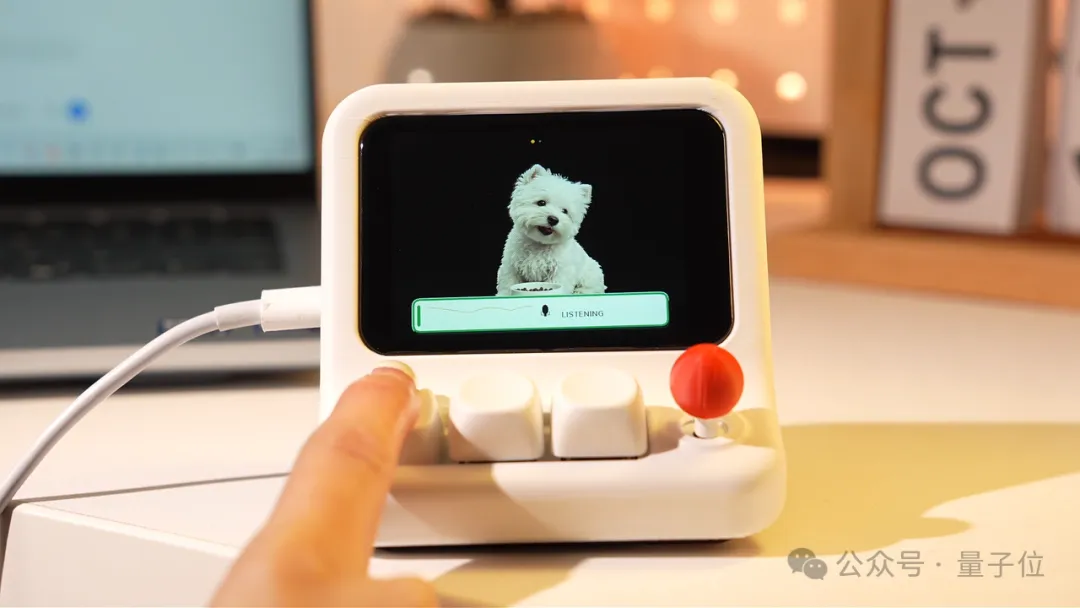
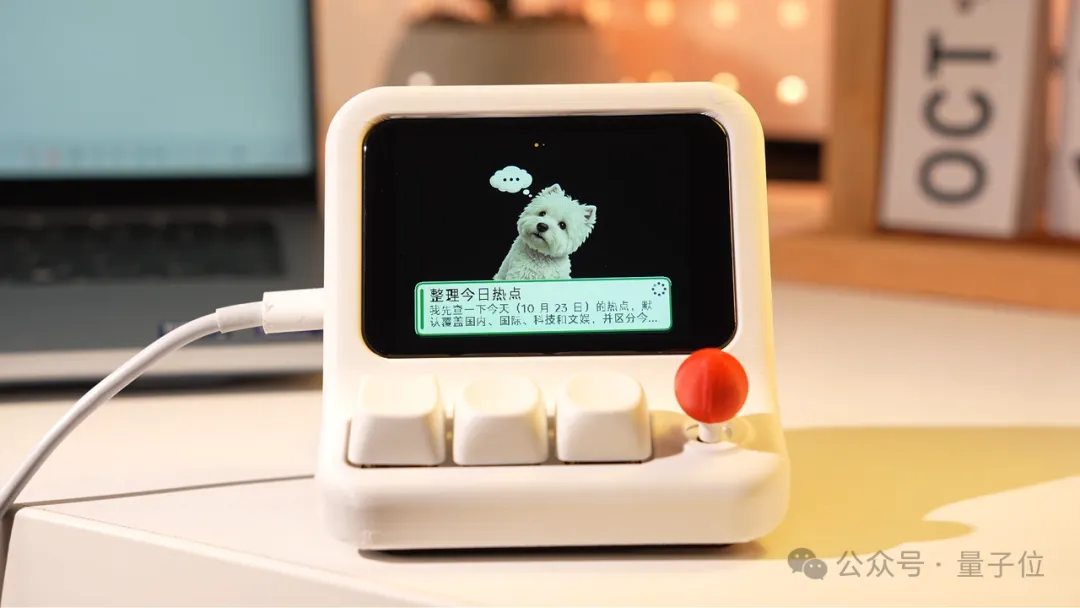
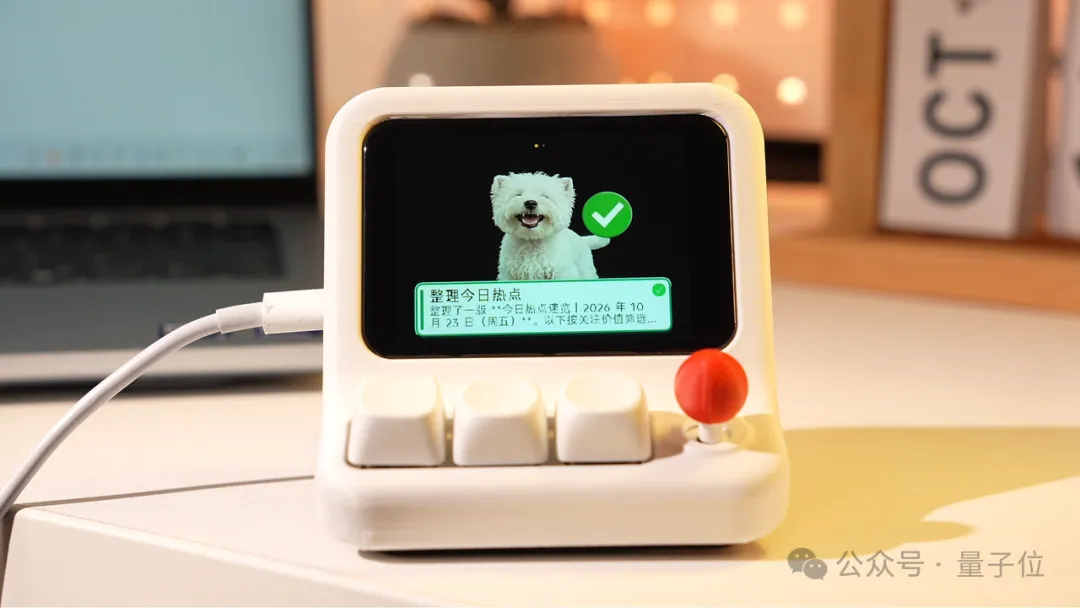 △ HachimoDock visually reflects different Agent working states
Originating from its “companion” nature, the deep customizability of both hardware appearance and avatar identity proved equally crucial to HachimoDock’s viral success.
For a permanent desktop accessory, aesthetic preferences are intensely personal: Why must it be a Westie? Why can’t it be a user’s own pet, or their favorite anime character?
HachimoDock gives complete control back to the user. Beyond the built-in puppy, photos of real-life pets, couples’ photos, or anime characters can all be converted into custom desktop pet assets. Users can also directly apply any of the tens of thousands of community-shared avatars with a single click.
Combined with 3D-printable keycaps and enclosures, the character on screen can perfectly complement the exterior color palette, unlocking boundless personal expression for desktop aesthetics.
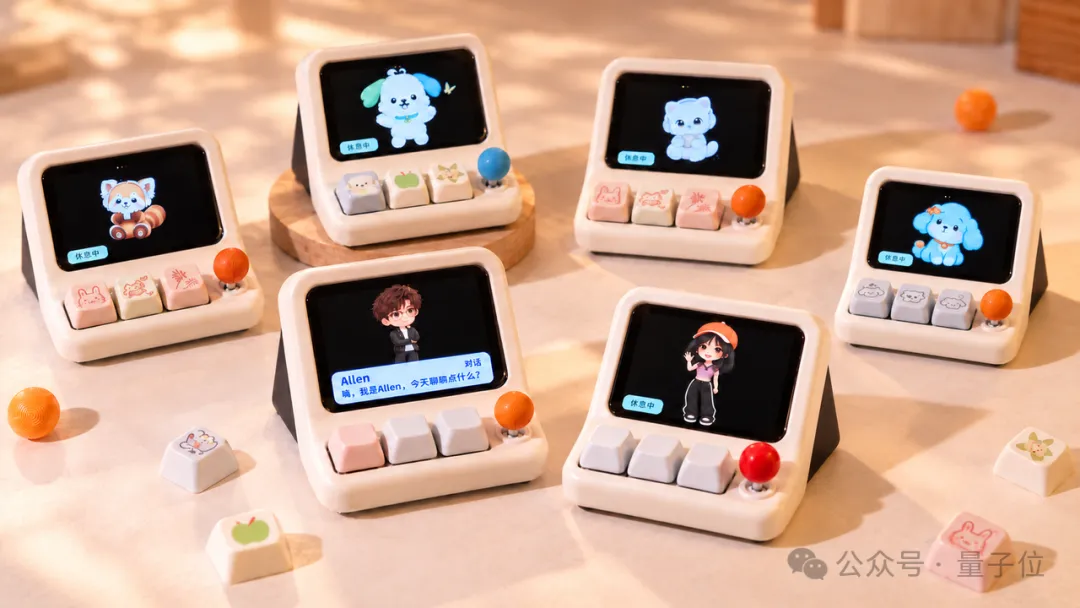 △ Both the exterior keycaps and desktop pet avatars support deep customization
When HachimoDock transforms from a plain “productivity gadget” into a “familiar and beloved companion”—blended with refined industrial design—it delivers immense emotional value, even if it simply sits quietly on your desk or engages in occasional casual banter. This has made it a hit among younger audiences well beyond the hardcore hacker community.
What New Possibilities Emerge Under the Vibe Coding Paradigm?
Optimizing interactive input improves human-machine communication efficiency. But the core value of Vibe Coding lies in lowering the barrier to creation, allowing anyone to rapidly translate concepts into interactive, functioning physical projects.
Currently, Vibe Coding has demonstrated immense potential in PC software and mobile app development, but its application in the physical hardware realm is only just beginning.
In reality, embedded smart devices around us vastly outnumber PCs and smartphones. If this hardware could also be freely customized through Vibe Coding, it would unleash boundless creativity. Smart home devices and wearable accessories could all be customized to match individual habits.
HachimoDock embodies this vision. Featuring rapid custom widget creation in minutes, it aims to be an accessible gateway to hardware Vibe Coding, letting more people experience the joy of hardware hacking at minimal cost.
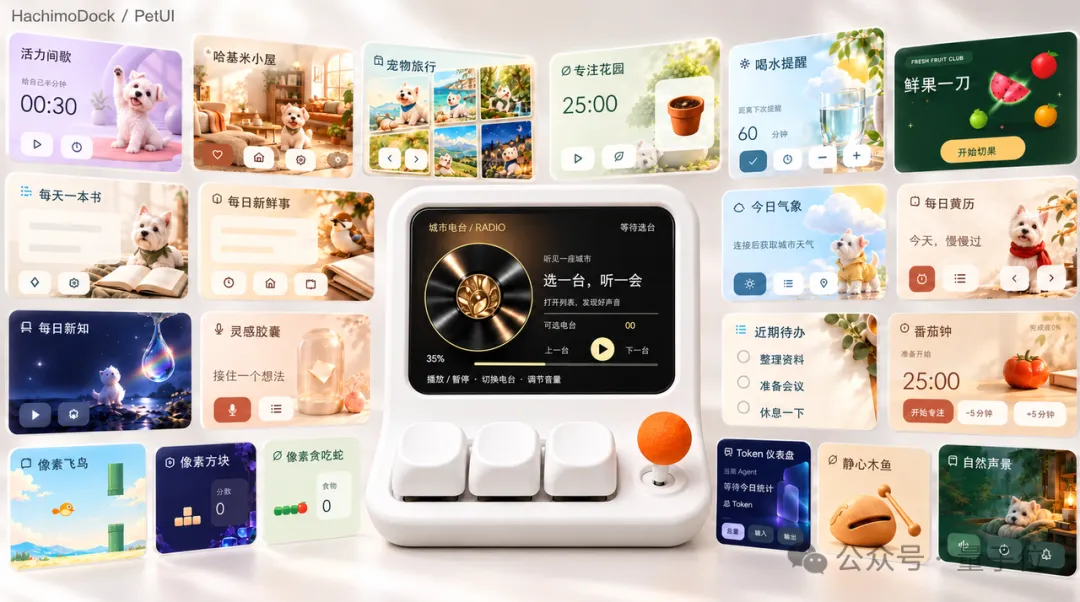
Its retro handheld form factor provides vast room for expansion: combining buttons, a joystick, voice, and a touchscreen, it comfortably handles almost any lightweight game or desktop utility.
Using natural language prompts, users can turn ideas into light apps running natively on HachimoDock in real time: custom stock trackers, to-do lists, PC hardware monitors, and token consumption dashboards serve productivity needs; lunar calendars, Pomodoro timers, dynamic weather, and water-drinking reminders enhance daily routines. During breaks, users can tune into internet radio stations from around the world or listen to a daily morning briefing.
Playful interactions and mini-games can be created just as effortlessly. You can fire up retro classics like Snake, Mazes, Breakout, and Fruit Ninja anytime, or build fun widgets like cyber wooden fish, lucky wheels, fortune sticks, coin tosses, and tarot readings—freely tweaking the rules to your liking.
Furthermore, an active open-source community provides a vibrant platform for sharing resources. Anyone can try out community creations or package and upload their own builds for global users to iterate upon.
Limited to Coding and Office Work? Expanding into Everyday Life
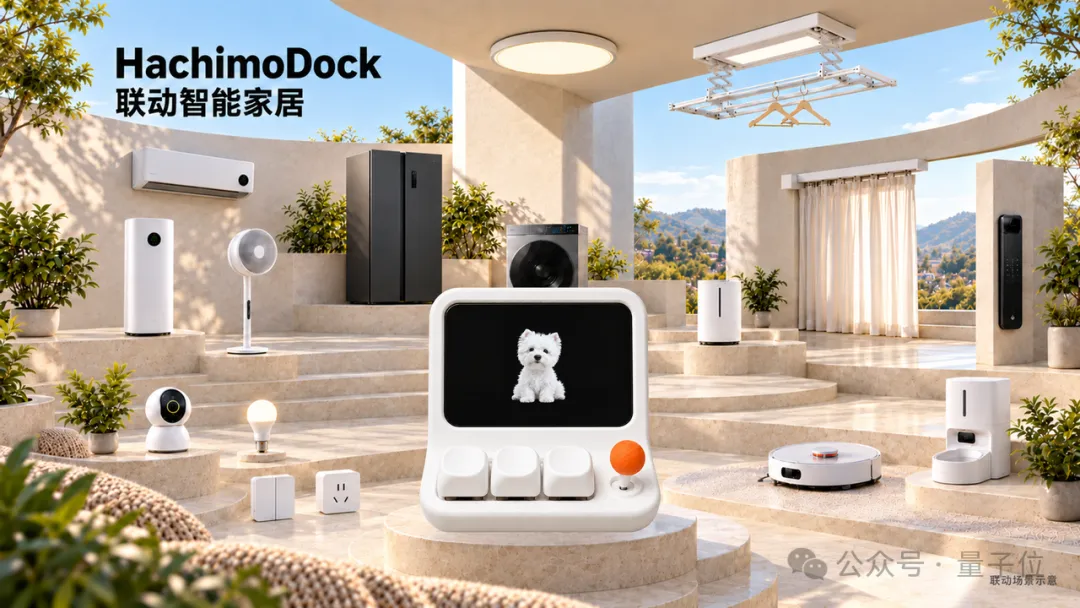
Work and programming make up only part of our daily lives; another critical everyday setting is the home. In this dimension, Xiaomi Miloco, an open-source initiative within the Xiaomi ecosystem, provides robust backing for HachimoDock.
Powered by Xiaomi Miloco, HachimoDock seamlessly transforms into a personalized smart home butler, orchestrating and controlling IoT devices throughout the house.
From the very same desk, whether you’re instructing your PC to tackle a complex coding task or telling home appliances to turn on or adjust, a single spoken phrase to the little puppy on screen handles it all.
Empowering Everyone to Feel the Power of AI and the Pure Joy of Open-Source Creation
Looking at HachimoDock’s popularity, attractive aesthetics and affordable BOM costs were merely the entry point; the team’s sharp insight into real-world use cases was the true catalyst. Its multifaceted capabilities cater precisely to diverse user demands:
For productivity seekers, it serves as a command center to orchestrate agents and track background progress; for desk setup and lifestyle enthusiasts, it is a trendy aesthetic ornament with hot-swappable shells, keycaps, and virtual characters; for hardware hackers and developers, it is a handheld playground for zero-barrier widget prototyping.
Owning this compact device is like having all of the following at once:
- An always-ready, high-efficiency voice-input microphone
- A handheld mini-console packed with classic games
- An internet radio streaming audio stations from across the globe
- A desktop secondary display monitoring AI task states and PC performance in real time
- A smart home control center linking and commanding home devices…
Currently, HachimoDock’s software source code is fully open-sourced on GitHub, while its Bill of Materials (BOM), 3D structural model files, and assembly guides are available on the JLCPCB (JLC) platform. Interested developers and makers can freely replicate the hardware and continue building custom iterations.
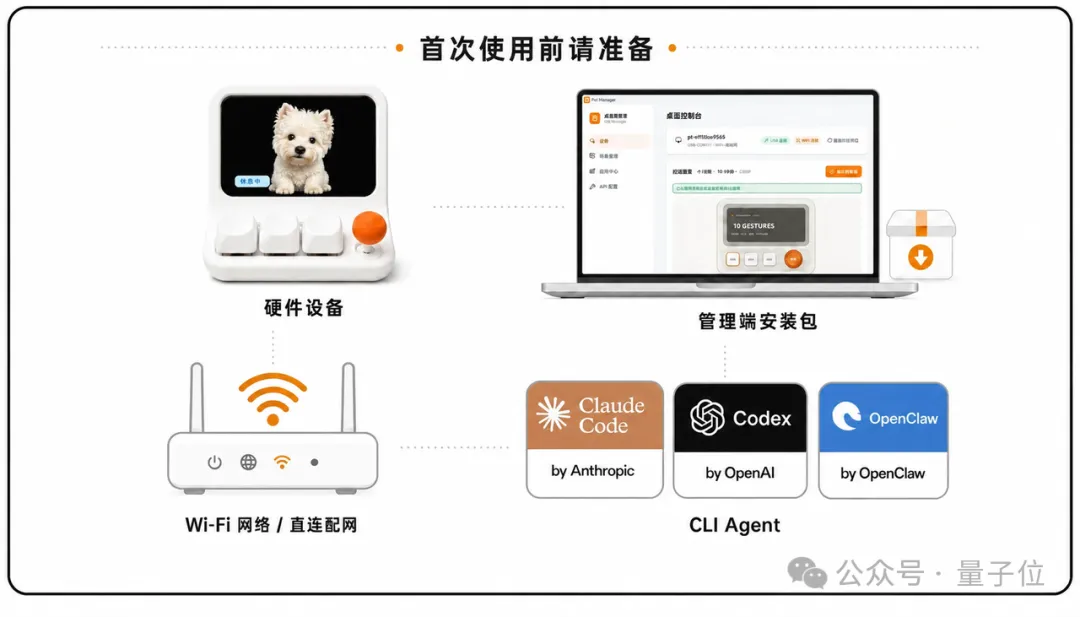
The puppy on the screen is merely the starting point. What form it will take in the future and what new skills it will acquire is entirely in the hands of the creators.
As the innovative product team from Xiaomi’s Technology Committee put it:
“We want to place the power to define HachimoDock back into the hands of every user, enabling more people to experience the pure joy of co-creating AI hardware at low cost.
HachimoDock is just the beginning of Xiaomi’s and our team’s journey exploring novel and exciting AI hardware; we will continue to unveil more imaginative products moving forward.
Keeping passion alive and letting creativity flow—that is the most meaningful value of open source.”
GitHub Repository: https://github.com/YizhengWw/HachimoDock