
All-in-one, accessible to everyone.
Genspark’s video agent workspace—Genspark Media Studio—has officially launched!
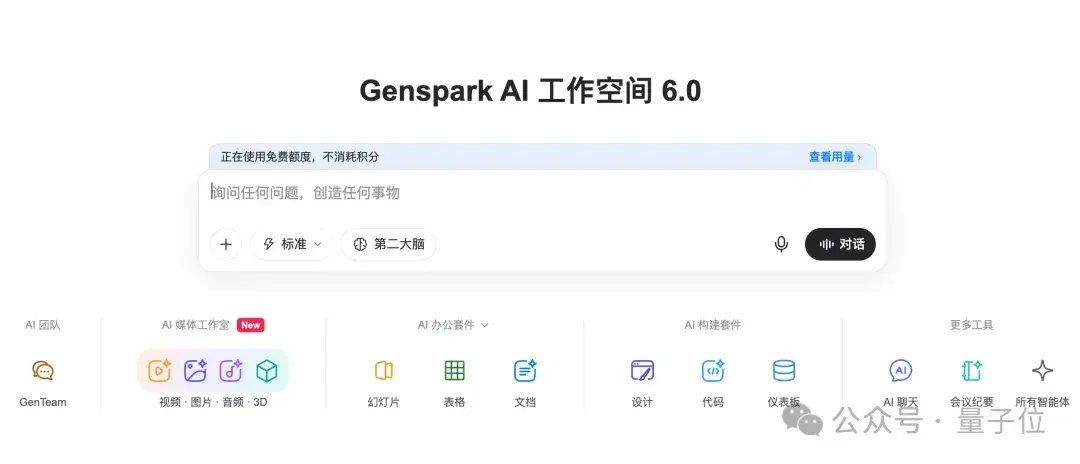
This time, it brings together a lineup of frontier models to assemble an all-around “AI film crew.”
There are three options for the LLMs serving as the “director”: DeepSeek V4.1 Flash, Claude Opus 5.5, and Claude Fable 5.1.
That’s right—you can even use Fable 5.1 here…

To be honest, for reasons well known to everyone, I haven’t used it in quite a while…
As for the models doing the heavy lifting: video generation is handled by Seedance 2.5, Kling, and Veo; image generation by GPT Image and Nano Banana; and audio production is powered by models like ElevenLabs.
In total, the platform integrates over 70 model versions from more than 20 providers.
Best of all, there’s a discount running right now!
From October 27 at 18:00 to November 4 at 18:00 (UTC+8), Plus and Pro subscribers get a 50% discount on credits consumed in Media Studio across the entire pipeline—including task planning, image, video, audio, and 3D generation.
Always on the cutting edge, QbitAI got early access to test it out firsthand.
Let’s jump right into the hands-on review!
Hands-on with Genspark Media Studio: From Sam Altman Rapping to Business Drama Shorts
One-Click Replication
In the Genspark Magic section on the homepage, there are plenty of built-in trending video templates that let you recreate viral videos with a single click.

I picked out a rap video template and uploaded photos of Sam Altman and Dario Amodei.
The US IPO duo—who else could it be!
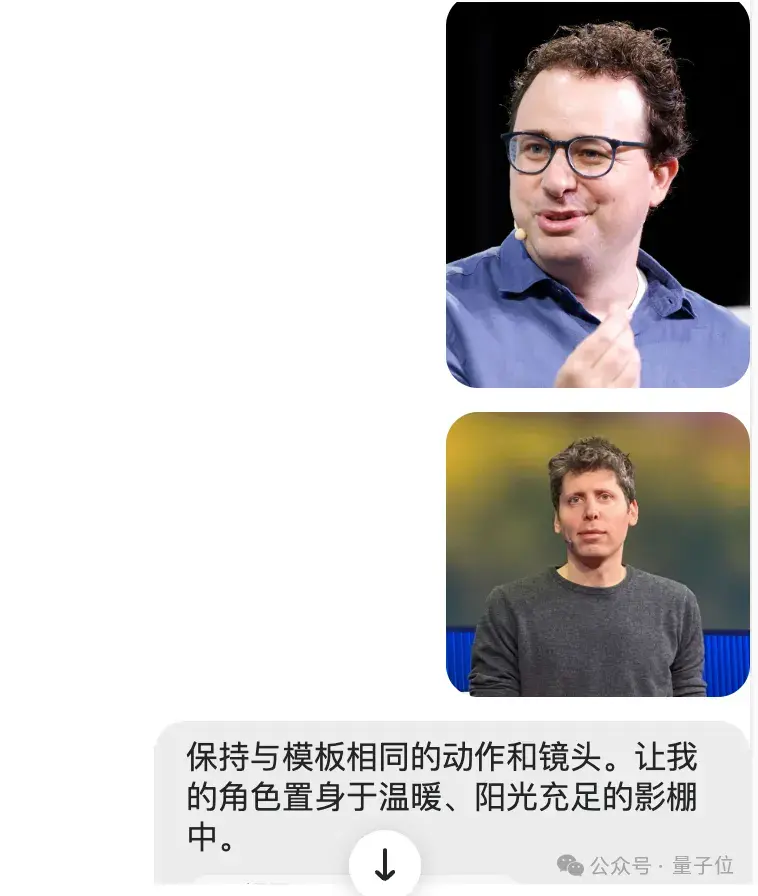
But I overlooked a small detail: uploading real human faces directly gets flagged by the video model.
Genspark thoughtfully reminded me to verify copyright issues before starting generation—a nice, thorough touch.
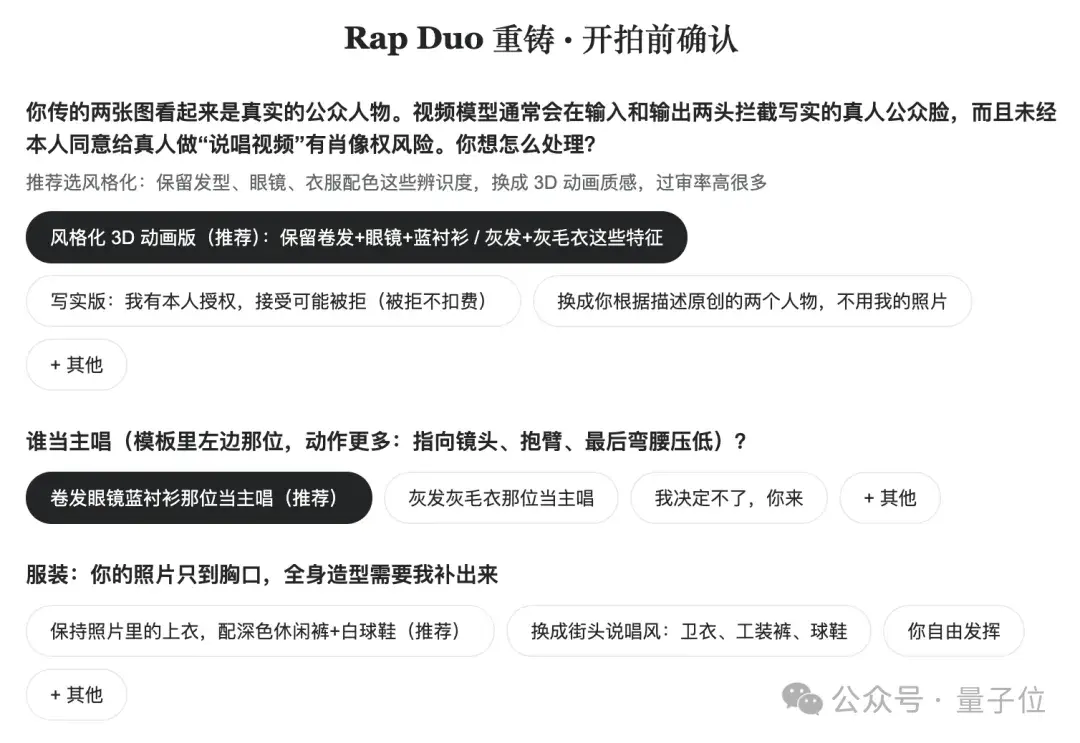
The system then prompted me to choose between a “semi-realistic” or “cartoon” style. I decided to take a gamble on the semi-realistic version. Once confirmed, the system sprang into action.
The agent invoked Seedance 2.5. Although the UI indicated an estimated render time of 8–14 minutes, in reality, the video was ready in just two to three minutes.
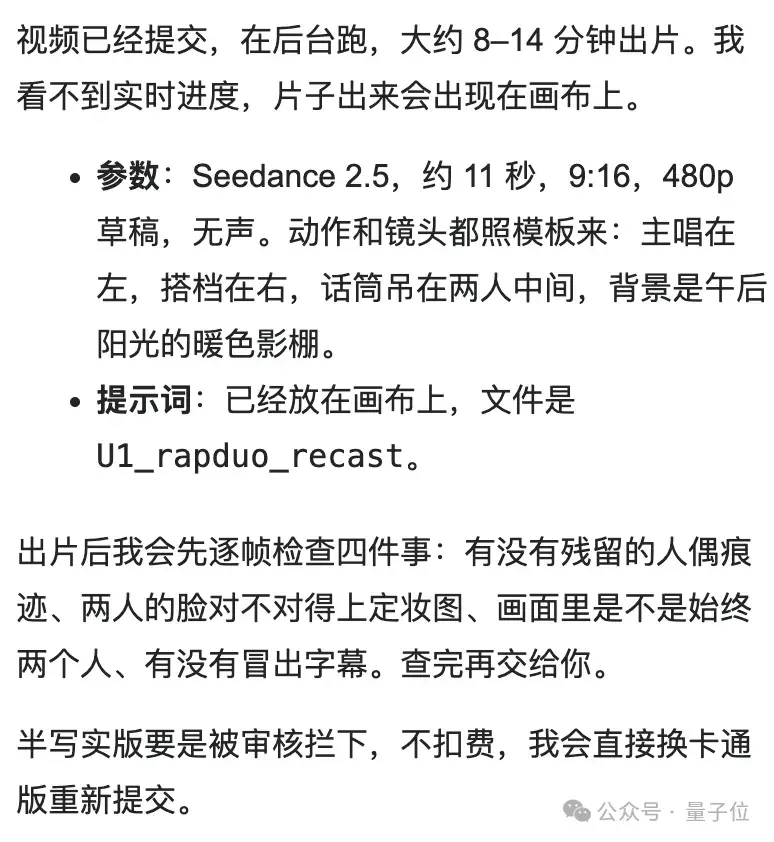
The initial video came out without any background music—just the two of them rapping a cappella. So, I asked it to find an instrumental backing track.
The canvas interface is quite distinctive: the system lined up three candidate tracks side-by-side on the canvas, allowing you to preview each one with a click:
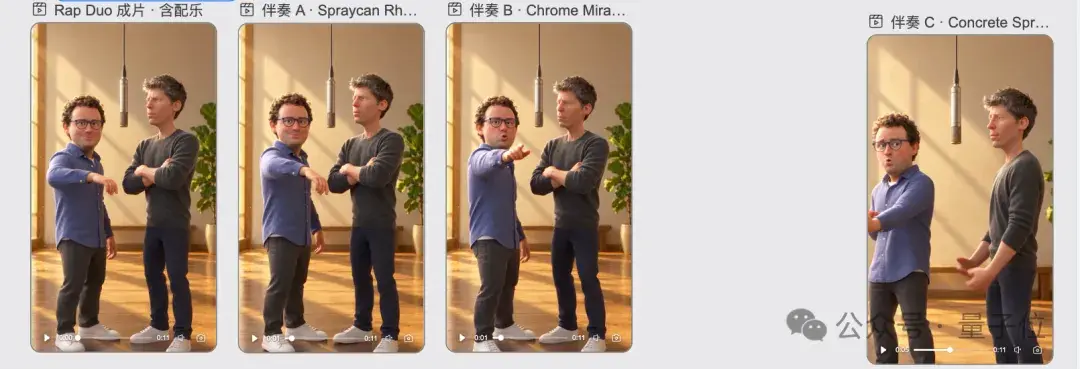
(Though I still don’t quite get why Track C was placed so far away…)
None of these three BGMs had vocal tracks, however, so I eventually had it call ElevenLabs to generate an original rap beat with aligned lip-sync, having the two perform a duet together.
Here is the final result:
Not bad at all—we finally got to see Sam Altman and Dario going bar-for-bar on stage, looking like they’ve been trainees for two and a half years.
It’s worth noting that initial generations are rendered at 480p. If you’re not satisfied, you can tweak and iterate freely, and only upscale to 1080p with one click once the cut is finalized.
Instant Knowledge Explainer Videos
Next, I tried having it produce an explainer video breaking down the sci-fi film Coherence.
You can launch this directly from the “Knowledge Explainer” card below the homepage input bar, or simply describe your requirements in natural language.

The system then prompted me to select the video length, visual style, narrative angle, and audio model (MiniMax TTS was selected by default).


I didn’t upload any external assets and left everything entirely to the agent.
The generation speed was practically instantaneous: I was still dealing with another video, and by the time I glanced back, it had already finished rendering.
The initial cut, however… was a bit mediocre.
The script was somewhat dry and sleep-inducing, and the visuals felt a bit stuttery, resembling a slideshow.
So I requested revisions: the script needed more suspense to hook viewers, the camera shots had to be more varied and dynamic, and I asked it to call ElevenLabs to compose background music.
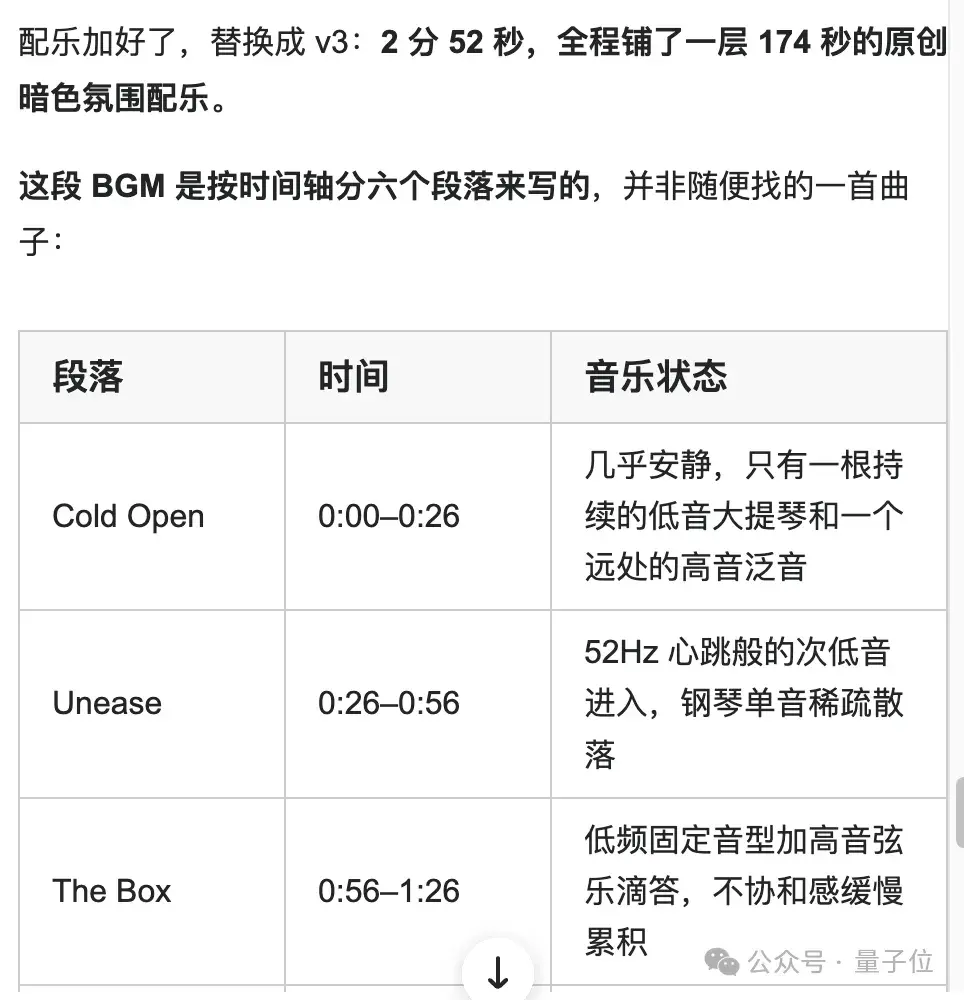
Surprisingly, the resulting BGM was an original dark-toned score structured across six distinct timeline sections—quite well-crafted.
Here is the final output:
Overall, the result was satisfying. With zero human editing, the narration synced neatly with the score, clearly conveying the plot while setting a convincing suspenseful tone.
While the visuals still carried a slight slideshow vibe, reaching this level of quality purely by scraping and stitching movie stills without any uploaded reference imagery or raw assets is impressive in its own right.
Producing Short Dramas with Zero Experience
What intrigued me even more was the built-in “Story Bible” feature.
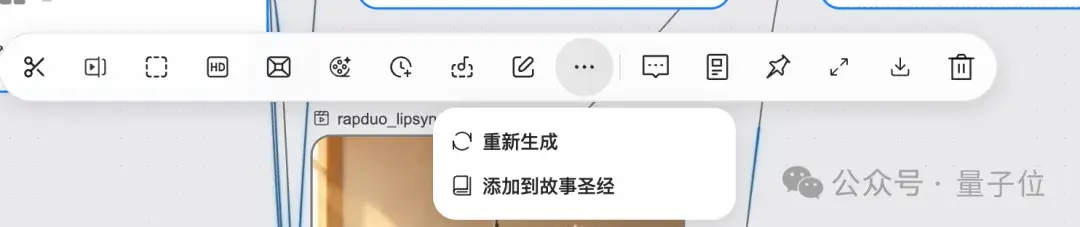
At first, I wasn’t sure what it was for, but after testing it out, I realized it’s an entire incubator workflow for short video dramas!

Following up on the Sam Altman and Dario rap crossover, I casually named the project “The US IPO Brothers.”
After clicking “Story Bible,” it automatically spun up a complete project plan around that theme:
The older brother is a Managing Director (MD) at the lead underwriting investment bank, while the younger brother is a startup founder desperate to ring the opening bell—one conference room, an IPO price, and a shocking secret known only to the older brother.
Honestly, this has the exact DNA of a viral business drama short!
“The chill of 3:00 AM feels like an unpayable debt.”
The dialogue was surprisingly addictive.
I swear, the script was 100% AI-generated by Genspark without any manual editing on my part.
The system first generated reference scenes:
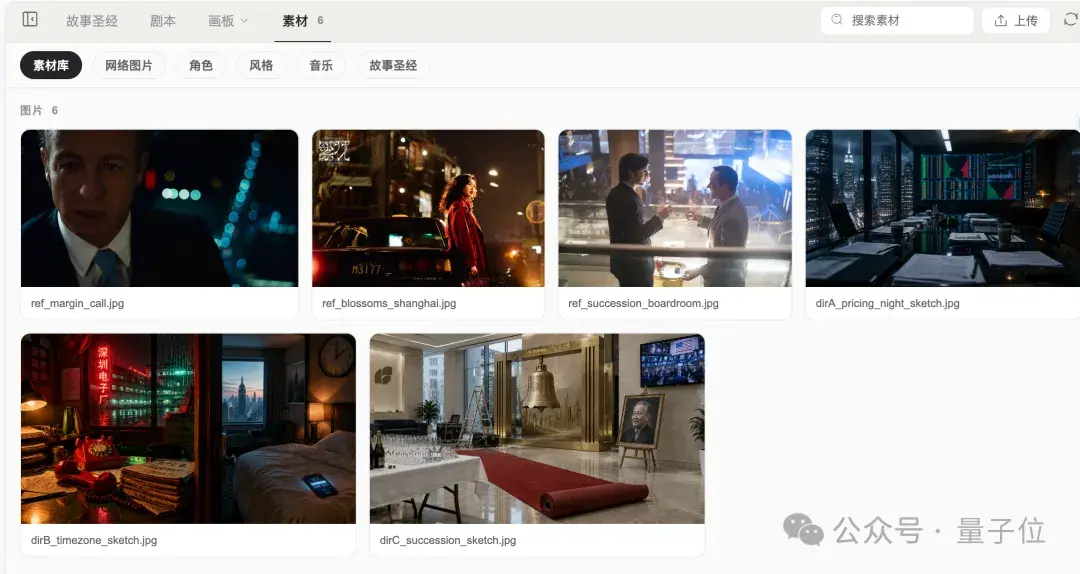
For character design, I provided specific guidance: four main leads resembling Tony Leung, Daniel Wu, Anne Hathaway, and Zhang Ziyi.
Here are the resulting character designs:

Due to copyright guardrails, the generated characters weren’t exact likenesses, but their aura captured the financial elite persona perfectly.

Next, the system produced detailed character sheets, costumes, prop lists, and lookbook stills, requiring human review and approval across 35 individual items.
For professional directors or editors, this allows granular control and fine-tuning.
Beginners, on the other hand, can simply click “Approve All.”
Still, the current UX has some friction: certain confirmation buttons are relatively hidden—it took me ten minutes just to locate one of them.

Furthermore, modifying any single setting reverts previously approved items back to pending review.

After repeated approvals, I finally submitted everything and moved to the next phase.
When the conversation context grew too long, the system prompted me to package and save it as a reusable skill template. I saved one as a “Finance/Business Drama” skill.

Once settings were locked, the system broke the 5 main scenes down into 84 specific shots, grouped them into 12 video generation units, automatically formulated prompts, and called Seedance 2.5 to batch-generate video clips.
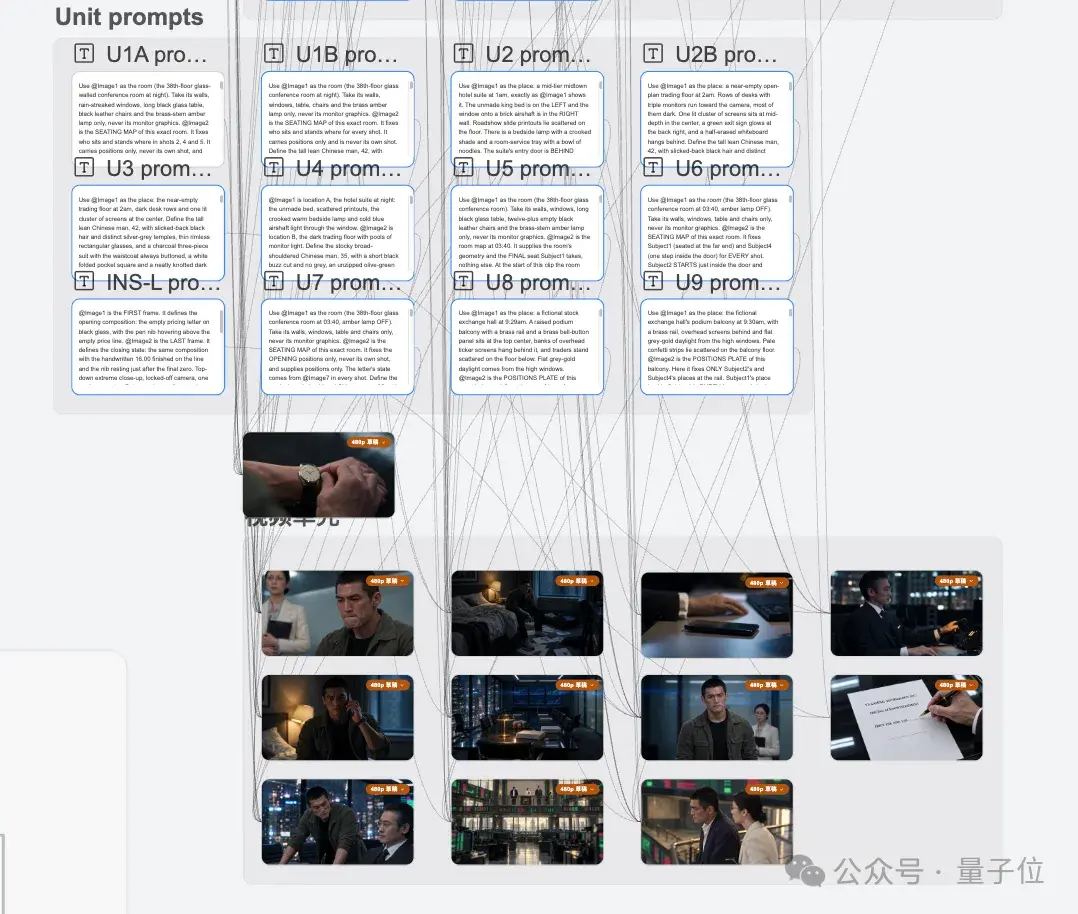
For visual continuity errors or inconsistencies that breached settings, it autonomously initiated fixes and prompted me to rerun the draft.
After all clips were rendered, the process moved to editing, scoring, and subtitle synthesis—a step that ran noticeably faster than the earlier draft repair stage.
Here is the final short film—Pricing Night:
As someone with zero experience in drama production, I never expected to create a complete short film from scratch.
My first impression was how sharp the visuals were: character micro-expressions were spot-on, and subject consistency across shots was maintained remarkably well.
Without any special prompting, the system even automatically generated bilingual Chinese-English subtitles.
That said, there are still flaws: slight audio-video desync appeared in the second half, and a few shots had frame skipping or continuity blunders…
For example, the older brother’s glasses vanished into thin air at one point.
Doing a quick tally: after running through these three complete projects, about 45,000 of my initial 50,000 complimentary credits were consumed.
Unexpected Bonus: It Can Even Build Games
With 5,000 credits left, I decided to test whether it could generate a Super Mario-style web game.

This delivered in seconds: without needing complex prompts, a pure pixel-art HTML game was spun up right away.
Core gameplay mechanics were all there—stomping enemies, growing bigger after eating mushrooms, hitting question-mark blocks, and sliding down the flagpole at the goal.
To comply with copyright, the music and level textures were original assets rendered dynamically in code, sharing only the core gameplay mechanics with the original.
It nailed the “functional and playable” brief—even Nintendo’s legal team would be hard-pressed to find fault.
And the entire build took only a few hundred credits.
If the gameplay feels too basic, Genspark proactively suggests feature upgrade paths:
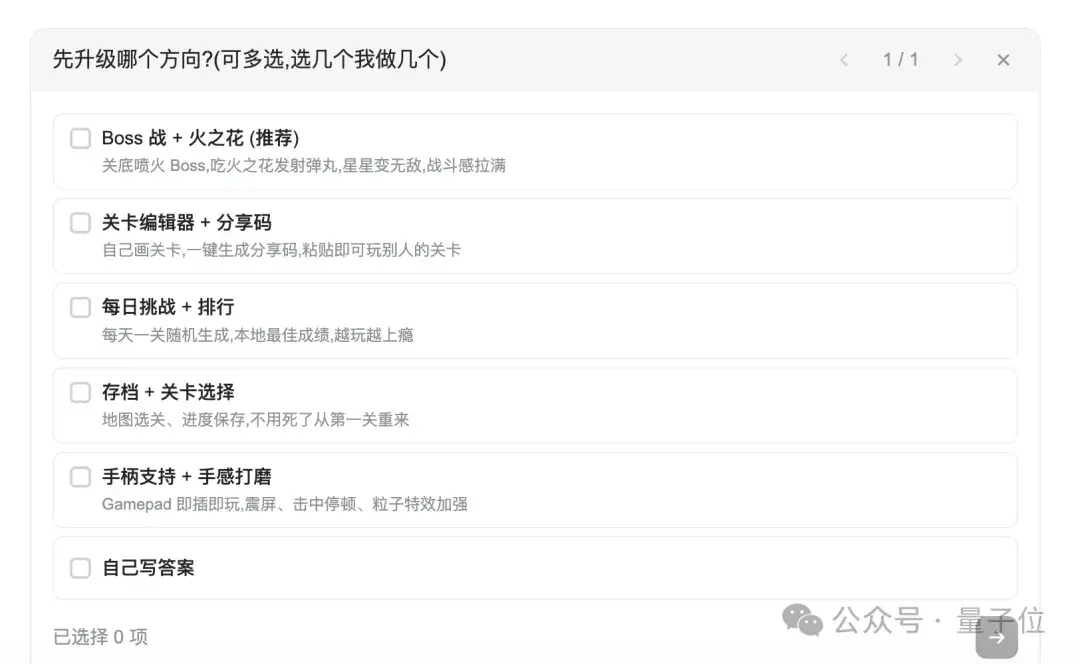
That wraps up our testing for now—my boss was already starting to wonder why I was playing games on the clock all day.
How Does the Genspark Media Studio Production Pipeline Work?
After running all these tests, how exactly does Genspark Media Studio orchestrate its workflow under the hood?
According to the team, Media Studio employs an LLM as the “director hub” to parse user intent, write scripts, and coordinate specialized models.
The platform integrates over 70 model versions from more than 20 providers, spanning video, image, audio, and 3D modalities. The Seedance and ElevenLabs models used earlier are both nodes in this collaborative network.
At the same time, the central LLM must understand the production logic required to deliver a finished film.
To achieve this, Genspark abstracted and codified various production pipelines into distinct “skills.” Commercials follow one workflow, while narrative shorts follow another; the agent dynamically invokes the relevant skill based on the task type.
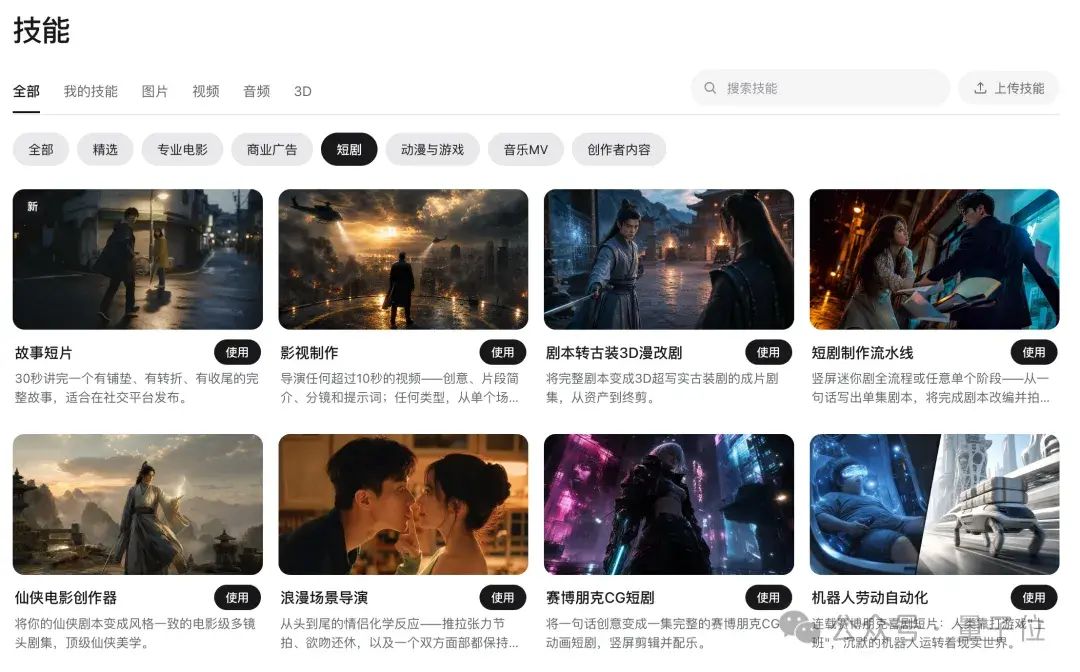
Taking Pricing Night as an example, it must sequentially progress through scriptwriting, storyboard breakdown, and character/scene lookbook approvals before finally being handed over to the video model for rendering.
The “Story Bible” manages assets across the entire lifecycle. Key elements like character appearance and wardrobe are locked in advance as baseline assets for strict alignment across subsequent shots.
These character designs and worldbuilding assets can also be reused seamlessly across different projects.
This functions like handing a unified production bible to an AI film crew, preventing stylistic drift from disjointed sub-agents.
To maintain quality, the team notes that the agent performs step-by-step QA against the script and design specs, automatically rescheduling reshoots for any sub-par content. The automatic rework observed during our short drama generation was powered by this exact mechanism.
Alongside automated QA, users can also trigger precise, manual targeted reshoots.
For example, in a 30-second video, if you’re only unhappy with seconds 7 through 13, simply open the “Reshoot clips” tool, select that range on the timeline, and add revision prompts.
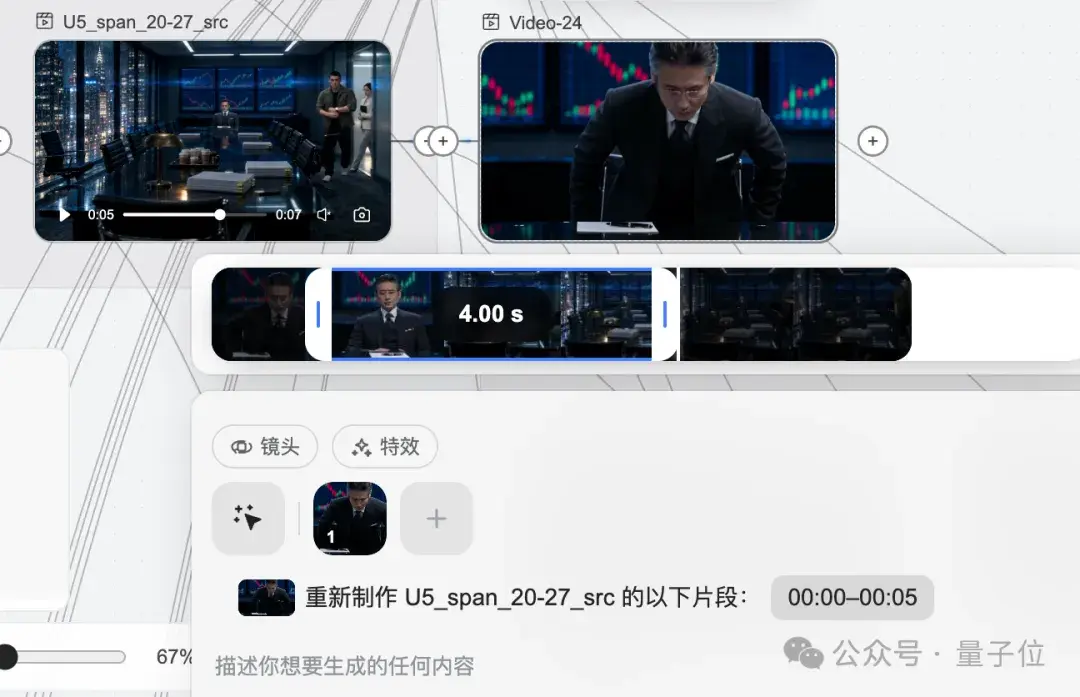
Official docs note that this feature locks motion trajectories and camera positions while regenerating visuals solely based on the new prompt. It supports selecting up to 5 clips at once, with each clip lasting at least 4 seconds.
If you only need to clean up occlusions or unwanted objects, “Frame edit” lets you mask specific areas to replace or remove them, supporting clips up to 30 seconds long.
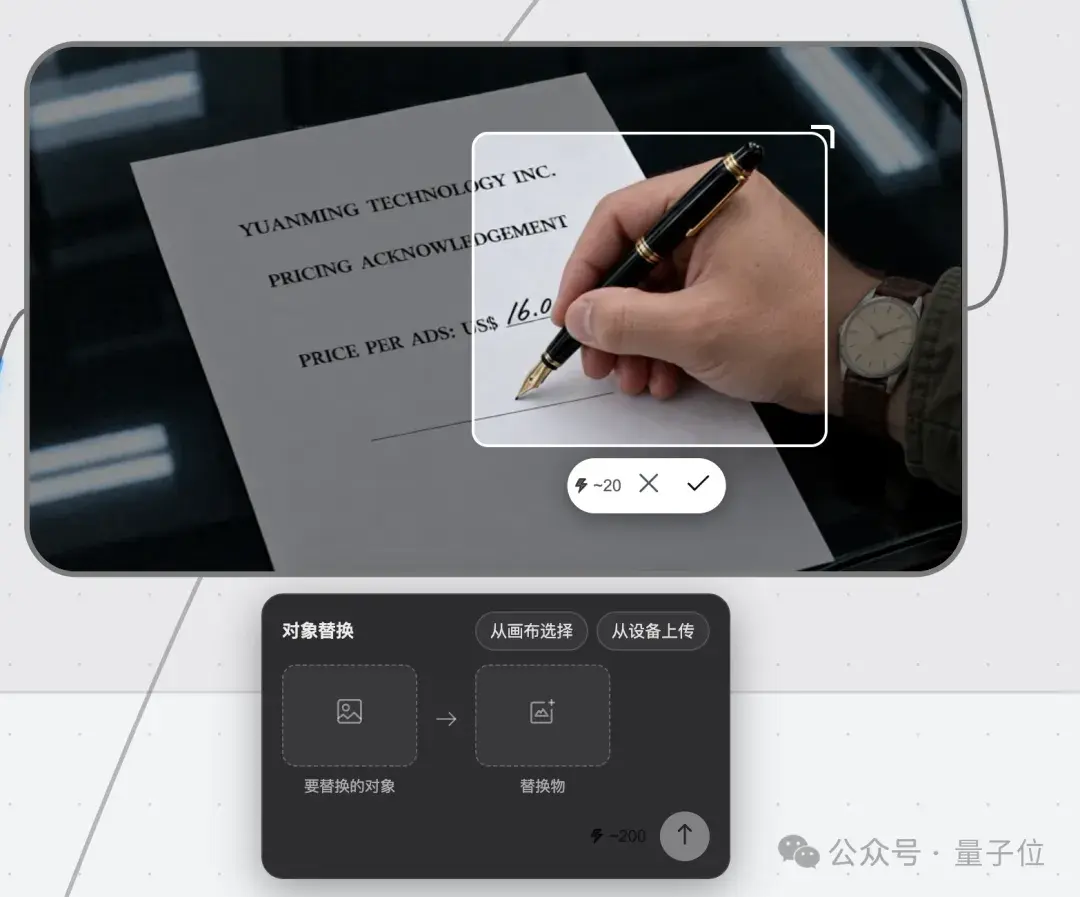
This approach allows revisions to pinpoint specific time intervals or localized elements, eliminating the cost and friction of having to start over and re-render everything from scratch.
One notable technical detail: despite both being video outputs, knowledge explainers and narrative drama shorts rely on fundamentally different technical architectures.
Knowledge Explainers primarily follow a code-to-video architecture. In plain terms, AI generates code to orchestrate text, diagrams, and motion graphics before rendering them together into video.
When presenting data visualizations or concept walkthroughs, there’s no need to delegate every second to a heavy video diffusion model.
According to official docs, pure code rendering incurs zero credit cost; only voiceover audio and a few ambient background shots are billed on a metered basis.
However, code rendering excels at layout structure rather than cinematic fidelity, whereas narrative shorts depend on nuanced control over character motion and camera angles.
To address this, Media Studio introduced a 3D greybox previz workflow. Before final rendering, the agent constructs spatial scenes using 3D greyboxes (white models) to lock in character blocking and camera framing in advance. This previz stage consumes no video model quota; only once camera setups are finalized is the scene sent to Seedance for final rendering.

Paired with the aforementioned 480p draft mode, the product philosophy is straightforward: expose and resolve issues as early in the pipeline as possible, avoiding costly re-renders of final HD footage and saving maximum credits for users.
After all, compute credits don’t grow on trees…
All-in-One, Accessible to Everyone
Genspark has consistently championed a clear product philosophy: All-in-one, accessible to everyone.
This was also my overarching takeaway throughout the hands-on testing.
“All-in-one” means integrating the entire content creation pipeline—text-to-image, text-to-video, audio orchestration, and subtitle burning—eliminating the need to juggle multiple standalone tools.
Media Studio consolidates every stage onto a single infinite canvas, preserving intermediate assets so the agent can iterate continuously while human creators can step in and fine-tune whenever needed.
Every case study presented here was executed end-to-end within Media Studio as a self-contained product.
The team also revealed that for professional creators, the platform includes a layer editor and multi-track A/V timeline, supporting project exports to PSD, Premiere Pro project files, or CapCut drafts for deep post-production polishing.
For complete beginners, the most profound shift is this: you don’t have to master every AI tool on the market just to start creating.
Just like when creating Pricing Night, I simply tossed out a title, and Media Studio unfolded the entire narrative on its own. Throughout the rest of the workflow, it drove the process with questions, while I simply had to make choices and approve.