
How to Build and Run an Offline Coding Agent Using OpenCode, Ollama, and Qwen
Oct 27 · 9 min read
When we talk about remote work, we often take a lot of things for granted—especially fast, dependable internet and reliable electricity. But sometimes remote work means working mid-flight, on long train rides, or in remote spots where connectivity is spotty at best or entirely nonexistent.
A year ago, I moved to the foothills of the Himalayas. I love the peace and quiet here, but it comes with its own set of challenges, including internet outages and power cuts. Things I never used to think twice about have now become critical factors when planning my workday.
I’m a Principal Engineer at Thomson Reuters, spending most of my days writing code and reviewing my teammates’ work. Coding agents have become deeply woven into my daily workflow, which got me wondering: how much of this workflow can I actually preserve while offline?
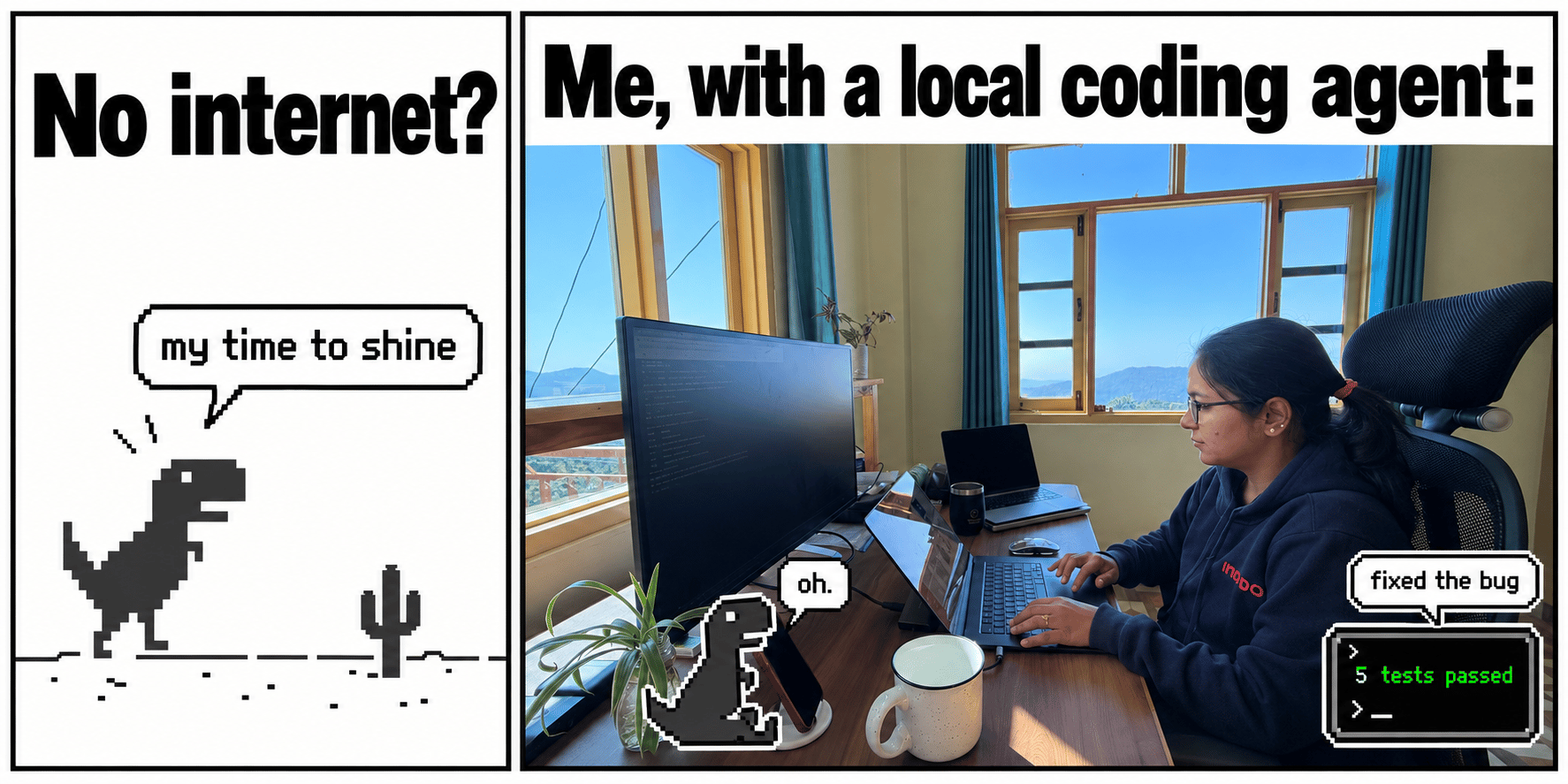
Working from the foothills of the Himalayas. A shot of my workspace.
If you’re like me—passionate about working with technology, yet finding peace in quiet, off-the-grid spots where reliable internet isn’t a given—this post is for you. It’s also for anyone curious about whether it’s possible to run a coding agent entirely offline, powered solely by your laptop. I set out to run a coding agent locally on my machine to see just how much real work can get done without an internet connection.
What Can We Do Offline?
Projects already sitting on our laptops give us plenty of room to operate. We can ask an agent to explain an unfamiliar function, troubleshoot failing tests, refactor a snippet of code, or help build out a feature. As long as the model, project dependencies, and test tooling are available locally, these tasks can run completely offline. However, downloading new packages or looking up documentation online will still require an active connection.
Where OpenCode Fits In
OpenCode is an open-source coding agent designed to work alongside your local projects. You simply give it a task, and it can inspect files, propose edits, and run commands like your test suite. In our setup, its permission prompts allow us to review commands and code changes before approving them.
I chose OpenCode because it keeps the entire workflow inside the terminal while connecting directly to models running locally on my laptop. Ollama handles running the model, while OpenCode manages the interactions with the project.
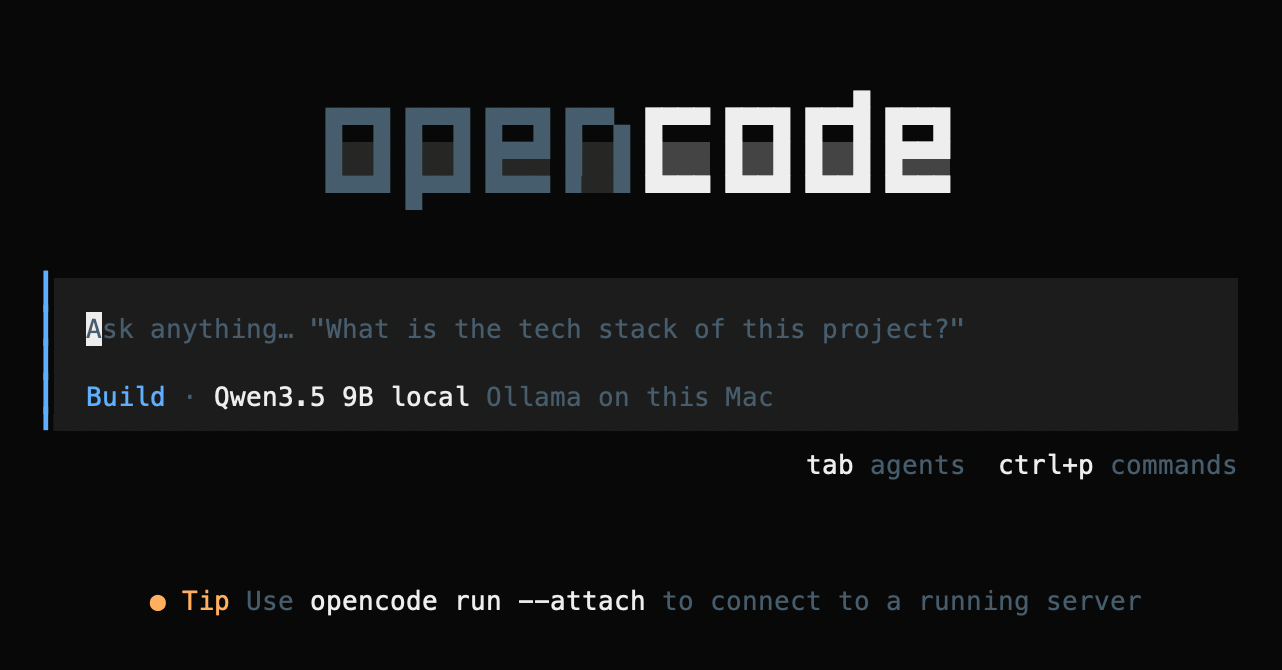
OpenCode running on my Mac, configured with Qwen3.5 9B as the local model.
Open-weight models like Qwen make this possible: their weights—the learned parameters used to generate responses—can be downloaded and run locally. With Ollama serving Qwen on the same laptop, OpenCode sends its requests directly to the local service. We download everything we need ahead of time, then disconnect from the network when executing our coding tasks.
If you prefer a guided editing workflow, Aider is another great option that also supports Ollama. Throughout this walkthrough, we’ll stick with OpenCode to keep the configuration and results consistent.
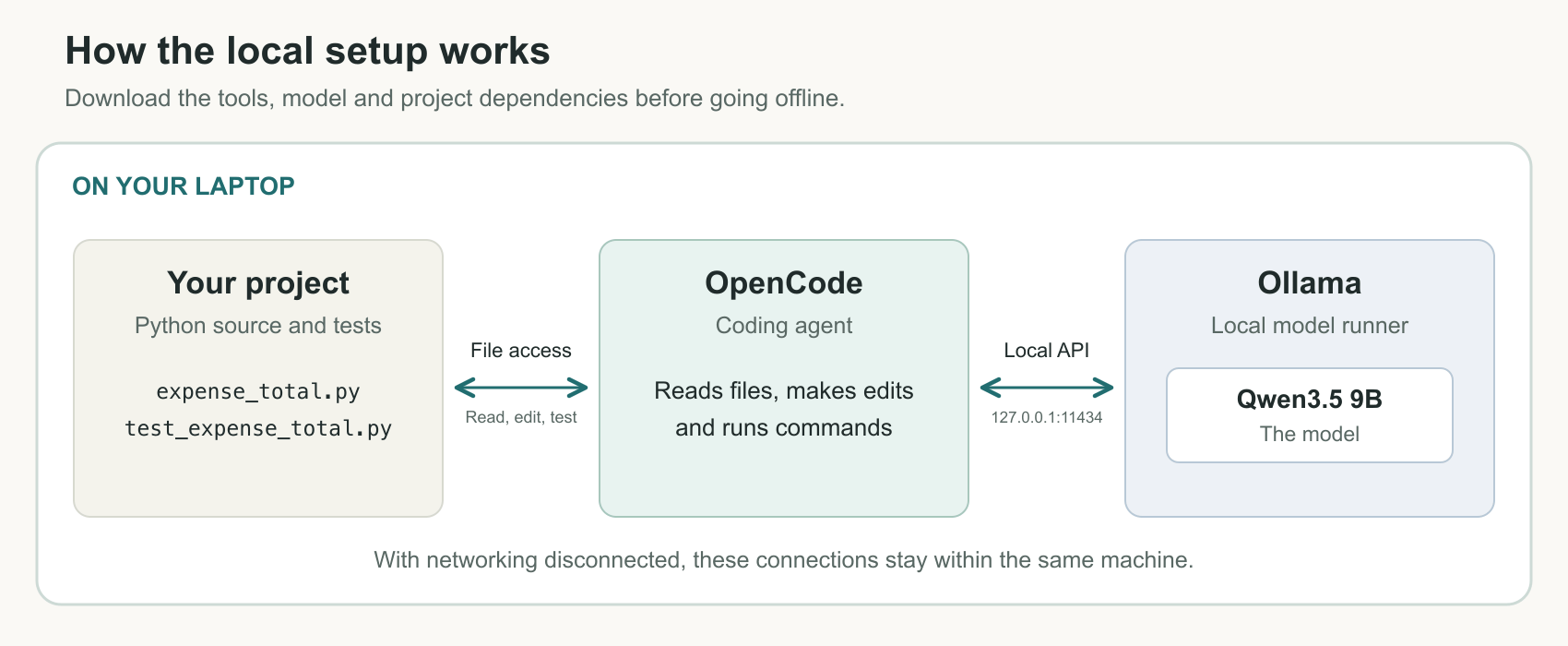
OpenCode interacts with project files and routes model requests to Ollama on the same laptop. Ollama runs Qwen locally.
Choosing an Open-Source Model
Qwen comes in several different sizes. I wanted