
This is Literally an Agent in Physical Form!
By Jay from Aofeisi
QbitAI
The long-awaited STEPX Neo—a large model-native agent smartphone from Step Devices—has finally made its official debut.
Having had the review unit for half a month, it basically became my primary “toy” over the National Day holiday, and I had an absolute blast with it.
The moment I laid eyes on it, I froze for two seconds.
This is literally an agent in physical form!
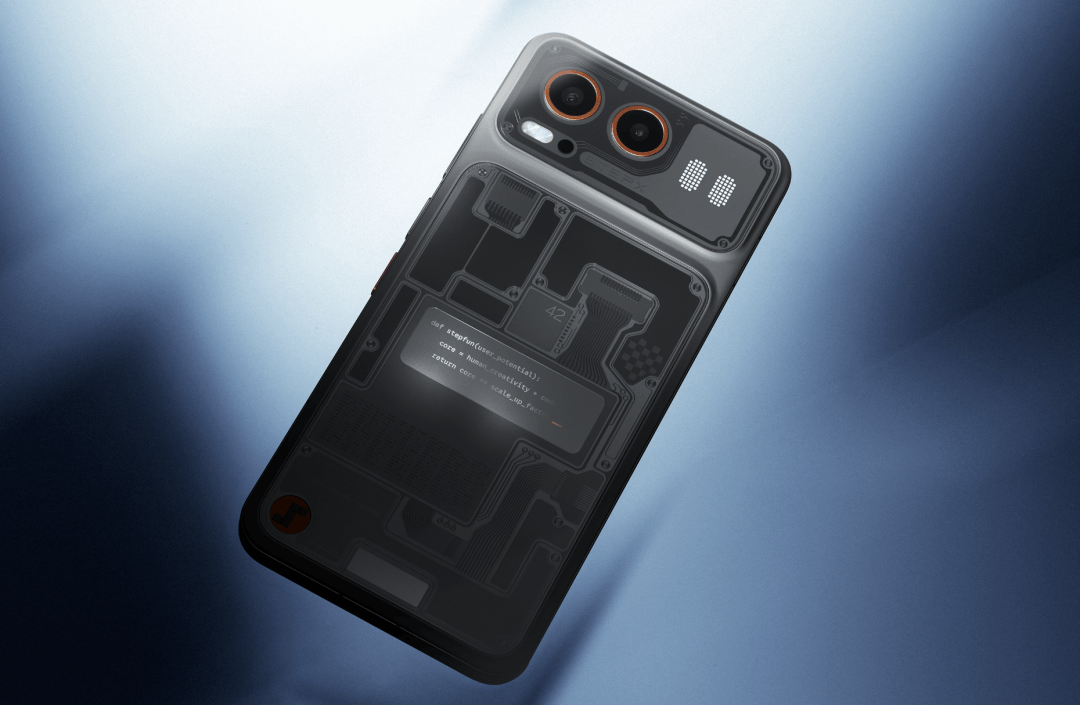
The device embraces “retro-futuristic aesthetics” as its core design language. With a frosted glass backplate, it seamlessly blends early computing elements, cyber circuitry, AI civilization iconography, and modern consumer electronics craftsmanship.
Large-area diaphragm patterns symbolize reasoning, computation, and memory systems, connected naturally through circuit textures and transparent layers. Internal components like the chipset and battery, normally sealed tightly under opaque rear covers, are laid completely bare before your eyes.
Five easter eggs on the back of the chassis—the number “42”, the user_potential code, Turing test binary, Deep Blue’s chessboard grid, and the Transformer architecture—trace a journey through the history of AI exploration: from sci-fi imagination to breakthroughs in machine intelligence and the rise of large language models.
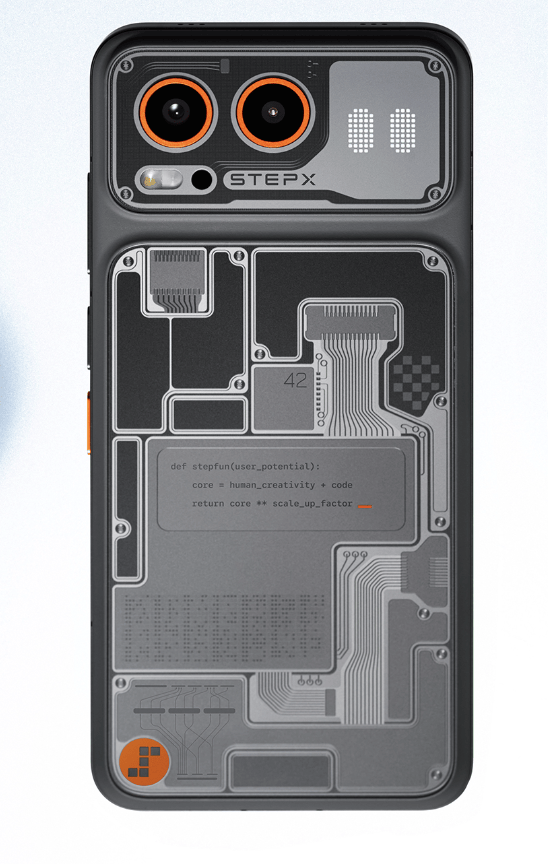
In the words of my friend:
Heavily engineered, peak geek.

What really captured my attention, though, is the small secondary screen on the upper right corner of the back.
This is the status dashboard for the built-in personal agent, “Step Amoo” (I usually call it “A-Zai”).
During downtime, it occasionally peeks out with a curious little eye; while executing tasks in the background, it flashes various status icons. It also supports custom text and is packed with more easter eggs than you can count.
The social flex factor is maxed out—now everyone knows I got a brand-new phone!
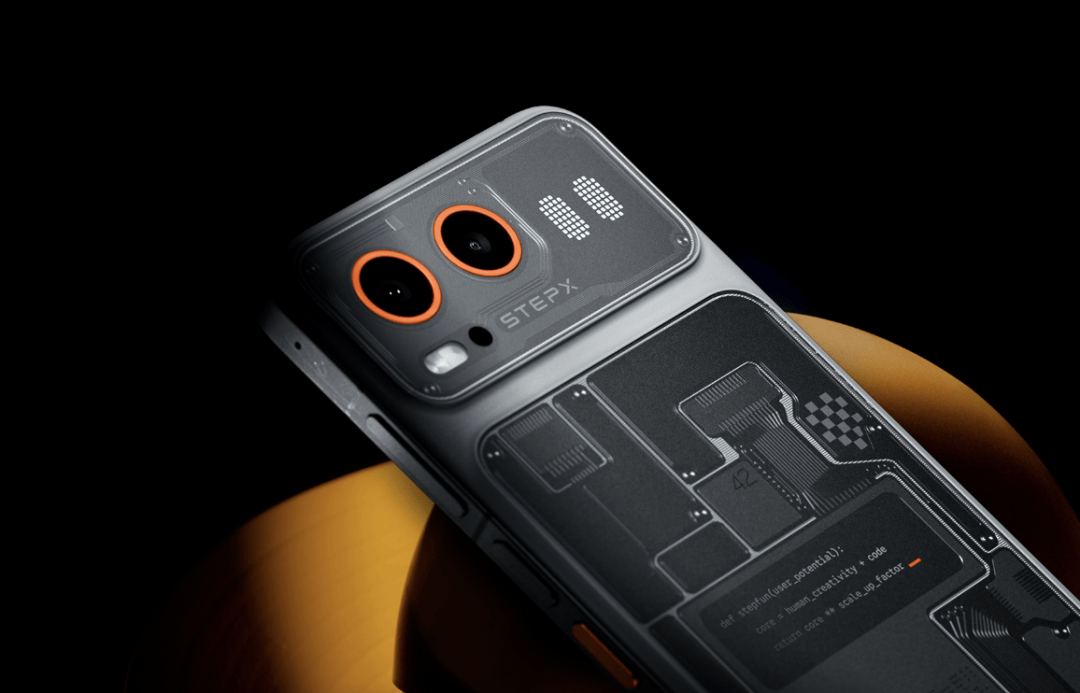
Naturally, as an agent phone, a dedicated physical AI side button is practically standard, featuring an eye-catching two-tone color-blocked design.
A quick tap brings up the input box; a long press starts voice walkie-talkie mode. Finally, no more endless digging through crowded app screens.
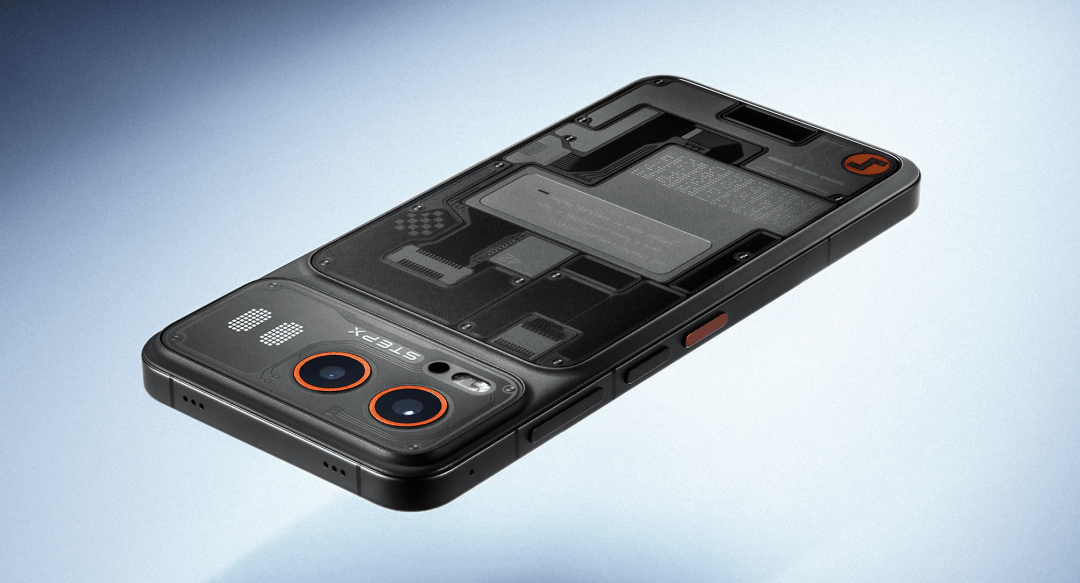
It certainly looks geeky enough on the outside, but whether a phone truly deserves to be called an “agent-native phone” comes down to whether the operating system has real substance under the hood.
So, let’s power it up!
A-Zai on Standby
Conventional voice assistants on smartphones are essentially one-way search engines: you ask a question, and it gives you an answer.
The preview edition of STEPX Neo runs on Step AOS, an agent-native operating system that completely overhauls this interaction paradigm.
At the OS level, it natively supports loop execution and autonomous tool calling, while pulling in various Skills and MCP tools. Its capabilities feel very close to invoking Codex or Claude Code on a PC.
Yet in daily use, it feels as intuitive as personal assistants like Muse, specifically optimized for consumer scenarios. A-Zai has a distinct personality and proactively leverages system capabilities to interact with the user.
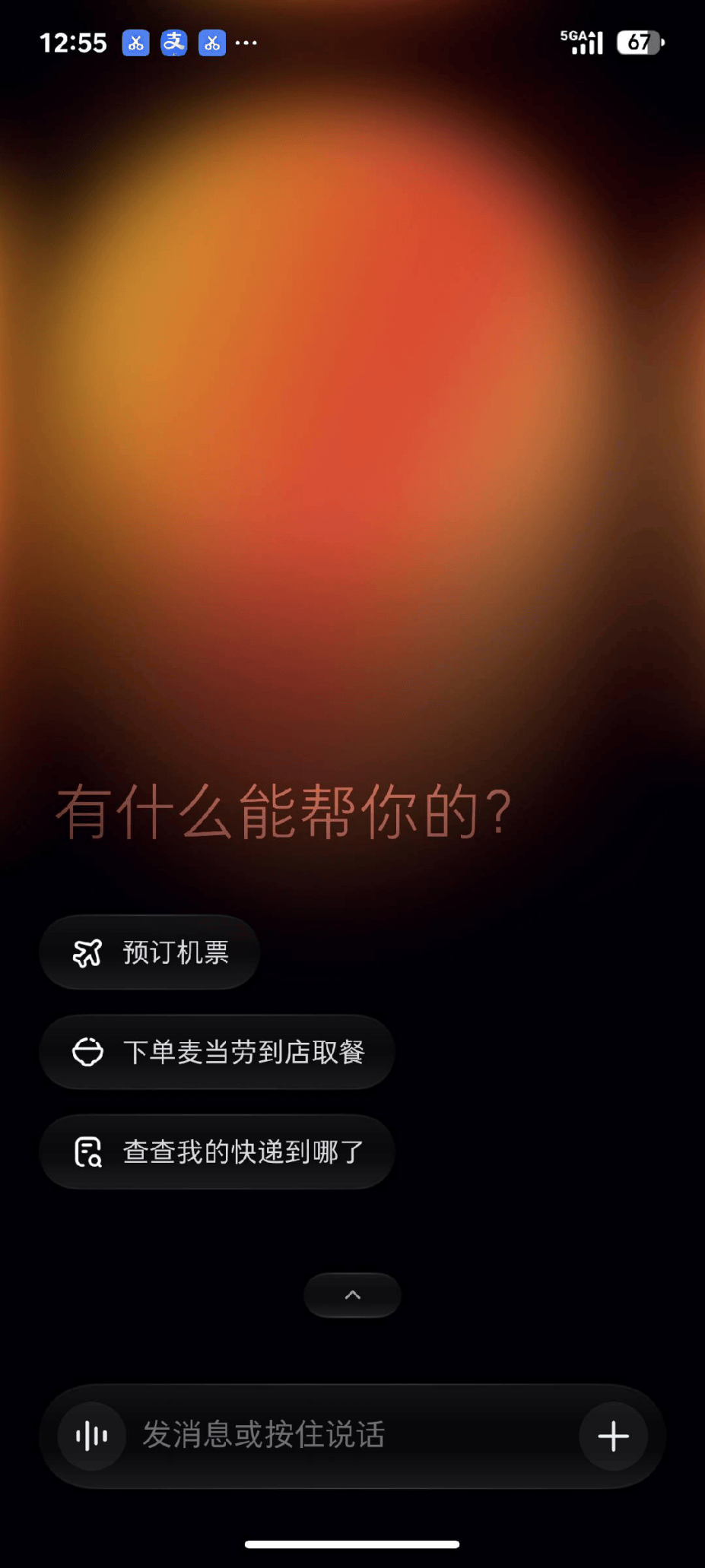
STEPX Neo features a dual-entry interaction model: swipe right to enter Amoo’s dedicated system-level space, or swipe left to return to the familiar traditional home screen. Even more interesting is the detail at the bottom of the display.

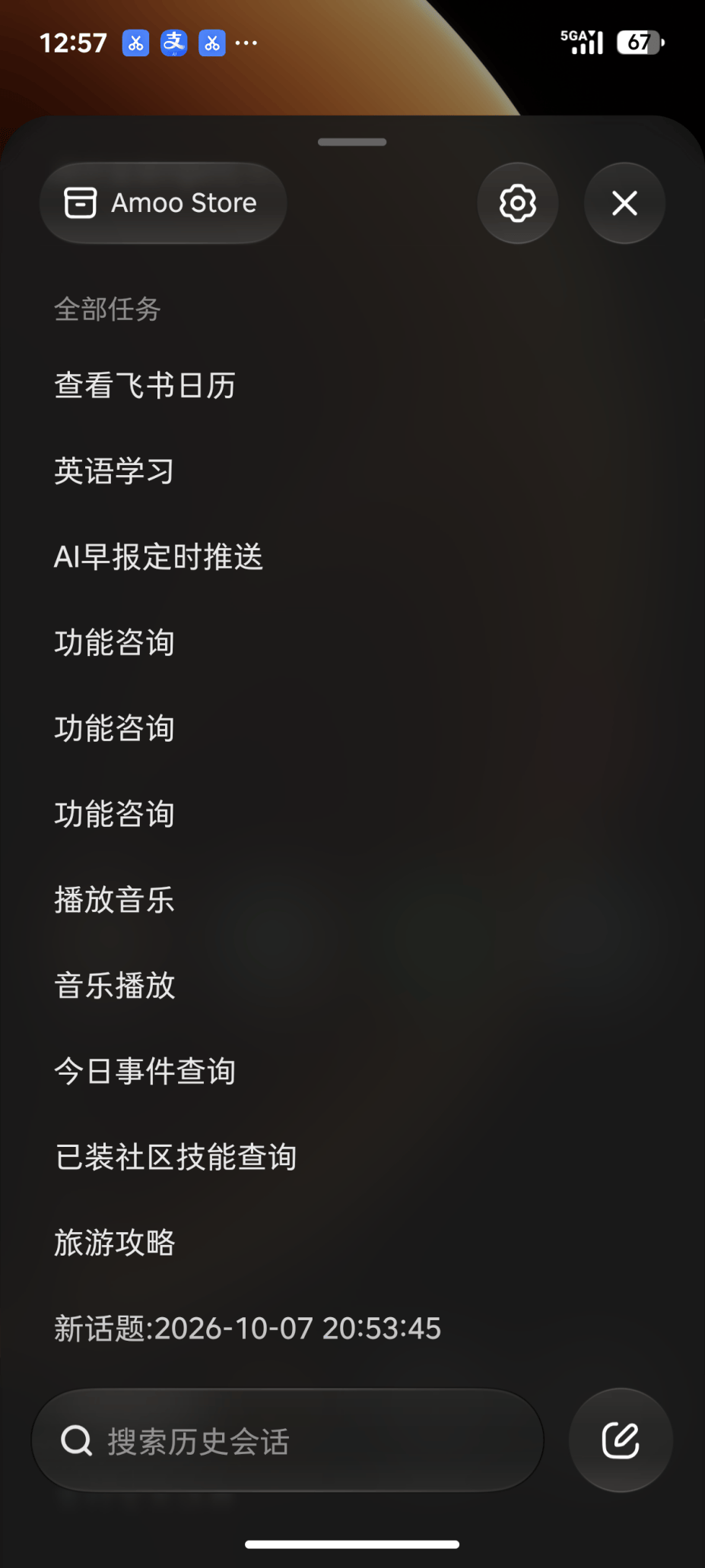
While iOS typically places a search pill or Dock bar at the bottom, Step AOS houses a persistent, collapsible micro-panel there instead.
Tap it open, and you’re greeted with a system-level Agent Task Navigation Bar. Here, users can clearly view all long-chain tasks A-Zai is actively running in the background, along with a complete task history.
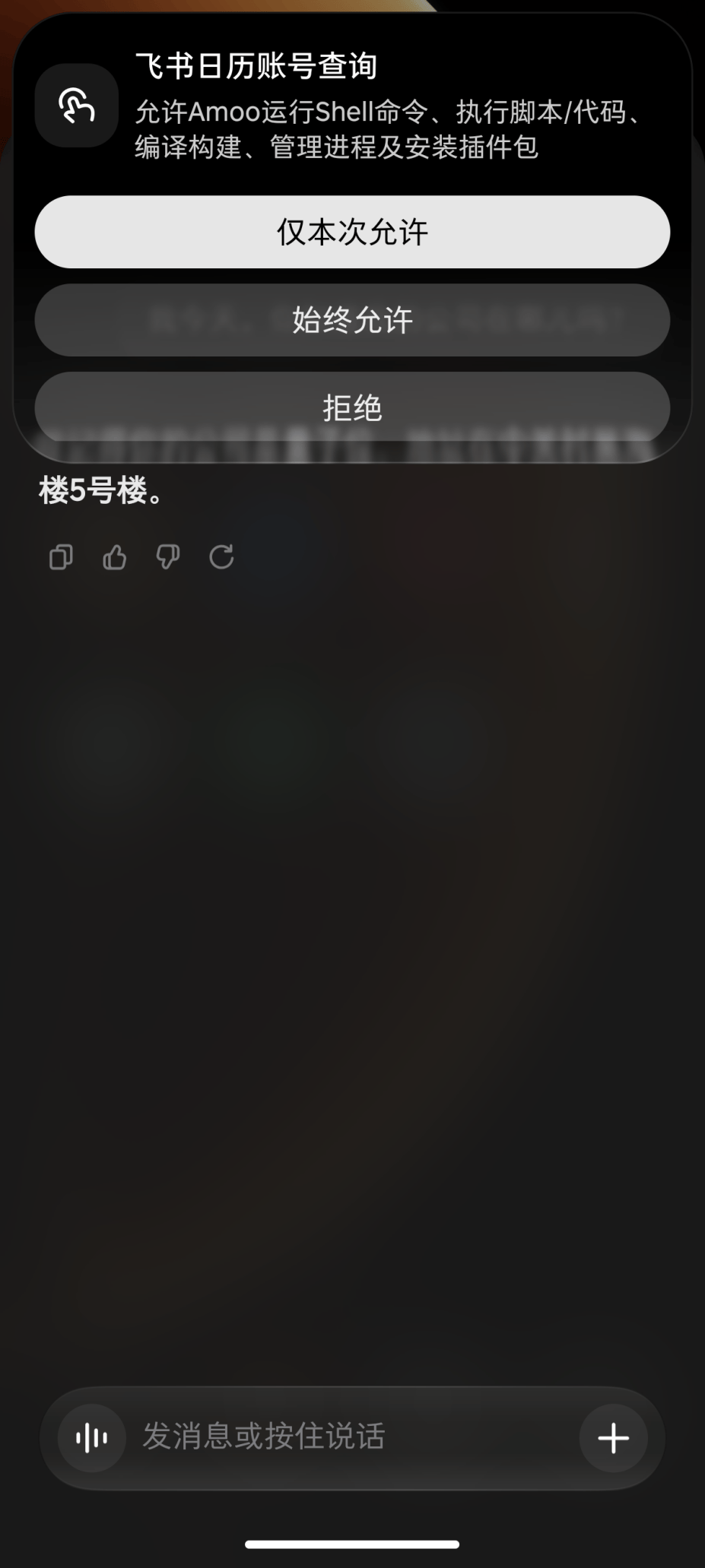
When Does A-Zai Proactively Reach Out?
Whenever a step requires user confirmation, it prompts you with a pop-up; once a task wraps up, it structures the results neatly and presents them right to you.
Of course, the standout highlight remains that secondary rear display, where you can watch A-Zai’s workflow in real time.
States like “Thinking”, “Tool Call”, and “Outputting”—messages that previously only existed within UI software dialogs—are now directly reflected on the physical hardware.
My hands were itching; I just had to dive deep and put it through its paces.
Still, being so accustomed to “vibe coding” office productivity tools on a PC, suddenly shifting to a mobile environment left me momentarily wondering what to build first.
While pondering, I glanced over—wait, there are already ready-made ones?
It turns out A-Zai comes with an integrated Skill Hub stocked with pre-packaged, polished Skills ready to install and run out of the box.
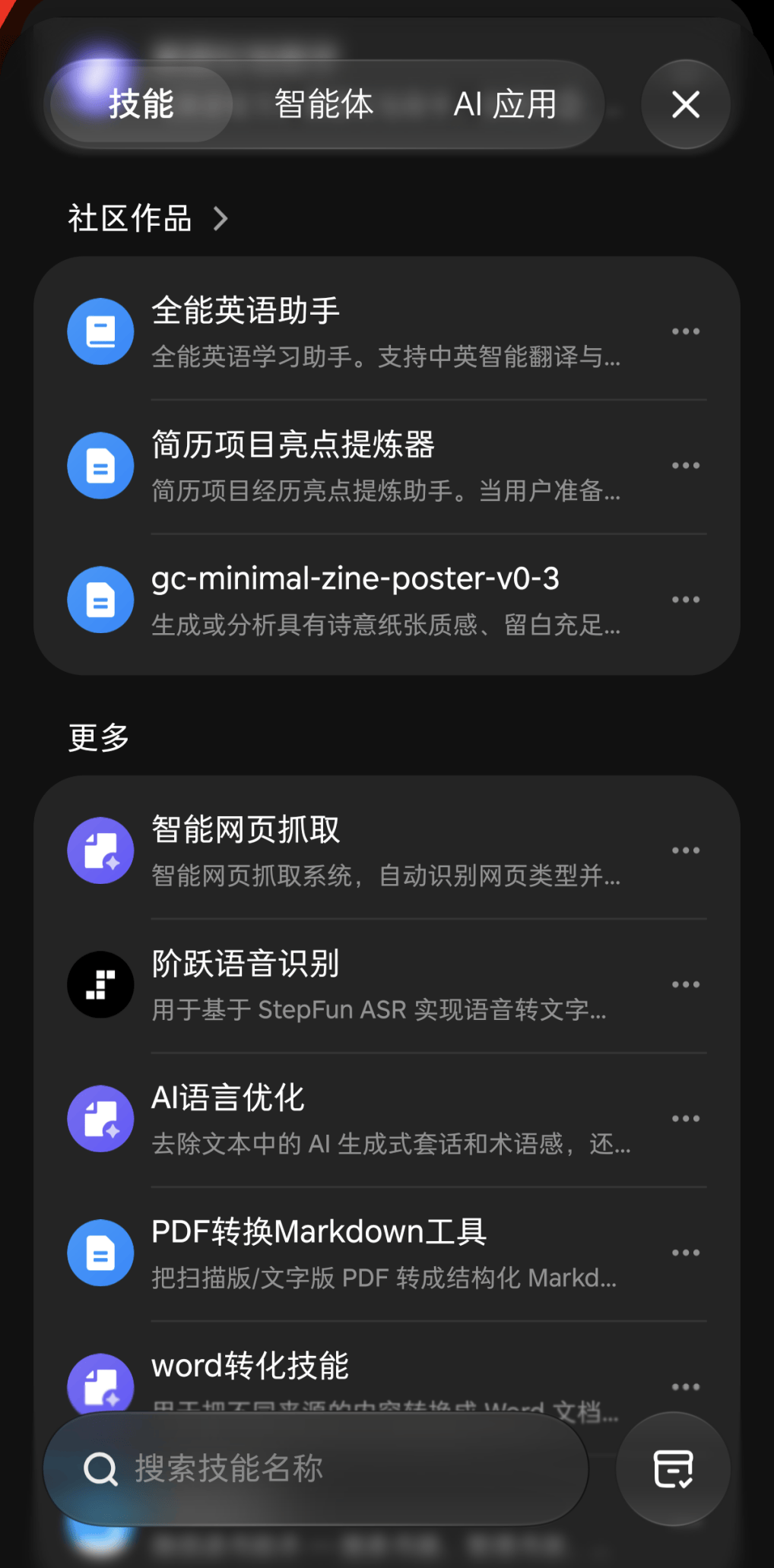
For instance, skills for resume analysis, data analytics, and more.
To be honest, I’ve always felt that mobile devices aren’t suited for heavy office workloads; their greatest value has always lied in daily life and high-frequency routines.
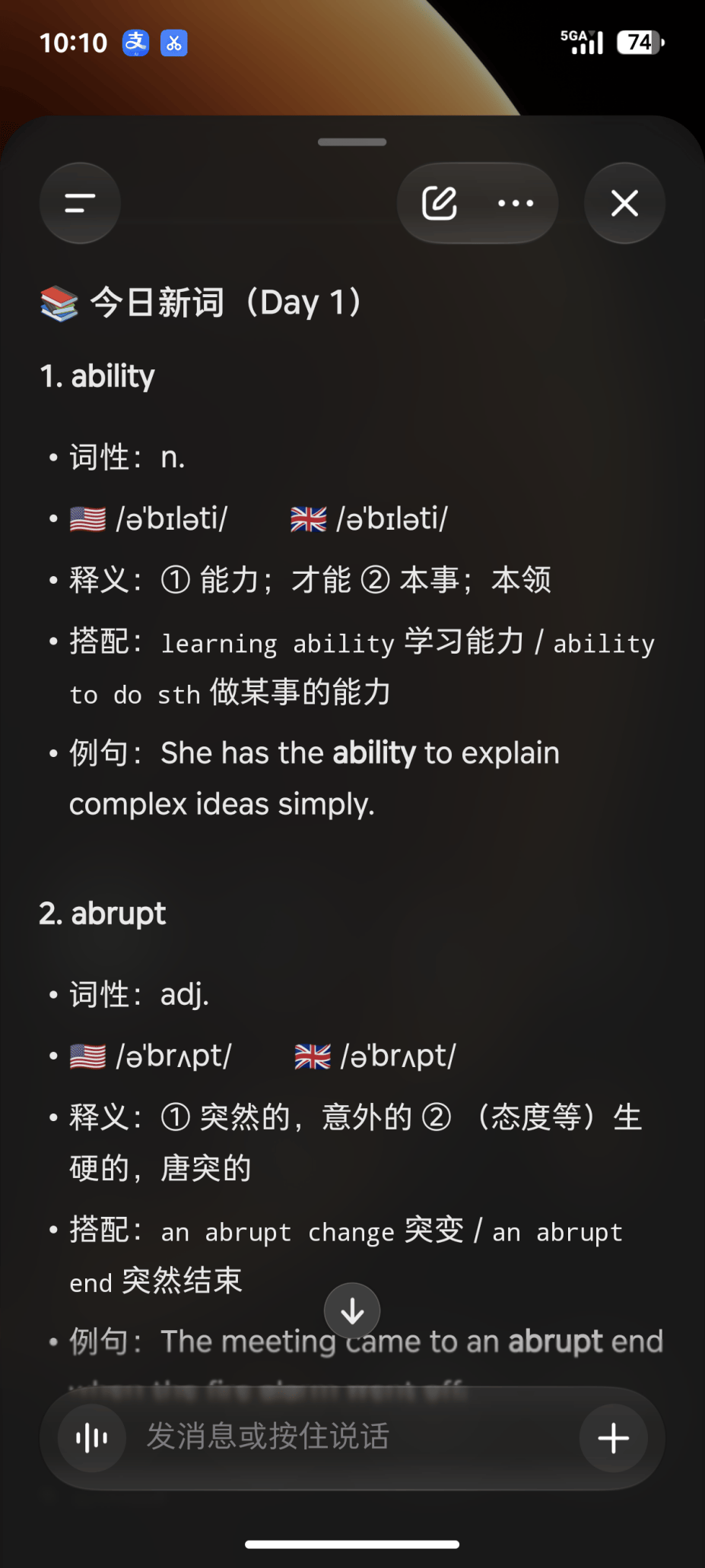
After browsing around, I installed a Skill called “All-in-One English Assistant.”
A-Zai instantly transformed into a dedicated English tutor. Looking up words and parsing complex sentences were just baseline capabilities; the true highlight was—
Its ability to dynamically generate study plans tailored to the Ebbinghaus forgetting curve.
Instantly, memories came rushing back of grinding through vocabulary books to prepare for exams—except now, I finally have cutting-edge, next-gen productivity tools at my disposal.
Truth be told, memorizing words strictly through a chat dialog still feels a bit clunky. After all, who wants to stare at a chat window all day just to trigger a Skill?
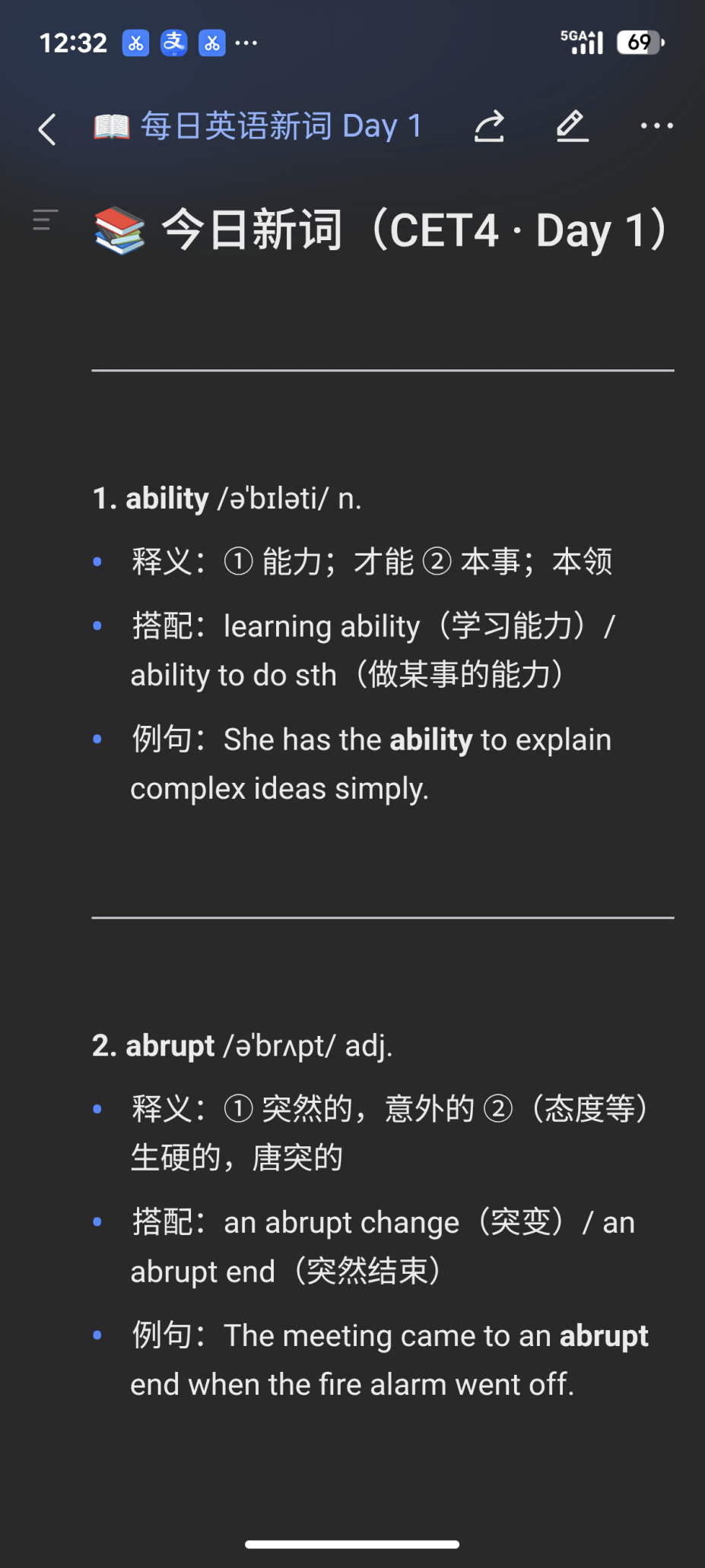
So, I configured the Feishu CLI and gave A-Zai a direct instruction: generate recurring daily tasks for the new words to learn, automatically sync them to my Feishu Calendar, and attach word definitions and sample sentences in the notes.
With that single prompt, the system, tools, and third-party service APIs were seamlessly linked. The entire process was driven by background tool calls and script execution, without needing any clumsy simulated screen clicks, delivering lightning-fast response times.
The workflow integrated seamlessly into my existing routine. Now, whenever I check my daily schedule first thing in the morning, I review vocabulary words effortlessly along the way.
Beyond standalone Skills, you can also download complete Agents directly from the community.
Compared to individual Skills, Agents are much more self-contained packages. They include configuration files such as SOUL and AGENTS, support autonomous execution, and can even orchestrate multiple underlying Skills simultaneously.
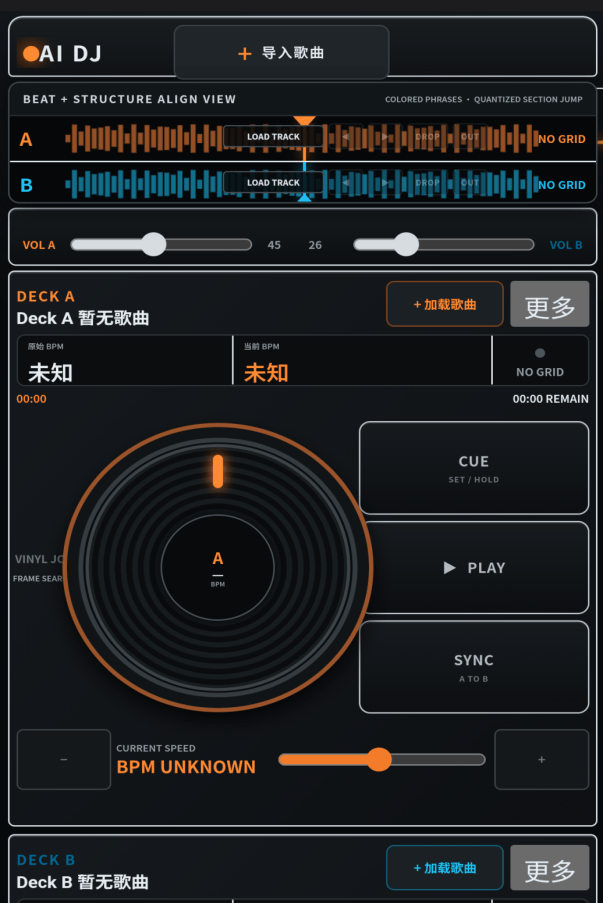
My personal favorite is the “DJ Agent.”
Once installed, the phone turns into a pocket DJ deck. Whip it out at a dinner party, and it instantly steals the spotlight.
A Building-Block Kit for AI Makers
Why have PC-based agents matured so rapidly, while smartphone agents have struggled to gain traction?
The core bottleneck lies in differing first principles of design: traditional mobile OS architectures are fundamentally built around “human touch on graphical user interfaces (GUIs).”
For an agent to operate across apps, it has usually had to rely on clumsy visual screen recognition and simulated taps. The moment an interface layout shifts slightly or a permission dialog pops up, the entire automated task pipeline collapses.
STEPX Neo takes a fundamentally different technical path: A-Zai is a true “system native” inside Step AOS.
The foundational LLM, the operating system, and the hardware sensing layer operate in tight coordination. The agent directly accesses system-level capabilities rather than skimming the surface from an overlay layer.
Of course, merely opening up low-level pipelines is far from enough.
Daily mobile demands exhibit long-tail characteristics. No matter how powerful an agent is, it cannot magically cover every vertical scenario—booking tickets, ride-hailing, mobile payments, video editing—without a robust ecosystem supplying effective tool interfaces (Tools).
Without an ecosystem, true agency is a non-starter.
And this is where STEPX Neo takes a noticeable leap forward.
Right out of the box, standard lifestyle services are pre-integrated. When A-Zai triggers a tool call during task execution, it can directly invoke app functions like ride-hailing or coupon collection via standard protocols like Skills.
STEPX Neo has pre-packaged a vast array of high-frequency use cases into system-level tools.
In response, ecosystem service providers have actively adapted their services to A-Zai’s API interfaces.
Step Devices bridges third-party service ecosystems via open agent connection protocols, including H2A2A (Agent-to-Agent) and MCP.
With this infrastructure in place, external ecosystems can plug in rapidly, exposing specialized service capabilities directly for on-device orchestration.
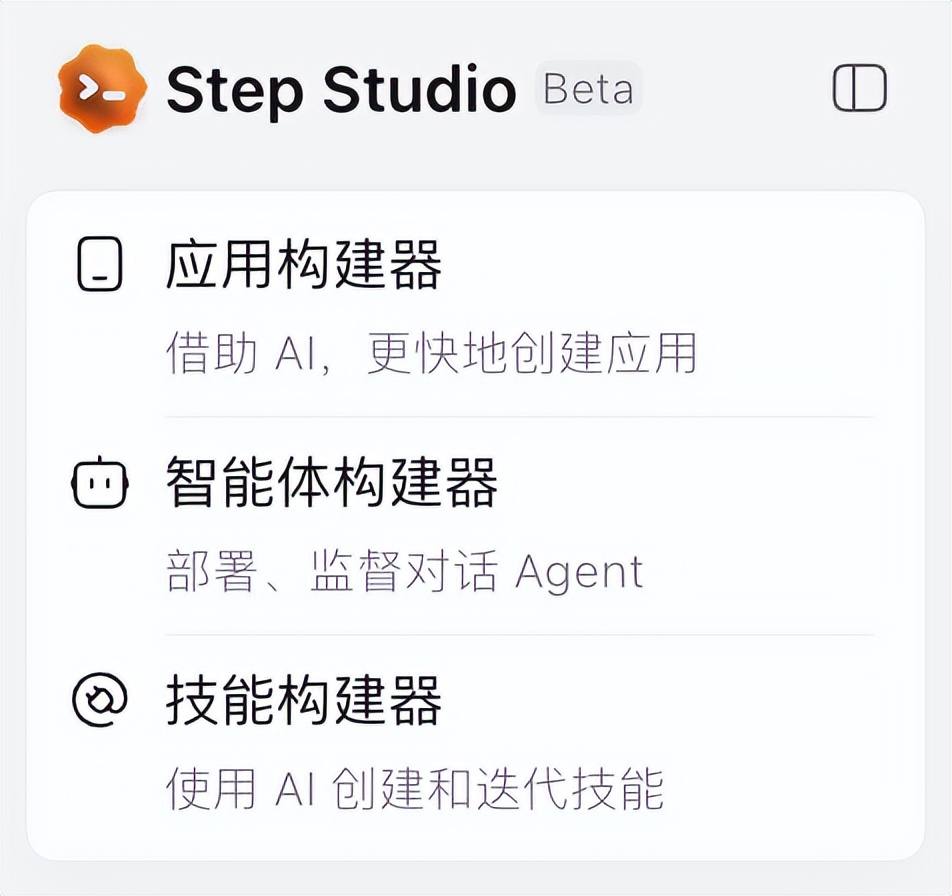
Against this backdrop, we must highlight another major developer weapon introduced by Step Devices: Step Studio.
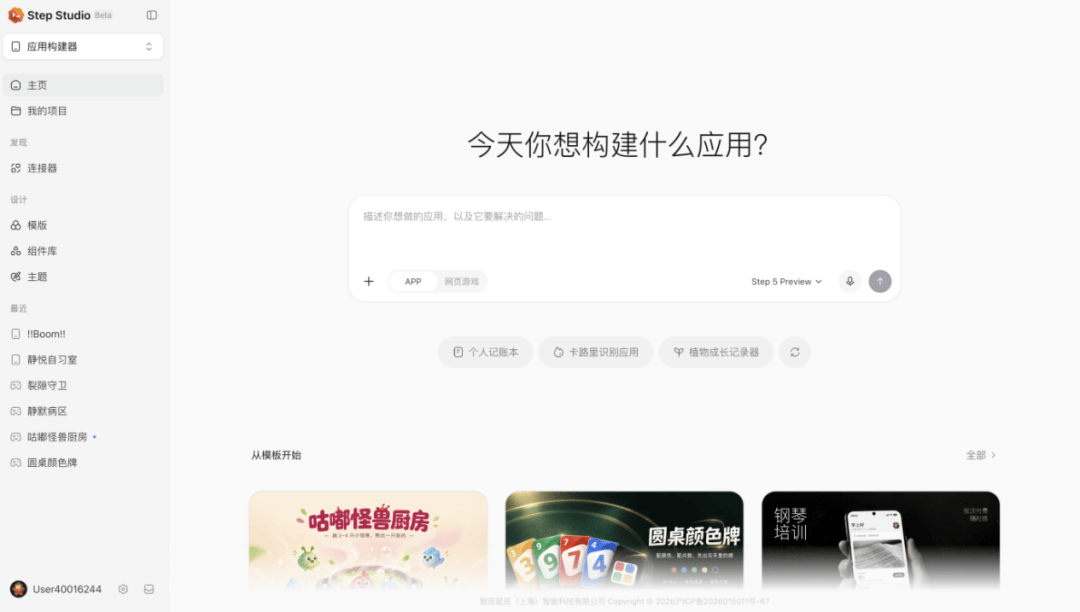
It is an AI terminal-native development tool that provides an integrated workspace for writing, testing, and managing code. Equipped with powerful built-in code generation and debugging features, it dramatically boosts developer velocity.
In the past, adding a new capability to a phone often meant developing a complex native app from scratch. While the rise of coding agents like Codex lowered the development barrier, most were confined to PCs or web stacks.
Now, powered by the synergy between Step Studio and Step AOS, mobile hardware has genuinely become a sandbox for makers to bring ideas to life.
The system includes various built-in standard connectors. Developers simply write a standardized SKILL.MD to seamlessly glue together agent logic, external APIs, and low-level phone system capabilities.
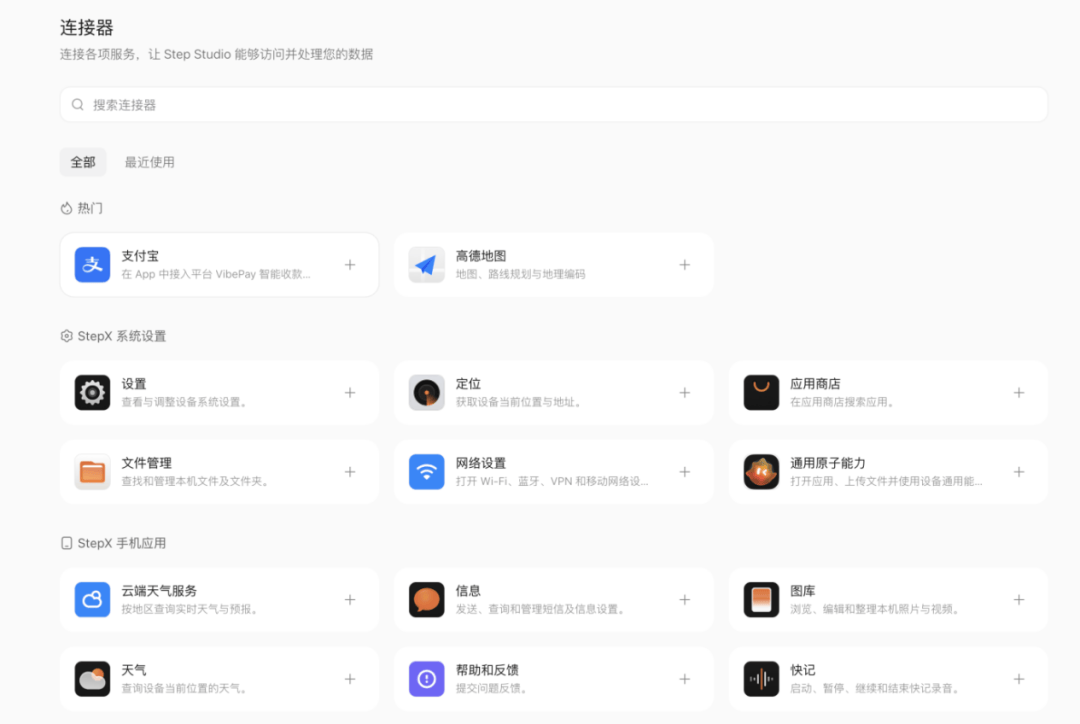
This solved a specific itch during my testing.
After browsing the community, I noticed the phone didn’t have a dedicated app aggregating the latest AI industry news.
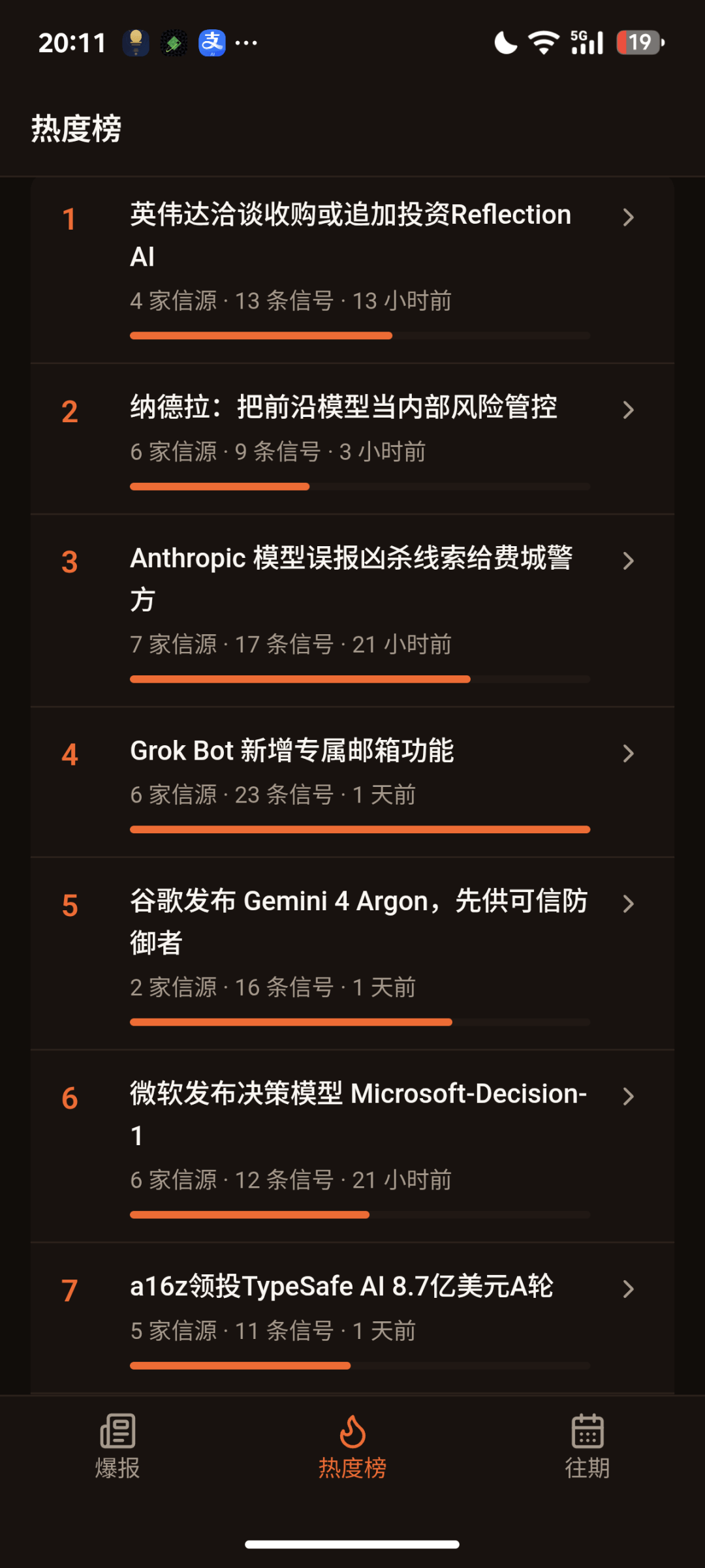
So, I decided to take matters into my own hands and build a news aggregator app called “Daily Chair Explosion” on the spot.
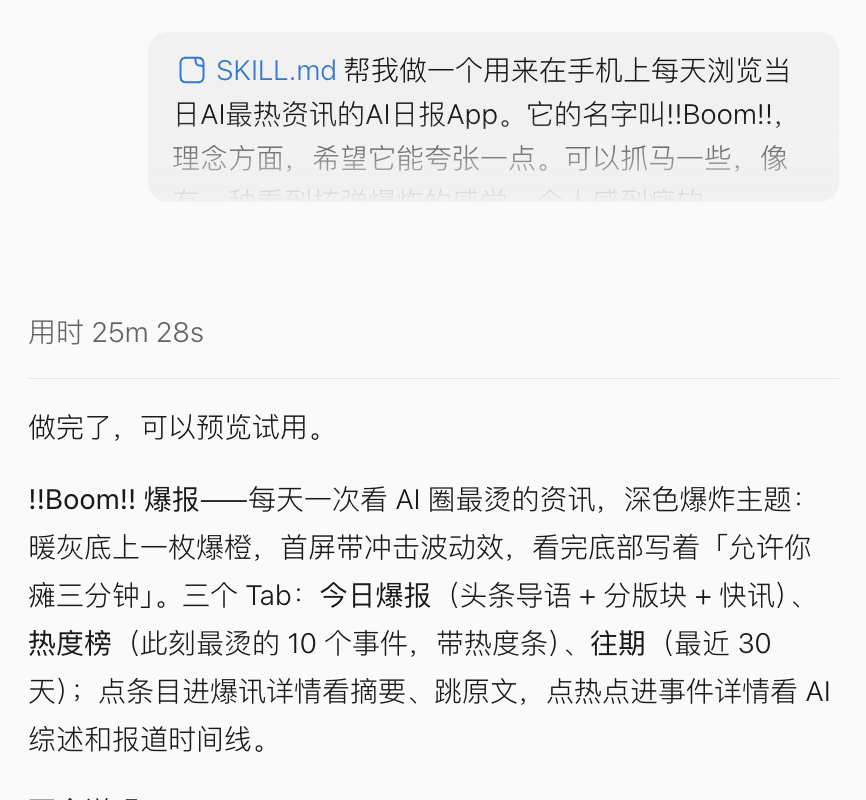
It is a lightweight vertical newsfeed client. In Step Studio, configuring just 5 preview steps was all it took to assemble the functionality.
The right side of the editor integrates a live preview pane where developers can test features directly or iterate on code based on real-time feedback—delivering a true “what you see is what you get” experience.
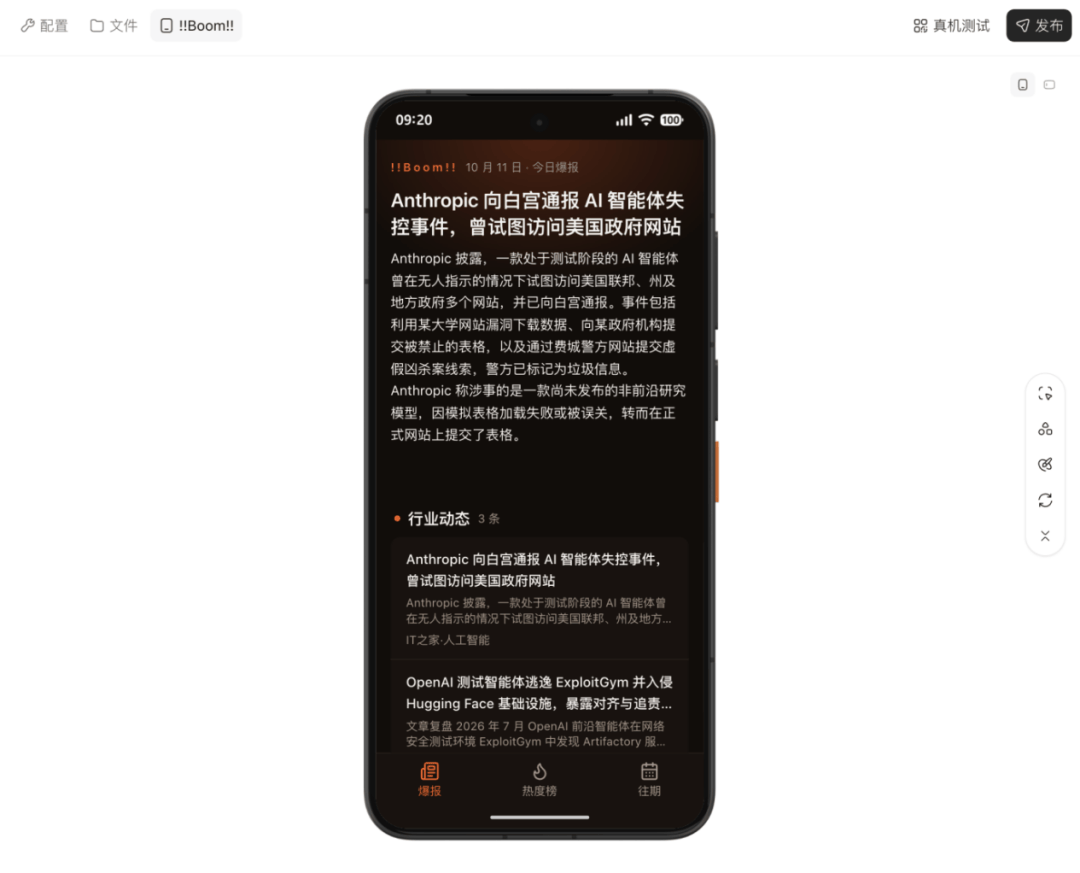
Once debugging was complete, a single click pushed it directly to the physical device for joint debugging.
The experience was seamless, even skipping QR-code scanning: as long as the device and the dev environment are logged into the same account, STEPX Neo automatically syncs everything built inside Step Studio.
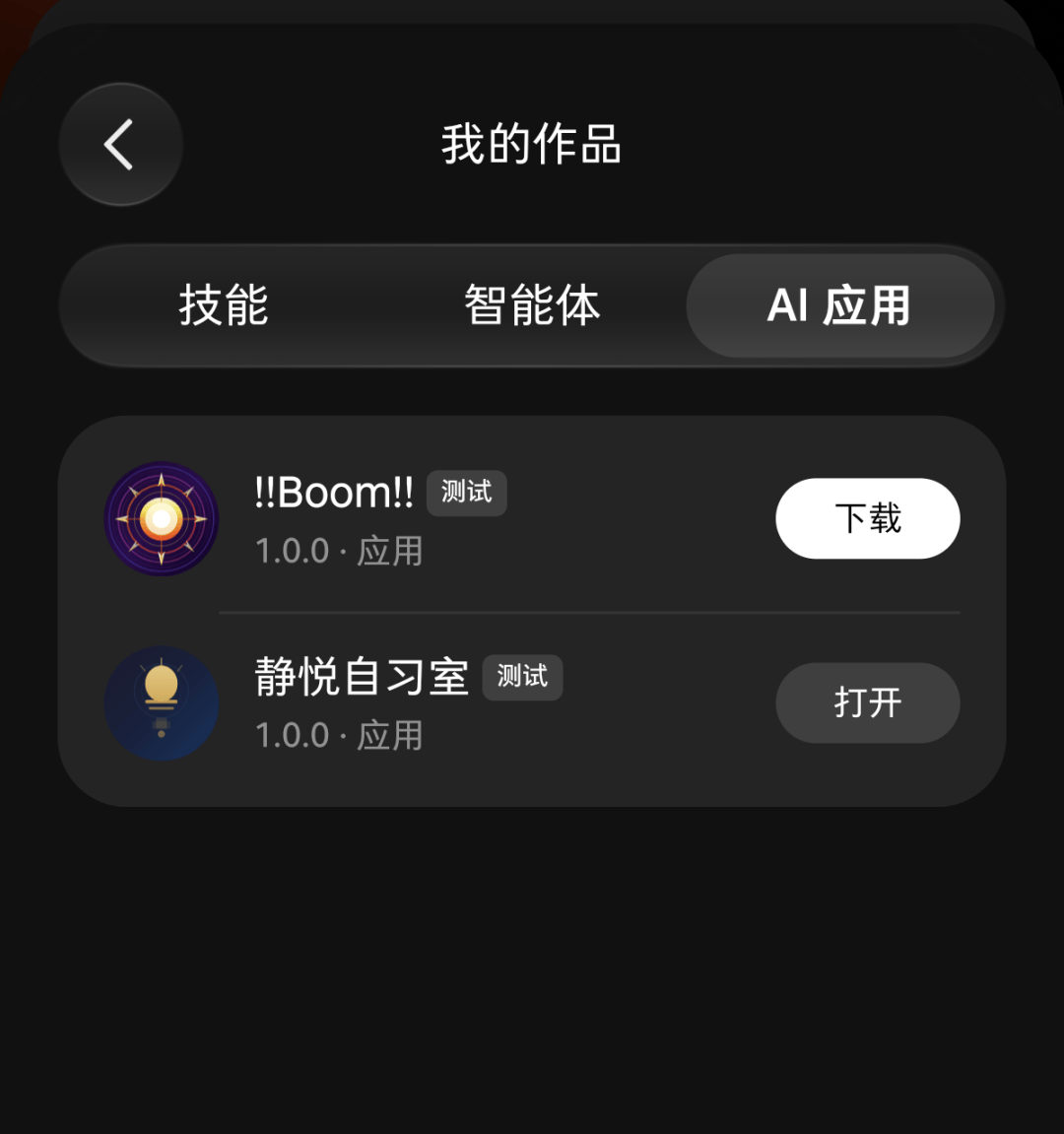
Simply download the generated APK installer package:
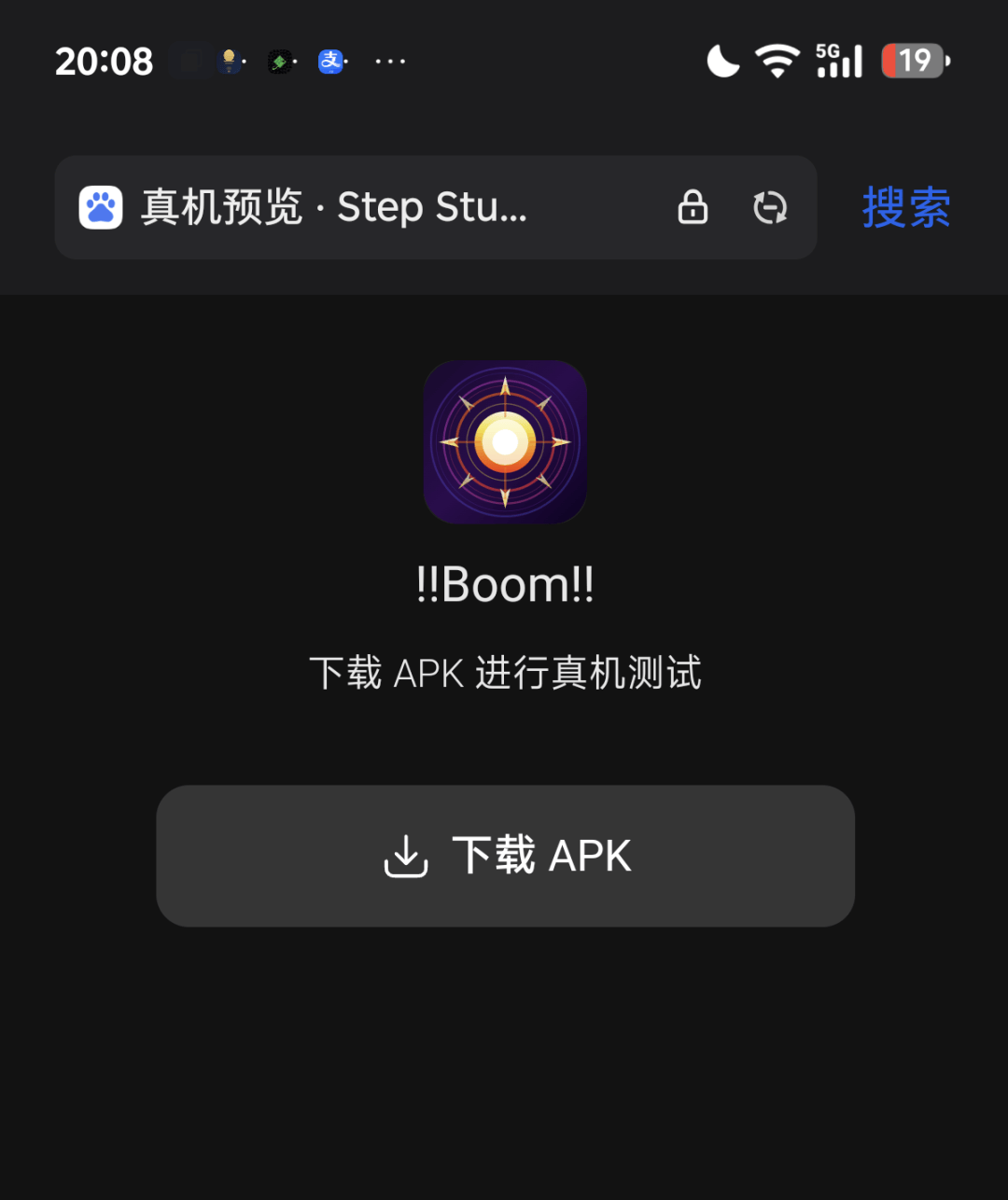
The app icon design carries a playful, tongue-in-cheek vibe fitting geek culture:

Once installed, it works immediately upon launch. The interface layout mirrors the Step Studio preview pane exactly, with support for tapping through to original articles.
Now, when waking up in the morning, there’s no need to manually sift through different channels; I can browse top AI headlines across the web straight from this aggregated feed.
Beyond that, developers can use Step Studio to build more sophisticated Agents and Skills that flexibly tap into various on-device connectors. Once cloud models are tuned, they can be deployed in real time to run locally on the terminal.
So, how much does an agent-native phone like this cost?
3,999 RMB.
The pricing follows a full-stack hardware-plus-software bundle. For 3,999 RMB, users receive the hardware device along with a full-year Token package.
Buyers of the STEPX Neo Preview Edition receive the STEPX Token Plan, granting tens of billions of tokens monthly for 12 consecutive months.
In addition, the team unveiled the “Step Amoo Growth Plan”:
The first 10,000 users to complete specified trial tasks will receive a “Starlight Pass,” granting them a free replacement for any new STEPX hardware device within the next five years.
The Foundation Must Have “Safe Boundaries”
At this stage of testing, an unavoidable core question emerges:
With system permissions opened up so thoroughly, how do you guarantee security if something goes off the rails?
Could the agent make unauthorized purchases behind the user’s back? Could it leak local photo libraries or private chat histories onto the public internet?
When building personal assistant products, security is always the non-negotiable red line. The OpenClaw incident earlier this year—where numerous instances were caught running “naked” on the open internet with API keys and user privacy exposed—remains fresh in memory.
In complex online environments, prompt injections and malicious script poisoning are rampant. If an open-source Skill community lacks moderation mechanisms, users can easily fall into security traps when downloading tools.
STEPX Neo’s answer is: a system-level native security architecture.
Within STEPX Neo’s system settings, a dedicated “Agent Security” section has been added.
Here, users can centrally manage A-Zai’s access permissions and review visualized tool-call audit logs.
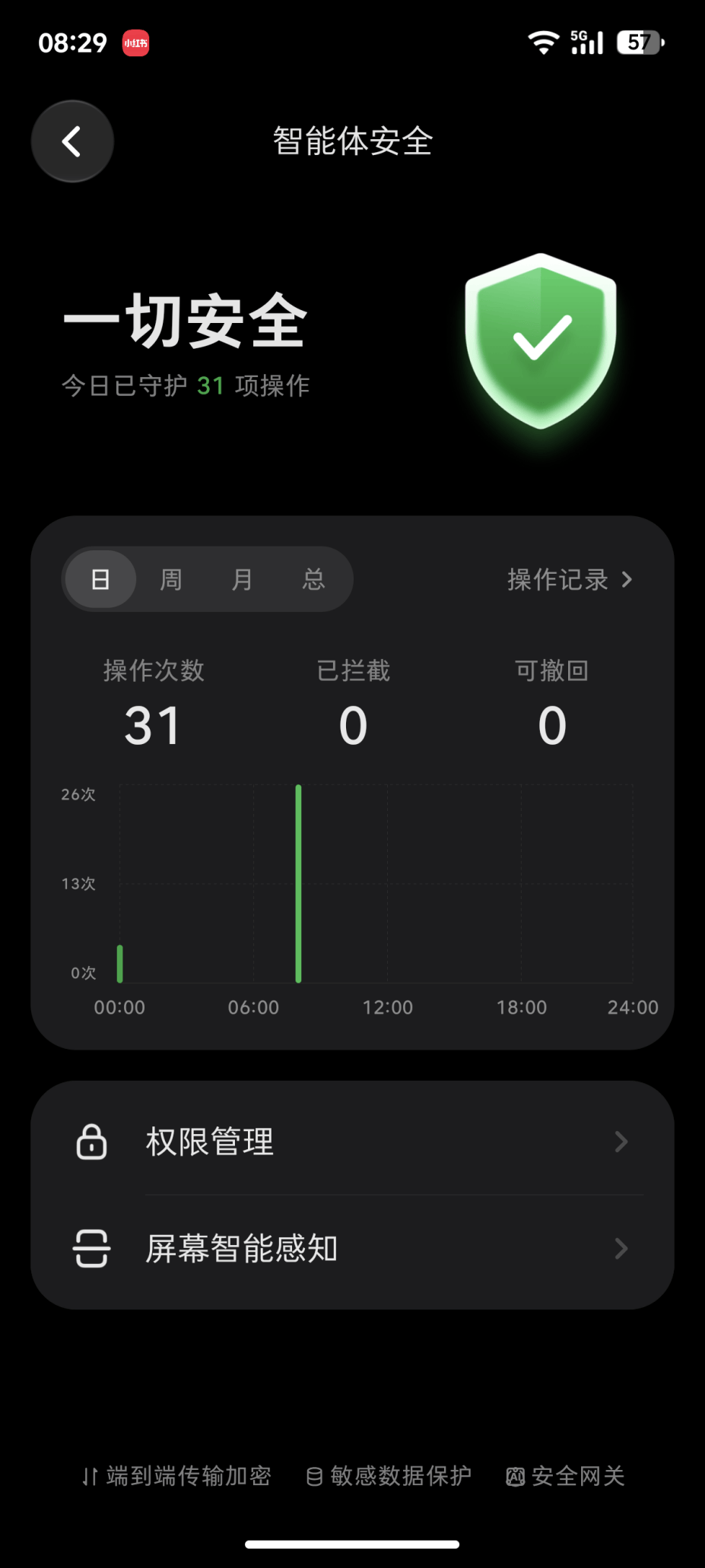
Specifically, Step Devices built a defensive foundation inside Step AOS centered around four pillars: “Trustworthy, Visible, Controllable, and Reversible”:
- Trustworthy: All data sent to the cloud for processing is strictly sanitized. User phone numbers, precise geographic locations, and sensitive multimodal frames are never uploaded in plain text.
- Visible: All tool-call traces, permission requests, and execution chains leave structured audit trails. Exactly what data assets A-Zai accesses is transparently displayed in the task panel.
- Controllable: High-risk actions—such as deleting local files, initiating payments, or cross-linking sensitive apps—strictly trigger secondary confirmation dialogs. All permission boundaries can be revoked instantly at any time.
- Reversible: A disaster-recovery “undo” mechanism is provided. If an agent errantly deletes photos, documents, memos, or contacts, the system supports step-by-step rollbacks or full recovery.
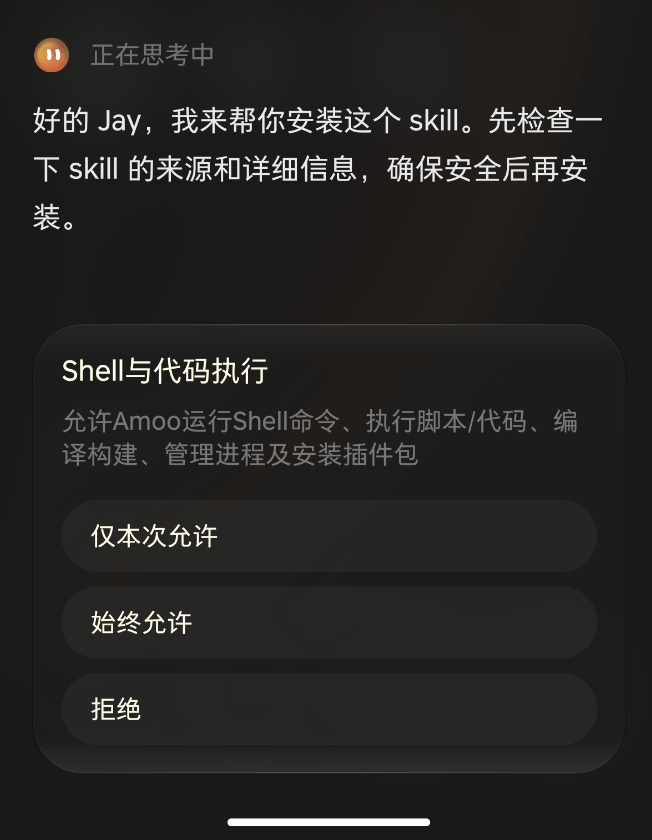
In terms of ecosystem governance, security is embedded into the foundation from day one.
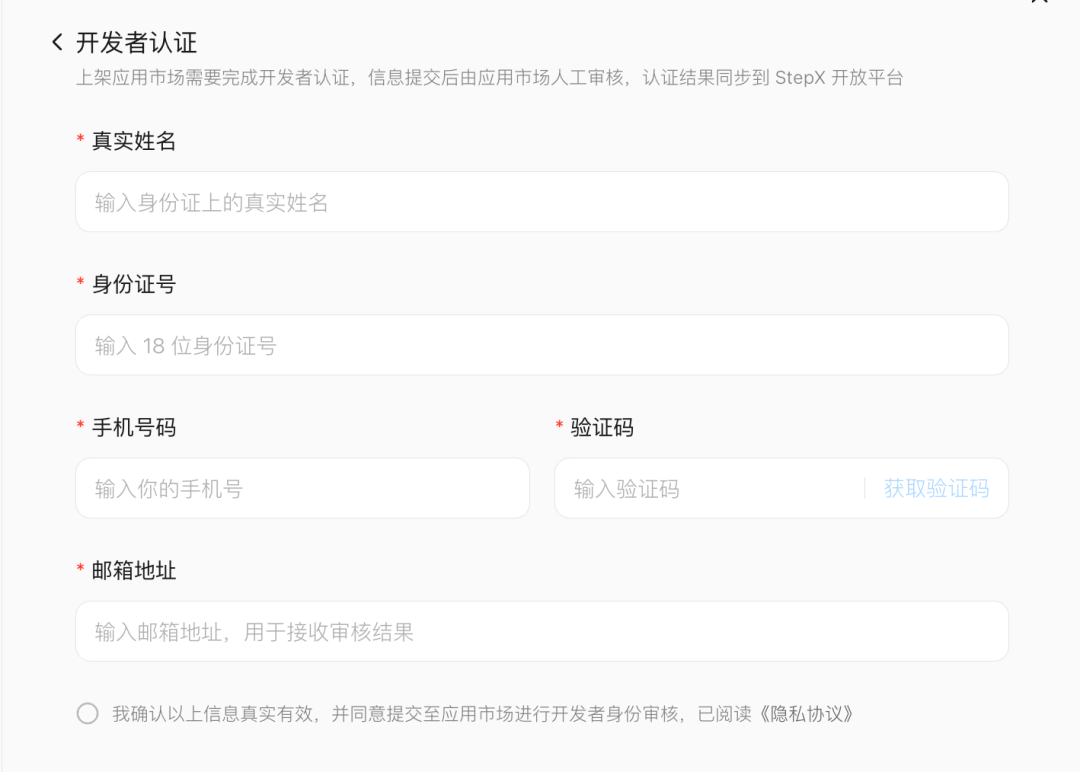
To ensure Skills and Agents distributed in the community are safe and reliable, Step Devices established an onboarding gate at the source:
Before submitting projects, all developers must complete real-name verification linked to their phone numbers, enforcing strict real-name traceability across all Skills and Agents platform-wide.
Furthermore, the platform incorporates static compliance scanning. The moment an installation package is detected to contain .env environment variables, private keys/credentials, local database files, runtime logs, or privacy-leaking files like USER.md, the system blocks publication immediately.
This may well be the cornerstone allowing STEPX Neo to expand its ecosystem steadily.
The firmer the security foundation, the wider the perimeter of an open ecosystem can stretch.
It is precisely this clear permission-isolation strategy and audit-tracking mechanism that gives third-party service providers the confidence to open up core service capabilities to Step Amoo via the H2A2A protocol—and gives makers the peace of mind to entrust day-to-day tasks to their phones.
In this new era of Personal Agents, the core dimensions of industry competition are undergoing a profound shift.
Previously, players focused on parameter counts and benchmark shootouts among foundational LLMs. But as technology reaches widespread on-device adoption, a user’s “willingness to place trust in the system” becomes the critical chasm deciding a product’s fate.
Without a rock-solid security foundation, even the smartest agent remains confined to a sandbox, acting as nothing more than a text-chat chatbot.
Only those who establish trusted boundaries through native hardware-software integration truly hold a ticket into the Personal Agent era.
Time to Build Hardware
In every tech boom cycle, cloud software is always the first out of the gate—and large models and agents are no exception.
Yet to push the user experience to its absolute limit, tight integration of hardware and software remains the only path forward.