
Skip to content
Main Site News Console

web-edit 0.1a0

· Simon Willison Translated
技巧LLM

Released web-edit 0.1a0 — a web app for editing files in a folder

I was working on a project from my phone using Codex Remote and needed to edit a credentials file, but I didn’t want sensitive credentials round-tripping through an LLM.

So… I had Codex and GPT-6 Astra Extra High build this Python web app that provides a web interface for viewing and editing files in a folder. It’s designed to run over Tailscale, so I can have an agent spin it up and then edit files directly from my phone over Tailscale.

Here’s the interface for browsing files in a folder:
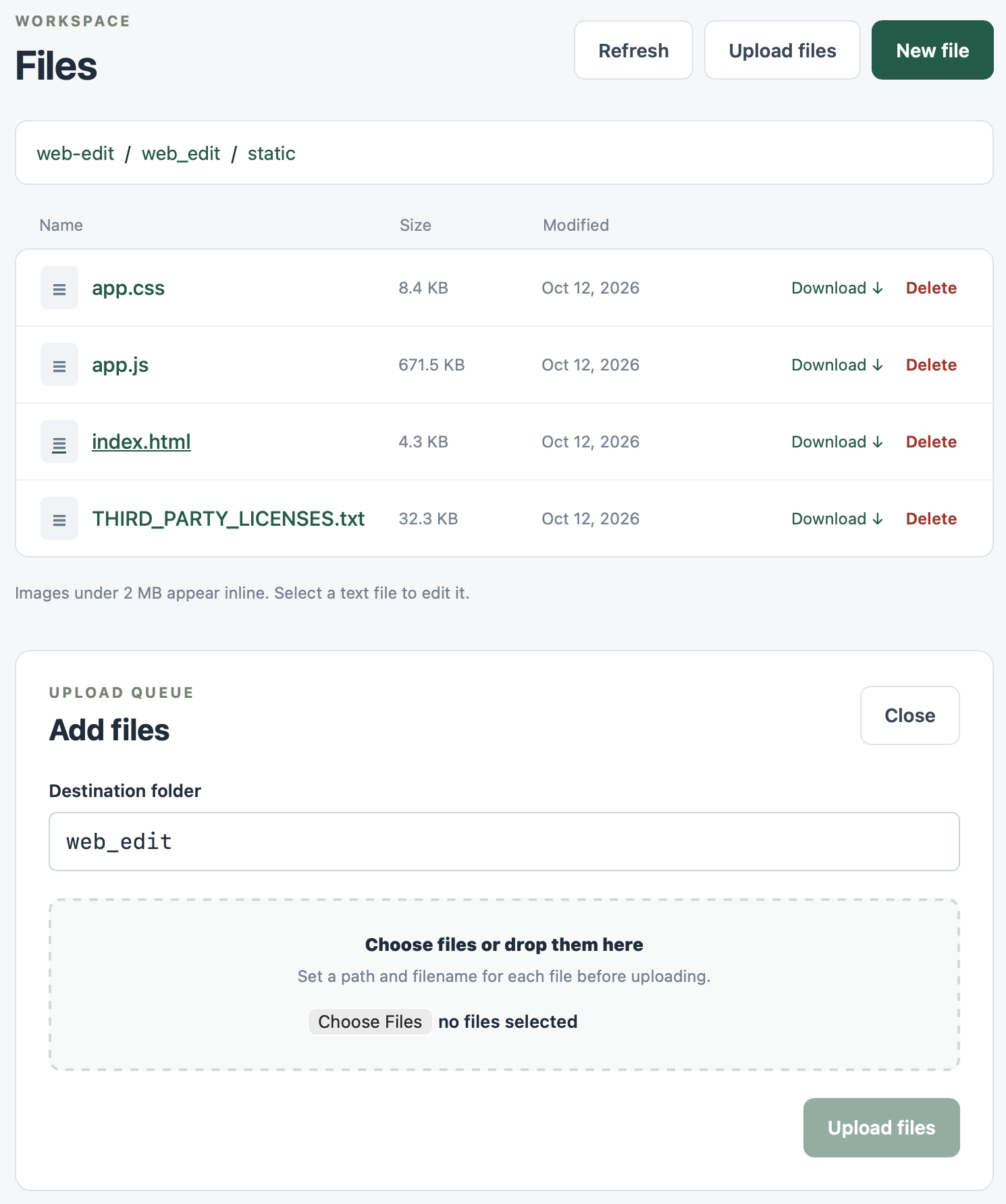
Figure 1: Screenshot of the web file manager interface. The top section is labeled "WORKSPACE", with the page title "Files" and buttons for "Refresh", "Upload files", and "New file" (dark green). The breadcrumb navigation displays "web-edit / web_edit / static". A table with columns for "Name", "Size", and "Modified" lists four files, each with "Download ↓" and "Delete" links: "app.css" 8.4 KB, October 12, 2026; "app.js" 671.5 KB, October 12, 2026; "index.html" 4.3 KB, October 12, 2026 (underlined, hover state); "THIRD_PARTY_LICENSES.txt" 32.3 KB, October 12, 2026. Below the table, a notice reads: "Images under 2 MB are displayed inline. Select a text file to edit." Beneath that is an "UPLOAD QUEUE" panel titled "Add files" with a "Close" button. It includes a "Destination folder" text box containing "web_edit", and a dashed drag-and-drop area reading "Choose files or drag and drop here" and "Set a path and filename for each file before uploading", accompanied by a "Choose Files" button and "no files selected" text. In the bottom right corner is a grayed-out "Upload files" button.

The editor uses CodeMirror 6 — I originally planned to use Monaco, but its mobile experience is still far from ideal.