
Ultimate Convenience
TRAE just made a major move.
Previously, if you wanted to fix a bug, you had to open TraeCode; if you needed to write a technical spec as well, you had to dodge and weave between apps, switching over to TraeWork…
Now, you no longer have to jump through those hoops.
As of today, both clients have officially converged, unifying into the all-new TRAE.
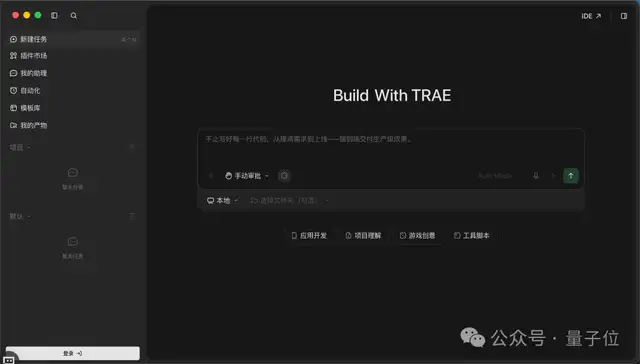
A major highlight of the new TRAE is its simultaneous support for both Agent Mode and IDE Mode.
Among them, Agent Mode centers around a unified workbench. Users can manage projects in a single window and distribute tasks across multiple Agents—writing code, drafting documentation, and preparing deliverables can all proceed collaboratively within the same interface.
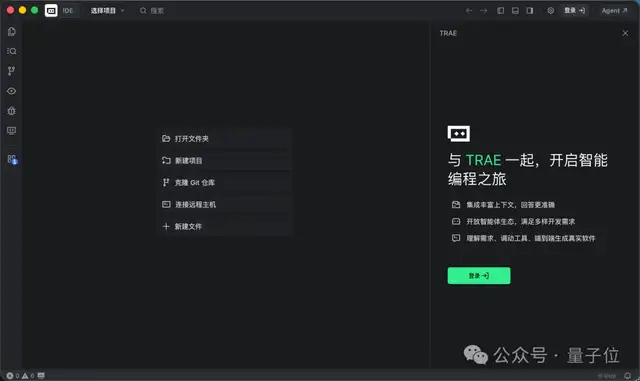
Meanwhile, IDE Mode preserves both the SOLO and IDE interaction modes. The switcher for toggling between the two modes sits conveniently in the top-right corner of the interface, ready to swap with a single click.
For instance, consider the 3D “pelican riding a bicycle” demo that went viral across the AI community recently. In the new TRAE, the “proper workflow” can look something like this:
Create three tasks under the same project directory, letting three Agents handle dedicated roles:
- Agent 1: Writes the code, building out the pelican, bicycle, and scene;
- Agent 2: Acts as the tester, opening the page, taking screenshots to inspect it, and compiling a bug list;
- Agent 3: Fixes the issues one by one based on that bug list.
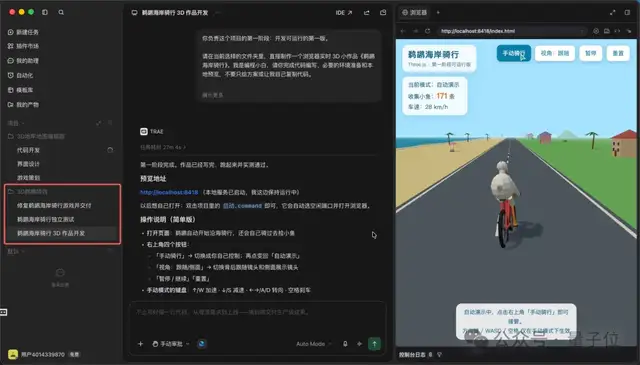
In the end, operating like a tight-knit, well-coordinated mini-team, they passed the baton seamlessly to deliver a fully interactive 3D pelican-riding-a-bicycle project:
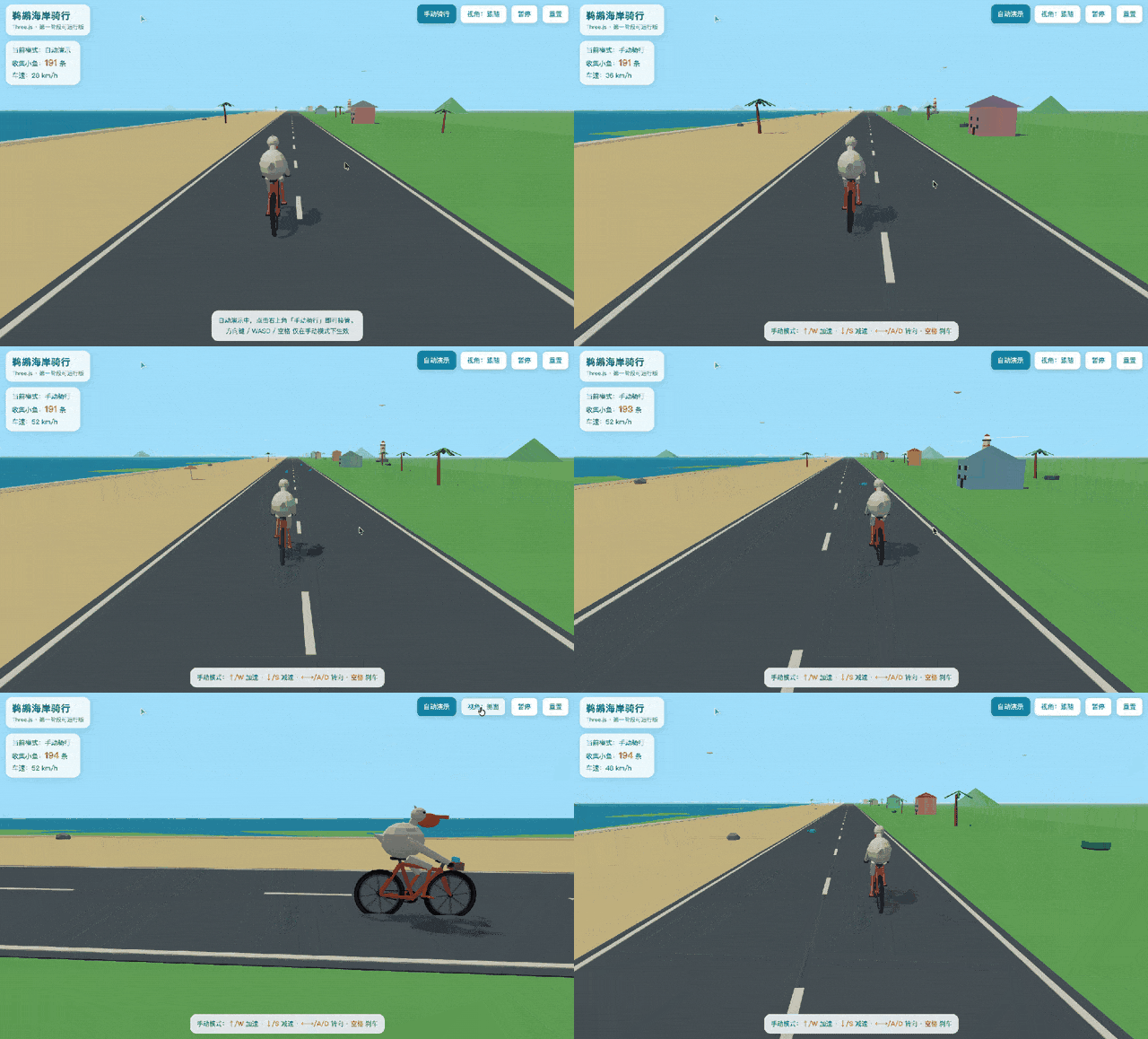
Just like that, this “pelican” traversed the entire closed loop in the new TRAE—from development and testing to bug fixes and final delivery.
All test reports, fix logs, and delivery notes generated along the way were automatically archived into TRAE’s “My Artifacts” panel, where every single artifact can be shared directly with one click.
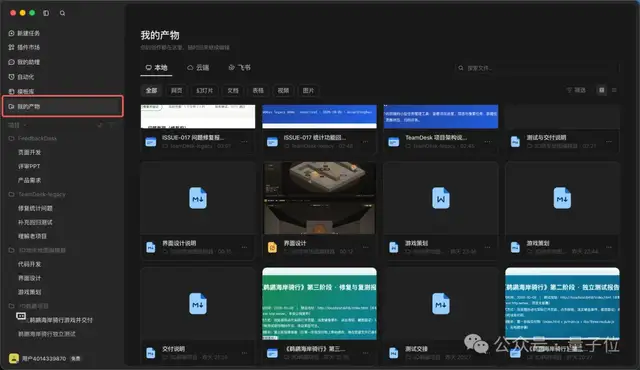
Clean, organized, and clear at a glance.
So why did TRAE, a seasoned player in AI coding, suddenly decide to merge its two clients?
And what kind of experience does this new TRAE offer to both coding beginners and seasoned developers?
To find out, let’s dive into some hands-on testing.
Even Complete Beginners Can Turn an Idea into a Game
Let’s first see whether the new TRAE can help someone with zero coding experience turn a creative concept into a real, working game.
Coincidentally, Minecraft creator Notch previously vented about how terrible AI coding was, only to turn around later and admit he was having a blast using AI to build a dungeon map editor for his new game.
Naturally, for our first hands-on test, we decided to build a 3D dungeon map editor featuring freeform building and first-person free-roam exploration.
After creating a new project in the new TRAE, we spun up two parallel tasks right away: one responsible for writing the game design document (GDD), and the other for generating the UI mockups.
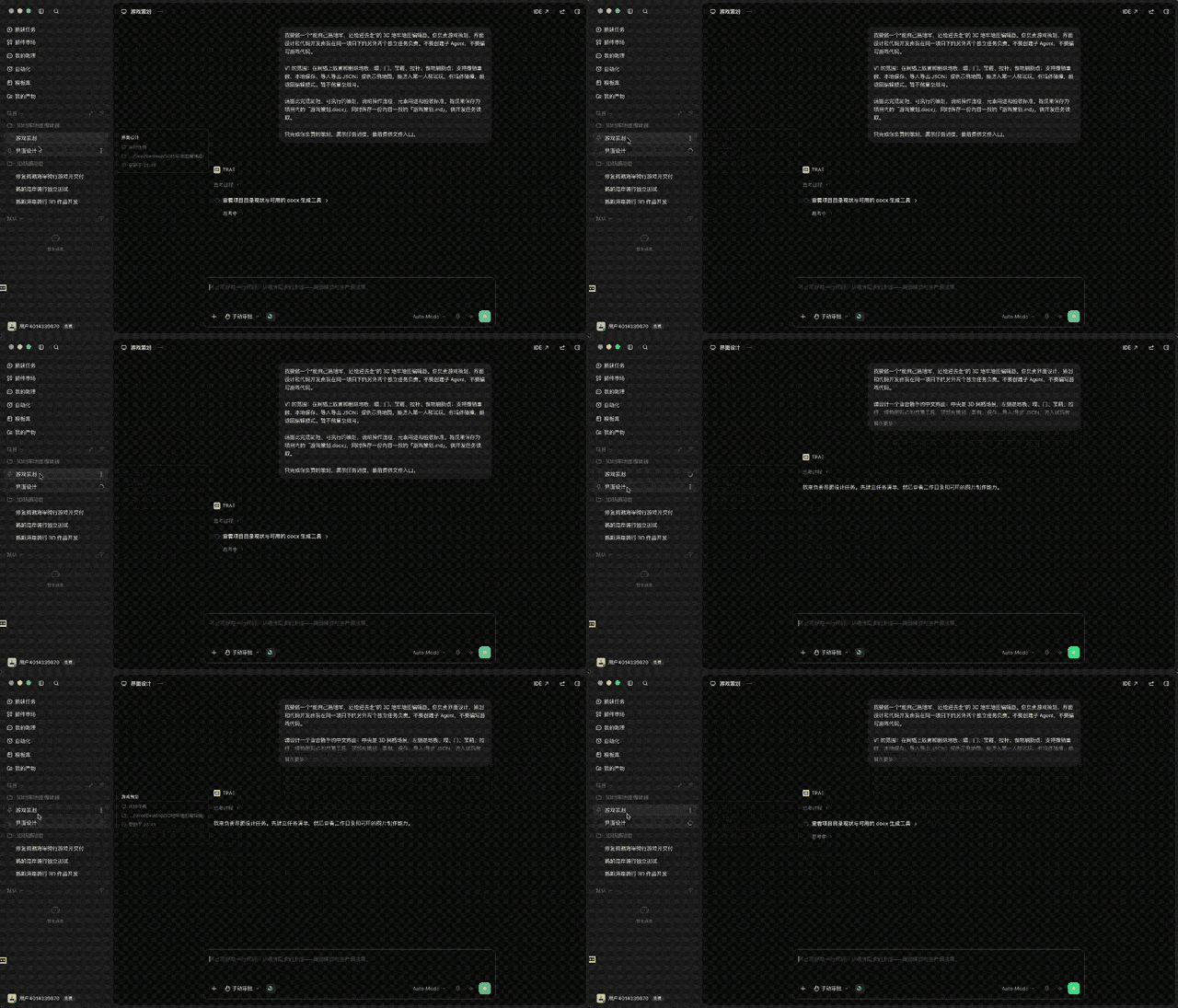
As you can see, once the instructions were issued, both Agents immediately got to work.
Before long, both deliverables were ready.
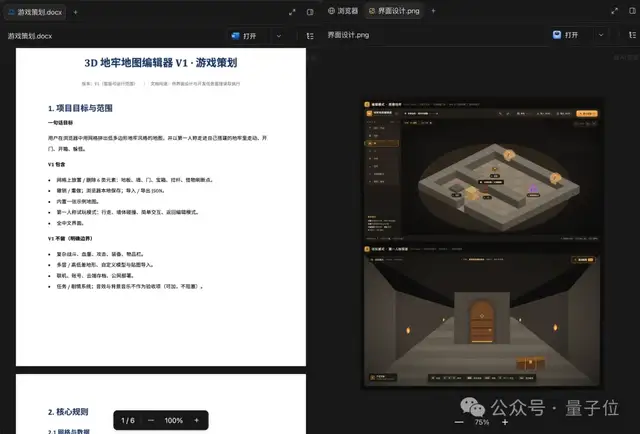
The planning Agent produced a Word-formatted GDD alongside an identical Markdown document, clearly detailing the workflow, element definitions, and acceptance criteria.
The design Agent delivered a high-fidelity design mockup that presented both edit mode and first-person playtest mode in a single view, styled with a low-poly dungeon aesthetic:
Next, we created a third task, instructing the development Agent to read the artifacts from the previous two and start writing code.
At this stage, an all-too-familiar collaborative hiccup arose: because planning and design ran in parallel without cross-task synchronization, inconsistencies crept into the details.
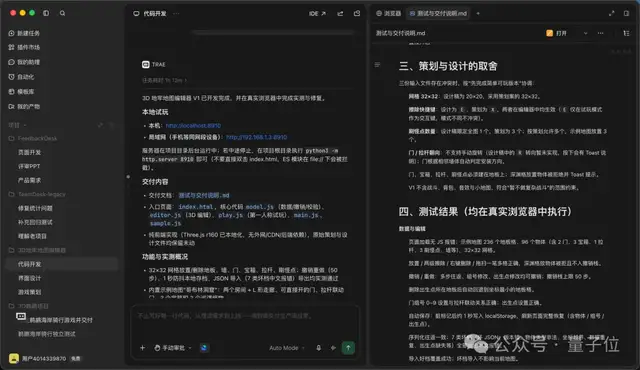
For example, the design mockup specified a 20×20 grid, while the GDD specified 32×32; the erase tool shortcut was set to E in one and X in the other; and while one spec called for a single monster spawn point across the whole map, the other called for three.
Fortunately, after reviewing both documents, the dev Agent prioritized delivering a Minimum Viable Product (MVP), made sensible trade-offs across the conflicts, and thoroughly documented its rationale in the delivery notes:
This proves an important point: when multiple Agents collaborate in parallel, coarse-grained division of labor isn’t enough—you still need an orchestrator capable of coordination and arbitration.
After finishing the code, the dev Agent proactively ran a round of self-tests in the built-in browser and knocked out six potential issues along the way—such as a misplaced “Paused” modal appearing upon entering playtest mode, and lighting in the playtest scene being too dim to see the corridors.
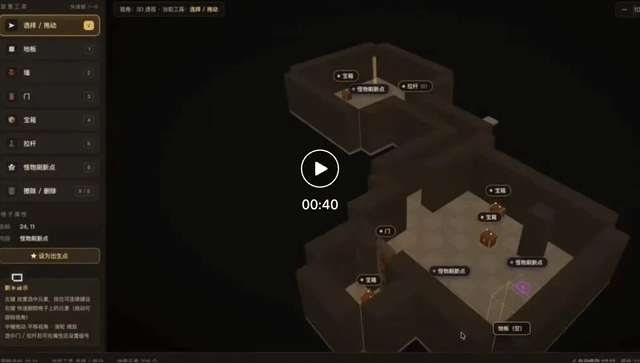
The final delivered editor is impressively feature-complete: floors, walls, doors, chests, levers, and monster spawners can all be placed freely, with undo/redo, auto-save, and JSON import/export out of the box:
Video URL:
https://mp.weixin.qq.com/s/tckIeqpzcq2jB11STQLTBg
It is worth noting that Notch’s upcoming game is titled Levers and Chests. Including those two elements in our editor felt like a fitting nod to him.
Similarly, once the project wrapped up, the Word GDD, design mockups, design specs, and test delivery documents were all neatly archived in the “My Artifacts” panel.
In the past, these intermediate assets would either be buried under long chat histories or scattered across random system folders. Now, you can preview everything on a single screen and reopen any item with a single click whenever revisions are needed.
What if you need to fine-tune low-level implementation details?
That’s where one-click switching to IDE Mode comes in.
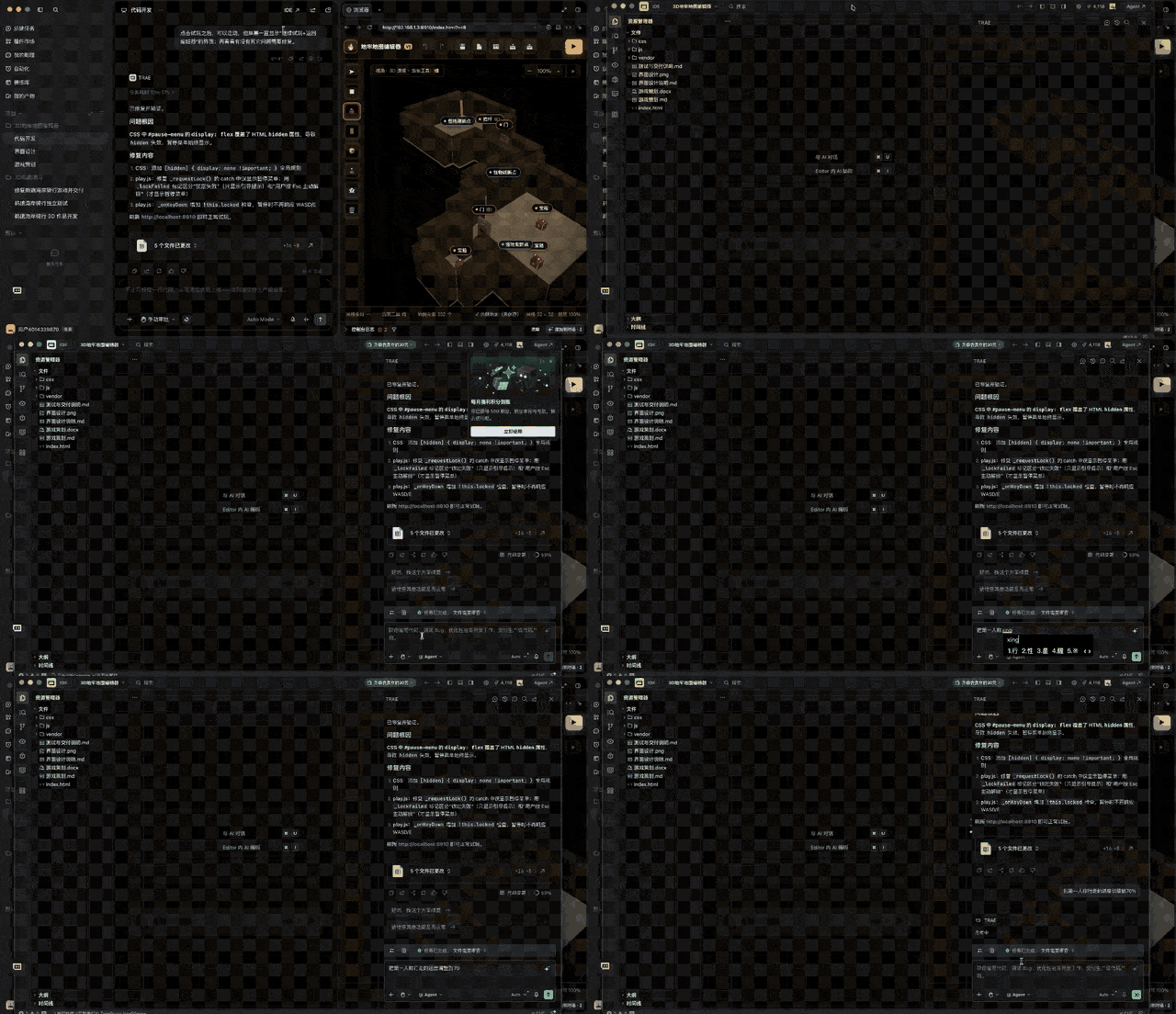
After toggling over to IDE Mode in the top-right corner, all you need to do is type into the prompt:
Reduce the first-person walking speed to 70%.
In seconds, it adjusted the walking speed from 3.4 tiles/s to 2.4 tiles/s, with the running speed scaling down adaptively as well:
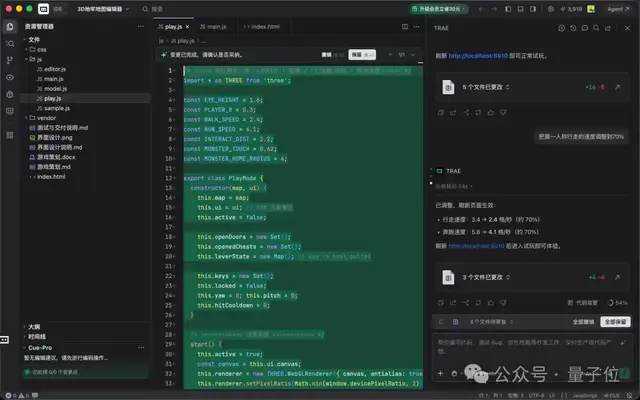
In short, during daily development, you can leverage Agent Mode to drive complex end-to-end workflows, then seamlessly flip to IDE Mode when it’s time to inspect and polish code line by line. The two modes complement each other perfectly.
Just as Powerful in Real-World Workflows
While building games offers an intuitive showcase, professional developers care most about whether the new TRAE can reliably handle day-to-day engineering tasks.
For our next test, we tackled one of the most notorious developer pain points: taking over a legacy project.
We set up a mock project called TeamDesk—a lightweight task-management web app consisting of around 20 files (with mock data) accompanied by an open issue list.
This time, we spun up three tasks in the project all at once, setting three Agents loose in parallel:
- Agent 1: Read the code, decipher the system architecture, and generate onboarding architecture documentation;
- Agent 2: Dedicate efforts solely to bug fixing, with a strict constraint not to touch any test files;
- Agent 3: Dedicate efforts solely to adding regression tests, with a strict constraint not to modify any application code.
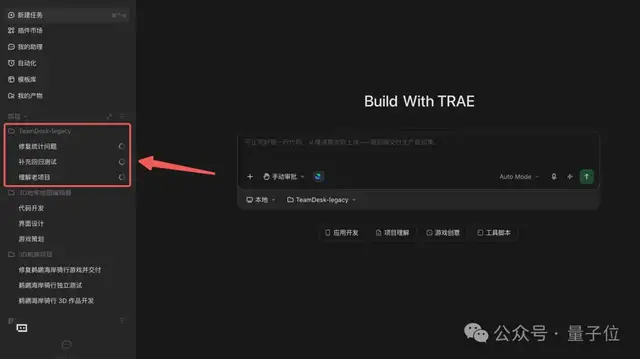
Agent 1 produced a web-formatted architectural breakdown that clearly explained the frontend layering, data flow triggered by UI interactions, and persistence strategies.

Agent 2, tasked with bug fixes, strictly followed the issue tracker to reproduce the bug first, pinpointed the root cause, and resolved it by modifying just a single line of code—appending a filter condition for archived tasks in the metrics calculation:
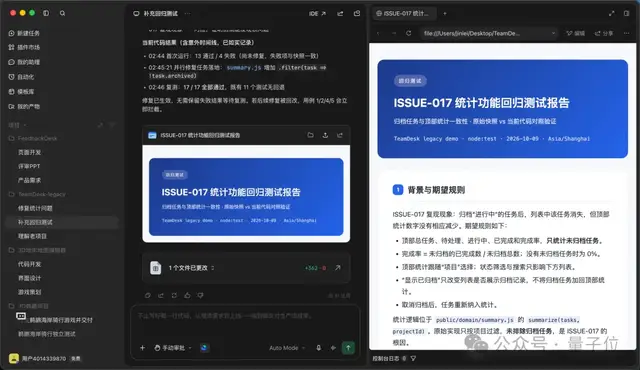
Finally, Agent 3 supplemented the regression tests and displayed the final passing results:

Comparing against the original codebase confirmed that all three Agents strictly respected their scope boundaries: only a single line of business code was touched, and only a single test file was added under the test directory.
In everyday development, regression tests like these can also plug directly into TRAE’s automation features—such as scheduling daily morning health checks that proactively alert you when anomalies arise:
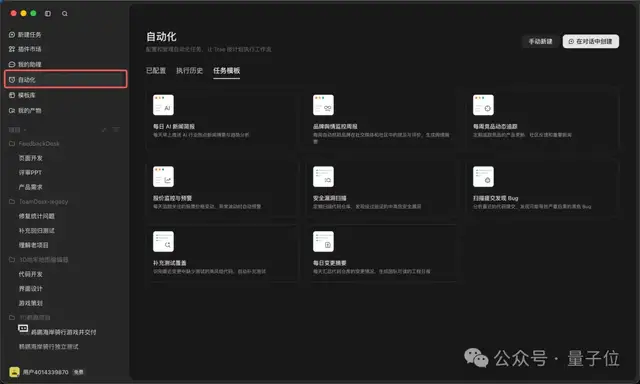
Let’s look at another scenario even closer to daily product work: a solo developer delivering an entire iteration end-to-end.
For this run, the task was to build FeedbackDesk, a customer feedback dashboard designed for an internal review demo. Deliverables included a Product Requirements Document (PRD), an interactive web demo, and a presentation slide deck for the review meeting.
Once again, we fired off three tasks at once:
- Agent 1: Draft the PRD;
- Agent 2: Build the web demo;
- Agent 3: Produce the review slide deck.
Soon after, each Agent returned with its deliverable: a 4-page Word PRD, a fully interactive browser-based web page, and a 6-slide deck complete with speaker notes:
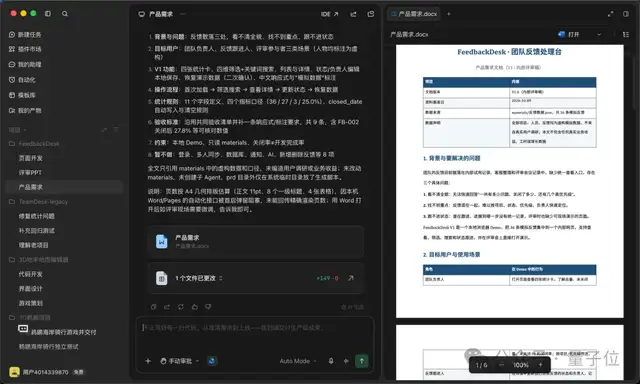
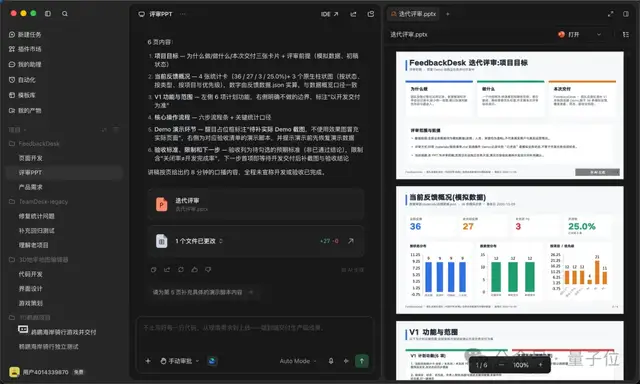
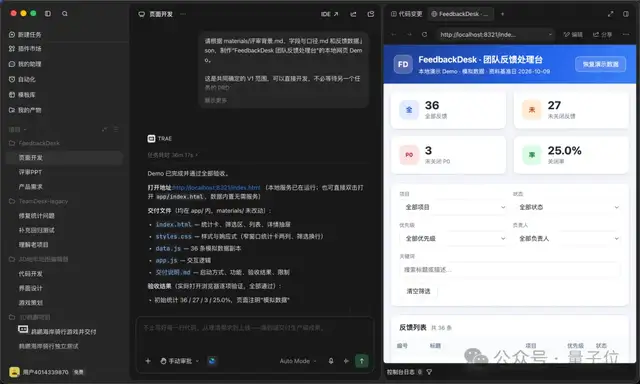
Previously, writing specs and building slides meant switching to TraeWork, while developing frontend pages meant jumping back to TraeCode. Now, within a single window, multiple Agents collaborate across the entire workflow.
Even more conveniently, the new TRAE comes with a built-in template library, allowing you to generate standardized documentation by pulling directly from templates:
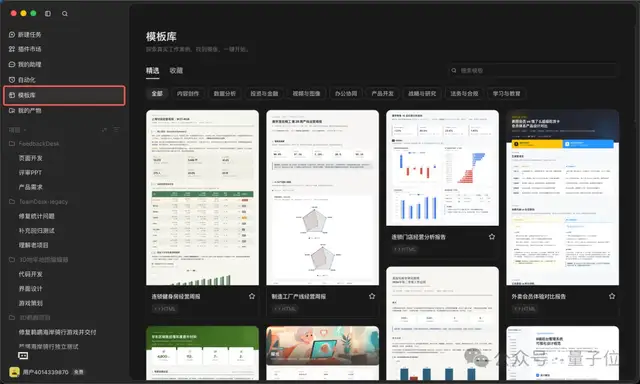
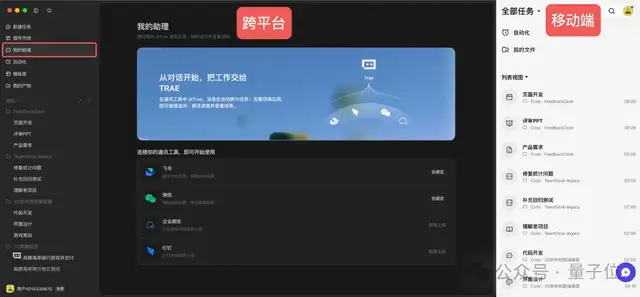
Collaboration touchpoints have also expanded. Even without the desktop client open, linking your Feishu or WeChat account lets you dispatch cross-platform tasks by simply @-mentioning TRAE, with real-time progress synced straight to your mobile device:
Convenient—truly convenient.
Why Merge the Two into One?
Returning to our opening question: why did TRAE, an established player in AI coding, choose to merge its two products into one?
After several rounds of testing, our main takeaway is this: writing code is only one phase of the software development lifecycle.
Taking a project from idea to delivery involves breaking down requirements, drafting technical specs, and designing mockups upstream—followed by testing, bug fixing, and stakeholder presentations downstream.
When these stages were split across two separate tools, context was severed and project artifacts were scattered, forcing developers into endless app-switching gymnastics.
What the new TRAE accomplishes is connecting the entire chain, evolving into an end-to-end development and collaboration platform.
- Vertically: From requirement breakdown through to final delivery, documentation, designs, source code, and tests are unified under a single project. Repetitive tasks are handled via automated scheduling, kept in sync across desktop, web, and mobile clients in real time.
- Horizontally: The unified workbench manages all projects in one place, running multiple Agents in parallel with task progress transparently visible in the left sidebar. When it’s time to dig deep into code, you can jump straight back into the IDE with a single click.
Looking globally, this trend is hardly unique to TRAE.
This April, Cursor released Cursor 3, introducing a dedicated Agents Window to orchestrate multiple agents while keeping the classic IDE interface accessible at any time. Claude Code rolled out Agent View as well, allowing developers to spin up, manage, and monitor multiple background Agents from a centralized panel.
Clearly, the industry consensus among leading AI coding tools is converging on a single paradigm: deeply integrating high-level Agent orchestration with low-level code editing inside the exact same product.
That said, our testing also revealed that simply adding more Agents doesn’t make problems vanish automatically. Take the pelican demo from earlier: the development Agent wrapped up with full confidence, claiming it had passed two rounds of browser self-tests with zero issues—yet the moment the testing Agent snapped screenshots for review, a fresh list of lingering bugs came right to light.