
Today I launched a new feature for my blog: a Newsletters page. It indexes all the newsletters I’ve ever sent out, covering both my free Substack newsletter and the monthly updates for sponsors. I built almost the entire feature using voice—chatting with my laptop while cooking dinner.
Codex voice mode
I used the Codex tab in the ChatGPT desktop app with voice mode enabled, running it directly against my local development environment. Here’s what the interface looks like:
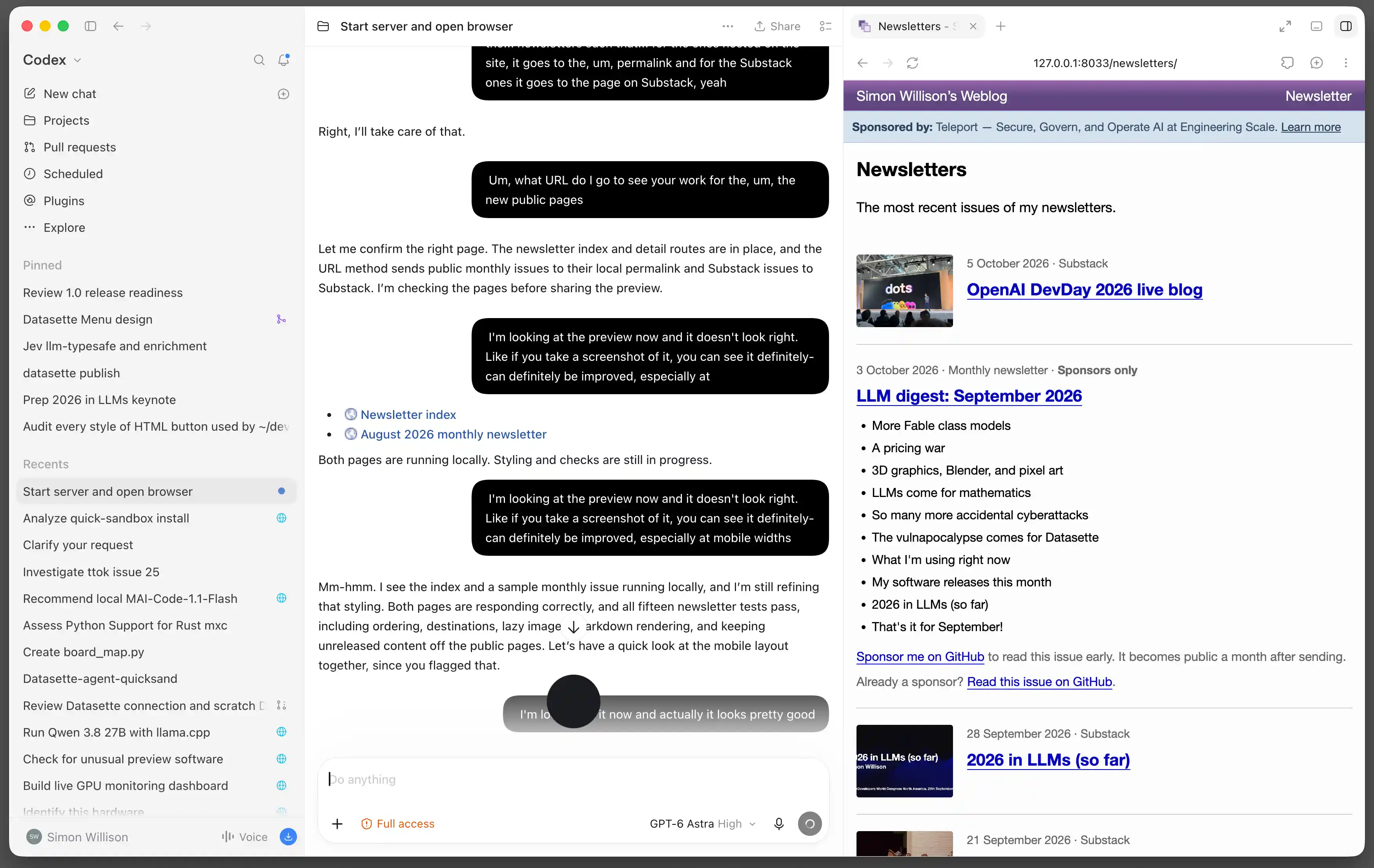
I kicked off the session against my local checkout of the simonwillisonblog repository by typing:
Start dev server and open in browser
This gave me a preview of the site it would be working on, and meant I could later ask it to show me new pages to visually track progress.
Then I clicked the “Start new voice chat” button—not the microphone button, but the one to the right of it—and set up my laptop in the kitchen so I could talk to it while cooking.
Talking to the computer
I had a very clear idea of what I wanted to build, and it was a simple enough Django feature that I was confident the model (GPT-6 Astra High, in this case) could handle it: a new model, a migration, some view code, templates, and a few import functions to pull data into the database from external sources.
Here is a snippet of the voice transcript captured by Codex:
Yeah, they won’t. Well, it’s going to be a new content type. Well, it won’t show up on… oh wait. Yeah, no—I don’t want it on my tag pages or date archive pages, and… actually no, I think… I don’t want it on tag pages. I don’t want it on the blog homepage either. But I do want it on the date-based pages. Like if you browse to September 19th and I published a newsletter that day, I’d want it to show up. So… that’s—so I think we probably need a new model. The other thing is I want them to be searchable, well, not the Substack ones, because those are really just duplicates of other stuff on my blog. But these monthly newsletters do contain exclusive content, especially… once they’re… published, like made public a month after they’re sent, I want them to show up in my search results.
Apparently, that was clear enough for the model to completely understand what I wanted to build! You can read the full transcript, complete with all the disfluencies, in this Gist.
We went back and forth like this for about half an hour (just long enough to make dinner). The model would respond, occasionally ask clarifying questions, and then get to work modifying the code.
What we built
Working entirely through voice, what we put together was remarkable:
- A new Django model representing imported newsletters, along with database migrations and corresponding Django Admin configuration
- Four working import scripts:
- Importing the latest Substack entries via RSS
- Importing all remaining Substack entries via Substack’s undocumented API (GPT-6 Astra actually knew about this API—it just tried
/api/v1/archive, then searched to figure out pagination and found this article by Karen Spinner) - Importing all published monthly newsletters from my simonw/monthly-newsletter-archive GitHub repository
- Importing the latest sponsor-only private newsletters from a private repository
- Public archive pages for /newsletters/ and /newsletters/2026/
- Newsletters also display on day and month archive pages, but not on tag pages or my homepage
- Substack posts link directly to Substack; archived monthly newsletters get their own detail pages
- Integration with the site-wide search engine
It was almost ready to go live. The only catch was the import workflow: Astra suggested dumping the data directly from my local copy and importing it into production, but I wanted it automated like the rest of my import scripts. Since some of the data lives in a private GitHub repository, this required creating a new API key, which I knew would take a bit of keyboard time.
Wrapping up with a code review
Once dinner was ready and I felt the feature was mostly complete, I asked Codex to create a branch and open a pull request (PR).
I reviewed the code in GitHub’s PR interface. It mostly looked good, with one exception: for one of the import scripts, it had opted to shell out to the Git CLI via subprocess. Since that import needed to pull from a private Git repository, I felt using the API would be more robust. So I switched back to typing at my keyboard and had Codex replace that part with an API-based import.
You can see the changes I made during the review in the additional commits on the PR. I fixed the import mechanism and made a few tweaks to the presentation of the public pages. After another half hour of prompting from the keyboard, I was happy with the result, merged the PR, and deployed it to production.
The end result
You can see the final result on the new newsletters index page, or check out an archived monthly newsletter page.
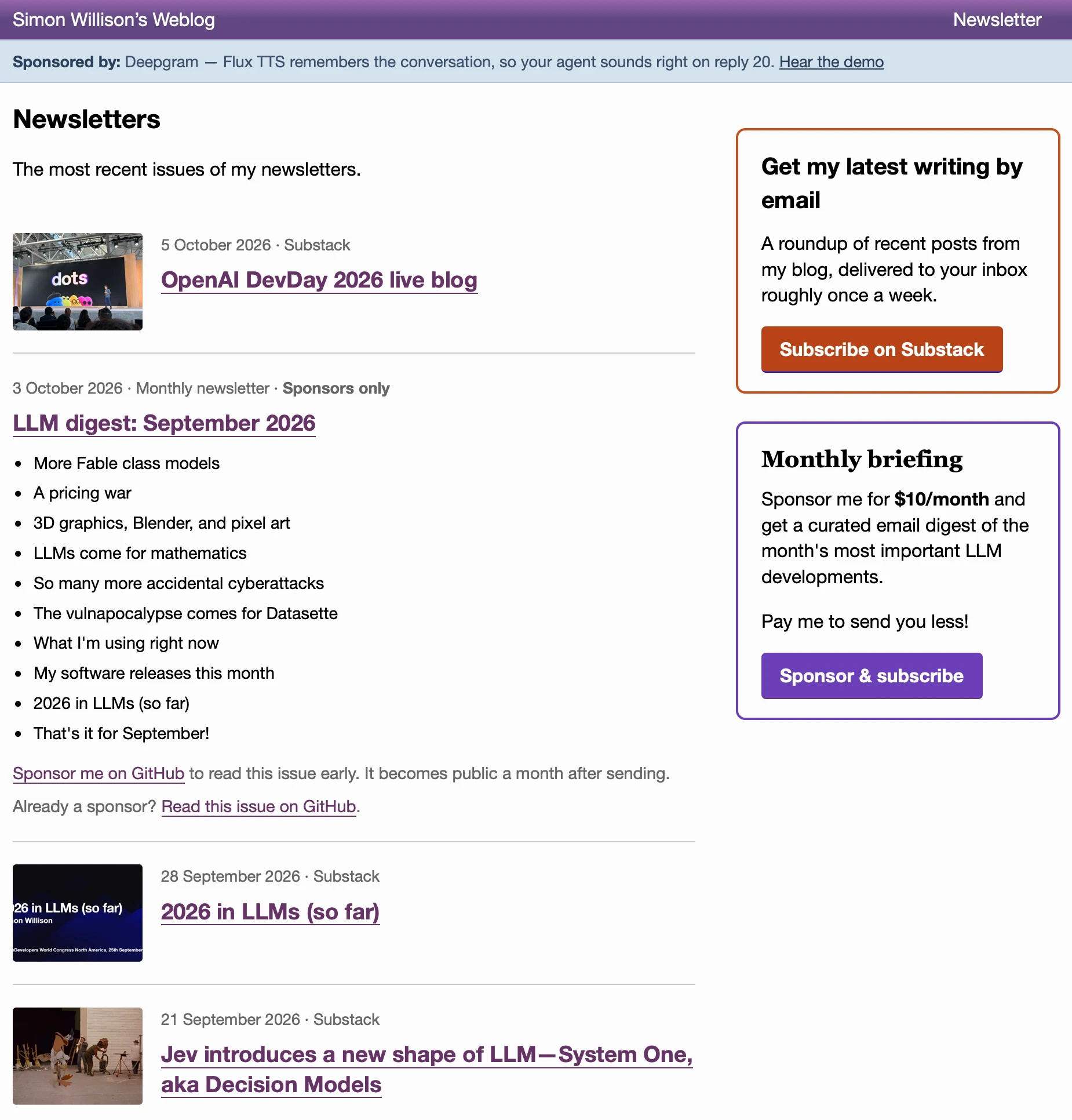
The index page displays a reverse-chronological blend of my latest Substack posts and GitHub Sponsors monthly newsletters, with links to yearly archives at the bottom.
GPT-6 Astra designed the page, and then iterated on the design based on the verbal feedback I gave after glancing at the local preview from across the kitchen.
Better for multitasking than as a primary daily workflow
OpenAI is very fond of showing voice demos like this at events like DevDay—and for that kind of setting, it works really well. But I don’t see this becoming my primary tool for everyday development.
I’ve written before about how much “work” I get done using ChatGPT voice mode on my phone while walking the dog—mostly research and brainstorming, but occasionally real development work where I have ChatGPT write and test…