
Log in Try ChatGPT (opens in a new window)
- Research
- Products
- Enterprise
- Developers
- Company
- Foundation (opens in a new window)
Work with Codex anywhere | OpenAI
Table of contents
- Stay connected to active work from anywhere
- Step in when it matters
- Run Codex in enterprise environments
- Availability
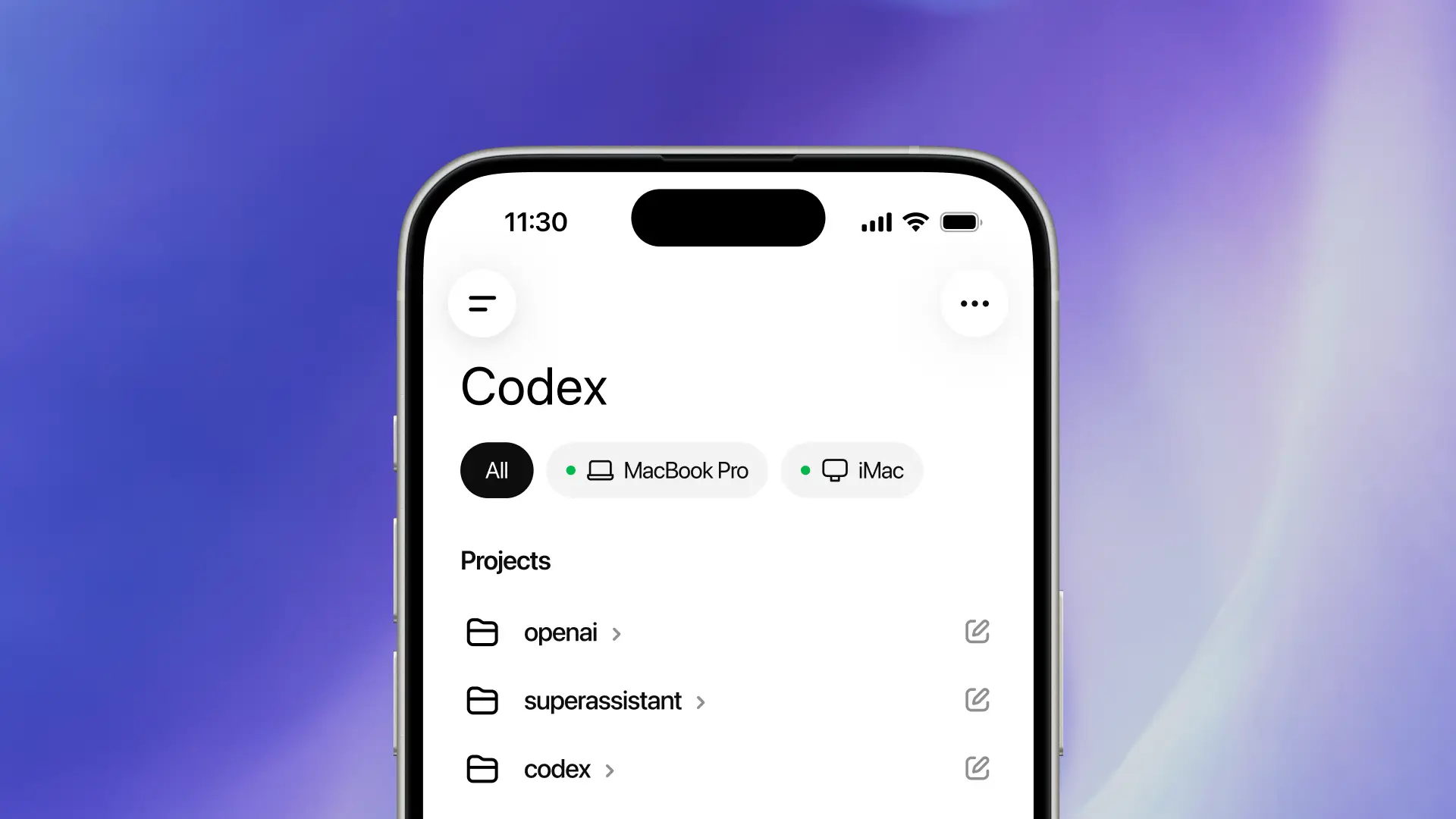
Codex is coming to your phone. It’s now in preview in the ChatGPT mobile app.
Download ChatGPT for mobile (opens in a new window)
00:00 01:04
Listen to article
Codex is now integrated into the ChatGPT mobile app, so you can stay on top of progress while Codex gets work done on your laptop, dev machine, or remote environment.
As agents take on longer-running tasks, a new rhythm of collaboration is emerging. To keep work moving, you need to be able to answer questions, review what Codex found, adjust direction, approve the next step, or introduce a new idea with ease.
More than 4 million people now use Codex every week, and we’re seeing more clearly how important these small moments are. A quick check-in can keep a workstream moving, avoid unnecessary rework, or help Codex make progress with the right context. Now, you can do that right from your phone. Get started here.
Stay connected to active work from anywhere
Codex in the ChatGPT mobile app is a full-featured mobile experience that helps you stay productive on Codex-related work. When you connect to any machine where Codex is running—whether that’s your laptop, a dedicated Mac mini, or a hosted remote environment—the app loads the live state from that environment so you can move fluidly between active threads, approvals, plugins, and project context.
This is more than just remote control of a single task or sending a new task to your computer. You can work across all of your threads on your phone, review output, approve commands, change models, or start something new. Your files, credentials, permissions, and local settings stay on the machine where Codex is running, and updates flow back to your phone in real time, including screenshots, terminal output, diffs, test results, and approval details.
Under the hood, Codex uses a secure relay layer that keeps trusted machines accessible across devices without exposing them directly to the public internet. That relay also syncs active session state and context wherever you’re logged in to ChatGPT.
Step in when it matters
As Codex handles longer-running work, timely guidance becomes an increasingly important part of keeping that work valuable. You can start work from your phone, unblock it when your judgment is needed, and stay in the loop as the results take shape.
With Codex in your pocket, you can now:
- Start debugging a bug while waiting for coffee. Since Codex is running in your development environment, it can begin checking relevant files, reproducing the issue in a browser, running tests, and working on a fix. If Codex needs clarification or permission to continue, you can respond or approve it directly from your phone. While it works, you can also review screenshots, terminal output, and test results along the way, and inspect the generated diffs before you get back to your computer.
- Make decisions during your commute. Before you leave for work, you hand Codex a refactoring task that will take some time and plan to review the result once you arrive. Halfway through your commute, Codex identifies two viable paths and needs your direction to proceed. You can review the tradeoffs on your phone, choose a path, and arrive to find the task already moving in the direction you want.
- Arrive better prepared for a fast-moving customer conversation. After back-to-back meetings, you notice a support issue has evolved across Slack, email, docs, and browser-based tools, and a customer call is about to start. From your phone, you can ask Codex to synthesize the latest updates, highlight the key open questions, and prepare a concise briefing for the conversation. If new information appears, you can have Codex refresh the summary before you join.
- Turn a fresh idea into motion while it’s still fresh. Whether you’re at lunch, out for a walk, or inspired by something you just heard, you can send a new idea to Codex from your phone by starting a new thread or adding it to ongoing work. The task can start taking shape before you’re even back at your desk, without pulling you completely away from the moment that sparked it.
Run Codex in enterprise environments
Many teams already develop in hosted remote environments that provide approved dependencies, credentials, security policies, and compute.
With Remote SSH now generally available, Codex can connect directly to those environments. The desktop app automatically detects hosts in your SSH configuration and lets you create projects and run threads in remote machines just as you would locally.
Once connected, those environments can remain accessible across the ChatGPT devices you’re authorized to use through the same secure relay infrastructure. That means you can start work on desktop, kick off execution from your phone, and keep long-running tasks moving without being tied to a single machine.
We’re also shipping several updates that expand how teams automate, customize, and manage Codex at scale:
- Programmatic access tokens provide scoped credentials that can be issued directly from ChatGPT workspace settings for CI pipelines, release workflows, and internal automation.
- Hooks are now generally available for scanning prompts for secrets, running validators, logging conversations, creating memories, or customizing Codex behavior for specific repositories and directories.
- Support for compliant local use of Codex in HIPAA environments (CLI, IDE, App), available for ChatGPT Enterprise workspaces, helps healthcare organizations support patient care and operational workflows with greater speed and confidence.
Availability
Codex in the ChatGPT mobile app is rolling out in preview on iOS and Android for all plans, including Free and Go, in all supported regions. Update the ChatGPT mobile app and the Codex app for macOS to try it. Support for phone connections in the Codex app for Windows is coming soon.